Branch
public
- Status
- Stable · Default
A dedicated Wreckfest server for your banger racing group. Set the event rotation, damage rules and car restrictions once, with Steam Workshop cars and tracks supported.
Pricing announced at launch
Below are a few reasons why LOW.MS is the ideal place to host your game server.
No argument over who hosts and no session ending when they quit. Your grid connects to the same server every race night.
Events and track list, damage level, car class restrictions, special vehicles, bot count and weather, all from the panel's config editor.
The server decides which Workshop cars and tracks your league runs. Drivers still subscribe themselves, but nobody is guessing which items or what order.
Peer hosting punishes whoever draws the short straw. A dedicated server gives the whole grid the same connection quality.
Always-on enterprise protection, included rather than sold separately.
Datacenters across Europe, North America and Asia-Pacific, so contact racing is decided by contact, not lag.
Your Wreckfest worlds, settings and mod configuration are backed up to the cloud automatically. Keep up to 20 backups per server and lock the ones that matter so they are never cleared to make room.
From the Backups tab in the LOW.MS control panel you can restore any backup in one click, download a copy to your PC, or take a manual backup before a big change.
Backups include your worlds and mod settings. Locked ones are never deleted to make room.
| Created | Size | Status | Locked | |
|---|---|---|---|---|
| 17/08/2026, 15:19 | 3.6 MB | Completed | DownloadRestoreDelete | |
| 17/08/2026, 15:14 | 3.6 MB | Completed | DownloadRestoreDelete | |
| 14/08/2026, 00:12 | 3.6 MB | Completed | DownloadRestoreDelete | |
| 11/08/2026, 23:33 | 1.3 MB | Completed | DownloadRestoreDelete |
What people say after they have moved a server to us.
Read our reviews on TrustpilotOut of all hosting providers. This is by far the top choice in my list. Simple UI with a mod manager included making it hassle-free when downloading specific mods.
Jose, Trustpilot review
I opened a ticket for help migrating my server from a different host. The game is Palworld and it isn't a simple process, they did it for me! Very helpful and responsive.
Justin, Trustpilot review
Their prices are pretty cheap and I thought they'd cut back on performance but damn was I wrong. The service has been insanely reliable and the Support Team are on their own level!
Anti, Trustpilot review
We support every public Wreckfest Steam branch out of the box, including the private password-protected ones. Switch from your control panel any time.
community_prehealthbars
Low latency wherever your players are
Pick the location closest to your Wreckfest players. If you are not sure which one to choose, contact support.
Every location has DDoS protection that can absorb attacks of up to 100 Gbps.
If there is a location you would like us to add, let us know. The right location also lists your server under the right region in the in-game server browser.
Our DatacentersEurope
North America
Asia & Oceania
Find answers to common questions about Wreckfest server hosting.
Your server will be ready within minutes
Enterprise-grade protection included
Expert help whenever you need it
Cancel anytime. No minimum term. Full refund within 5 days.
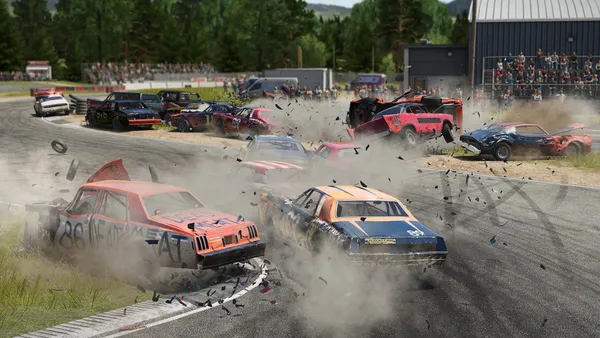
Wreckfest is a demolition derby racer built on soft body damage, which is a technical way of saying the cars deform and fall apart properly and it is enormously satisfying. Banger racing, figure of eight circuits, school bus derbies and the occasional lawnmower. It is a game that works best with a full grid of people you know, all shouting at each other. The dedicated server is what makes that repeatable. You set the event rotation, the damage model, the car class restrictions and the bot count, then everyone joins the same address every week instead of arguing over who hosts. It also fixes the connection problems that peer hosted lobbies produce when someone with a poor upload draws the short straw. Wreckfest also has a Steam Workshop full of custom cars and tracks, and a hosted server is the sane way to keep a group on the same content list. We are templating it now, with server config editing and event rotation management from the panel. Watch this page for the order button.


We are confident that you'll be happy with our service. If on the rare occasion there is a problem with your service, we will do our absolute best to get things working for you, or you can simply ask for your money back.
We have a full 5 day money-back guarantee on all our game server hosting. No questions asked.
A selection of hosting guides and articles, hand-written by our own support team
Connect FileZilla or WinSCP to your LOW.MS server on port 2022 with the SFTP login from your control panel, find your files, and fix the usual connection and upload problems.

Seeing "Cannot connect to server. App ID specified by the server is invalid" when joining your ARK, Palworld or other Steam game server? It's a Steam client bug, not your server. Here's how to get connected.
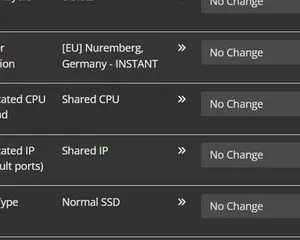
A quick guide on getting your server upgraded
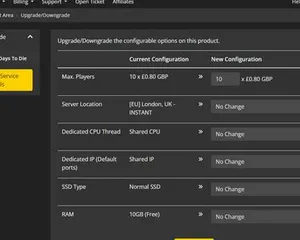
A quick guide on upgrading your LOW.MS server.
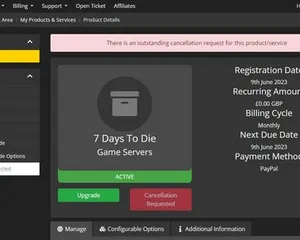
A quick guide on how to cancel your server with LOW.MS
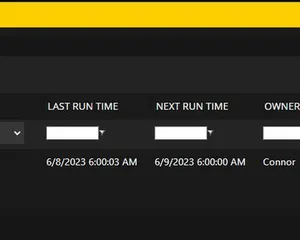
Easily create scheduled tasks to make your server run smoothly.
Start, stop and manage your Wreckfest server from your browser. Your control panel puts server settings, files, SFTP and backups within reach.
Nexus is now available for supported games, with built-in tools for everyday server management. Existing servers may still use TCAdmin; our support team can help you find the right panel for your server.
More infoJoin our Discord to chat with our staff and community!
Join Discord