Steam Workshop
Mods install straight from the Steam Workshop. A few are built for Windows servers only and are skipped by a server running on Linux; if a mod seems to be missing in game, ask support to check it.
Visit Steam WorkshopA tactical, realism-focused combined arms FPS built around communication and teamwork in massive 50v50 battles. Coordinate infantry, vehicles, and logistics across expansive maps, and win by planning, leadership, and disciplined squad play.
Below are a few reasons why LOW.MS is the ideal place to host your game server.
Begin playing on your Squad server within minutes after payment.
Never lose your Squad save again with our state of the art cloud backup system.
Your Squad server will be equipped with the latest Intel or AMD processors and NVMe SSDs.
All of our datacenter networks have enterprise-level DDOS protection to ensure your Squad server hosting never goes down.
Round-the-clock customer assistance with a 99.9% uptime guarantee to ensure your Squad server never goes offline.
Full refund within the first 5 days if your Squad server is not up to scratch.
Mods install straight from the Steam Workshop. A few are built for Windows servers only and are skipped by a server running on Linux; if a mod seems to be missing in game, ask support to check it.
Visit Steam WorkshopInstall mods in one click from your panel's built-in browser, or upload your own files via SFTP. Full access either way.
Your Squad worlds, settings and mod configuration are backed up to the cloud automatically. Keep up to 20 backups per server and lock the ones that matter so they are never cleared to make room.
From the Backups tab in the LOW.MS control panel you can restore any backup in one click, download a copy to your PC, or take a manual backup before a big change.
Backups include your worlds and mod settings. Locked ones are never deleted to make room.
| Created | Size | Status | Locked | |
|---|---|---|---|---|
| 17/08/2026, 15:19 | 3.6 MB | Completed | DownloadRestoreDelete | |
| 17/08/2026, 15:14 | 3.6 MB | Completed | DownloadRestoreDelete | |
| 14/08/2026, 00:12 | 3.6 MB | Completed | DownloadRestoreDelete | |
| 11/08/2026, 23:33 | 1.3 MB | Completed | DownloadRestoreDelete |
What people say after they have moved a server to us.
Read our reviews on TrustpilotOut of all hosting providers. This is by far the top choice in my list. Simple UI with a mod manager included making it hassle-free when downloading specific mods.
Jose, Trustpilot review
I opened a ticket for help migrating my server from a different host. The game is Palworld and it isn't a simple process, they did it for me! Very helpful and responsive.
Justin, Trustpilot review
Their prices are pretty cheap and I thought they'd cut back on performance but damn was I wrong. The service has been insanely reliable and the Support Team are on their own level!
Anti, Trustpilot review
We support every public Squad Steam branch out of the box, including the private password-protected ones. Switch from your control panel any time.
Beta branch for testing helicopter HOTAS and Head Tracking (compatible with Live servers)
Low latency wherever your players are
Pick the location closest to your Squad players. If you are not sure which one to choose, contact support.
Every location has DDoS protection that can absorb attacks of up to 100 Gbps.
If there is a location you would like us to add, let us know. The right location also lists your server under the right region in the in-game server browser.
Our DatacentersEurope
North America
Asia & Oceania
Find answers to common questions about Squad server hosting.
Your server will be ready within minutes
Enterprise-grade protection included
Expert help whenever you need it
Starting from
Cancel anytime. No minimum term. Full refund within 5 days.
Squad is Offworld Industries' large-scale tactical FPS, built from the ground up around squad-based communication rather than lone-wolf play. Up to 100 players split across two factions fight over kilometre-scale maps with combined arms – infantry, armour, transport helicopters, logistics trucks, fortifications – and win through coordination, not just aim. Released into Early Access in 2015 and full 1.0 in September 2020, Squad has kept a loyal milsim-adjacent community through regular content drops and a steady stream of licensed community servers. A dedicated server is how Squad communities actually work. Matchmaking is community-server-driven – players browse the in-game server list and pick one based on rules, language, latency, and moderation reputation. A dedicated server lets you set your own rules (password-lock for clan scrims, whitelist for training events, public-but-curated for a milsim community), control the map rotation through Layers.cfg, run RCON-based admin tooling, and expose Steam Workshop mods through the in-game mod browser without anyone installing anything manually. Squad servers run on both Linux and Windows. Squad servers scale hard. A 100-slot licensed milsim night genuinely needs the top of our slot ladder – not because the game is heavy per-player, but because the physics, vehicle simulation, and layered map streaming all add up once you stack players, logistics trucks, and helicopters. Our slot tiers run from a 10-slot scrim-sized box up to a 100-slot flagship server, all backed by automated provisioning, Steam Workshop sync, and DDoS protection. Whether you're running a private clan server, a licensed public community, or something in between, the cluster is yours to shape.
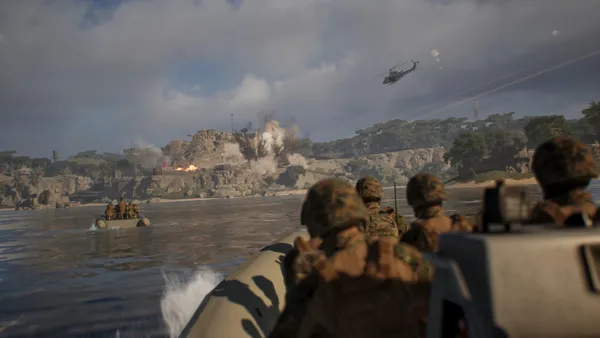

We are confident that you'll be happy with our service. If on the rare occasion there is a problem with your service, we will do our absolute best to get things working for you, or you can simply ask for your money back.
We have a full 5 day money-back guarantee on all our game server hosting. No questions asked.
A selection of hosting guides and articles, hand-written by our own support team
Connect FileZilla or WinSCP to your LOW.MS server on port 2022 with the SFTP login from your control panel, find your files, and fix the usual connection and upload problems.
Move your Squad server configuration, admin lists, and map rotation to your LOW.MS dedicated server using File Manager or SFTP.

Seeing "Cannot connect to server. App ID specified by the server is invalid" when joining your ARK, Palworld or other Steam game server? It's a Steam client bug, not your server. Here's how to get connected.
A first-boot walkthrough for new Squad server owners, covering the Control Panel handoff, Server.cfg basics, admin setup, layer rotation and mods. By the end you'll have a running, named, moderated server with a first map and your first mod ready to go.
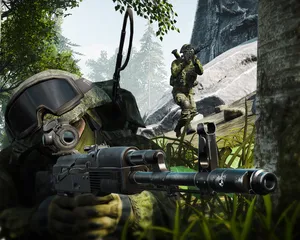
A file-by-file reference for every config Squad's dedicated server reads, from Server.cfg and Admins.cfg to Layer rotation and RCON. Use it as a lookup when you need to know exactly what to edit – and where – to change a specific bit of server behaviour.
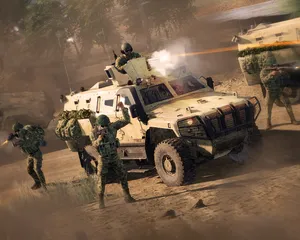
Real-world fixes for the Squad server problems we see tickets for every week – mod.io sync stalls, Layers.cfg typos, Licensed Server revocations and RCON refusing the password. Diagnostic walkthroughs using the LOW.MS panel, not generic copy-paste.
Start, stop and manage your Squad server from your browser. Your control panel puts server settings, files, SFTP and backups within reach.
Nexus is now available for supported games, with built-in tools for everyday server management. Existing servers may still use TCAdmin; our support team can help you find the right panel for your server.
More infoJoin our Discord to chat with our staff and community!
Join Discord