Branch
public
- Status
- Stable · Default
A hardcore open-world survival game built around deep systems and high stakes. Loot, craft, and outlast enemies while managing detailed survival mechanics in a hostile environment designed to punish sloppy decisions.
Below are a few reasons why LOW.MS is the ideal place to host your game server.
Order and the server installs and boots itself. You get an address to join, not a list of things to download.
Name, password, slots, messages, camera view, ping limit, day speed and night darkness are form fields on the Manage tab. No hunting through an ini file for the basics.
ServerSettings.ini has hundreds of keys. Add your own lines and they're kept across every restart.
Your admins and bans are plain Steam ID lists you edit in the Files tab. Add an ID, restart, done.
Take a copy whenever you like or schedule it daily, weekly or monthly. Up to 20 are kept per server.
Protection is included on every server, you choose the region at checkout, and there's a person to talk to at any hour.
Your SCUM worlds, settings and mod configuration are backed up to the cloud automatically. Keep up to 20 backups per server and lock the ones that matter so they are never cleared to make room.
From the Backups tab in the LOW.MS control panel you can restore any backup in one click, download a copy to your PC, or take a manual backup before a big change.
Backups include your worlds and mod settings. Locked ones are never deleted to make room.
| Created | Size | Status | Locked | |
|---|---|---|---|---|
| 17/08/2026, 15:19 | 3.6 MB | Completed | DownloadRestoreDelete | |
| 17/08/2026, 15:14 | 3.6 MB | Completed | DownloadRestoreDelete | |
| 14/08/2026, 00:12 | 3.6 MB | Completed | DownloadRestoreDelete | |
| 11/08/2026, 23:33 | 1.3 MB | Completed | DownloadRestoreDelete |
What people say after they have moved a server to us.
Read our reviews on TrustpilotOut of all hosting providers. This is by far the top choice in my list. Simple UI with a mod manager included making it hassle-free when downloading specific mods.
Jose, Trustpilot review
I opened a ticket for help migrating my server from a different host. The game is Palworld and it isn't a simple process, they did it for me! Very helpful and responsive.
Justin, Trustpilot review
Their prices are pretty cheap and I thought they'd cut back on performance but damn was I wrong. The service has been insanely reliable and the Support Team are on their own level!
Anti, Trustpilot review
We support every public SCUM Steam branch out of the box, including the private password-protected ones. Switch from your control panel any time.
Public alpha branch
Low latency wherever your players are
Pick the location closest to your SCUM players. If you are not sure which one to choose, contact support.
Every location has DDoS protection that can absorb attacks of up to 100 Gbps.
If there is a location you would like us to add, let us know. The right location also lists your server under the right region in the in-game server browser.
Our DatacentersEurope
North America
Asia & Oceania
Find answers to common questions about SCUM server hosting.
Your server will be ready within minutes
Enterprise-grade protection included
Expert help whenever you need it
Starting from
Cancel anytime. No minimum term. Full refund within 5 days.
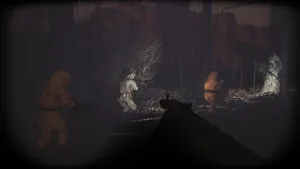
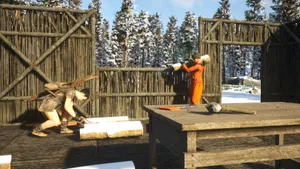
SCUM is a hardcore open-world survival game from Gamepires where staying alive takes a lot more than watching a health bar. Your prisoner has a full metabolism, so what you eat, carry and wear all matters while you loot, craft and fight your way across a huge island full of puppets, mechs and other players. Running your own server means you set the rules. On a LOW.MS SCUM server the settings owners change first are on the Manage tab of the control panel: server name and description, password, player slots, welcome message, message of the day, first or third person, the ping limit, how fast the day passes and how dark the nights get. The rest of SCUM's settings file is still yours. You add your own lines and they're kept every time the server starts. Your admin and ban lists are plain files you edit in the Files tab, the whole world can be backed up on demand or on a schedule, and you pick the region closest to your players at checkout. One thing worth knowing up front: a SCUM server takes a few minutes to start, because it loads the entire island before anyone can join. That's the game, not a fault.

We are confident that you'll be happy with our service. If on the rare occasion there is a problem with your service, we will do our absolute best to get things working for you, or you can simply ask for your money back.
We have a full 5 day money-back guarantee on all our game server hosting. No questions asked.
A selection of hosting guides and articles, hand-written by our own support team
Connect FileZilla or WinSCP to your LOW.MS server on port 2022 with the SFTP login from your control panel, find your files, and fix the usual connection and upload problems.

Seeing "Cannot connect to server. App ID specified by the server is invalid" when joining your ARK, Palworld or other Steam game server? It's a Steam client bug, not your server. Here's how to get connected.
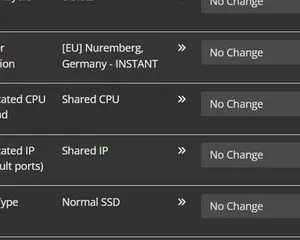
A quick guide on getting your server upgraded
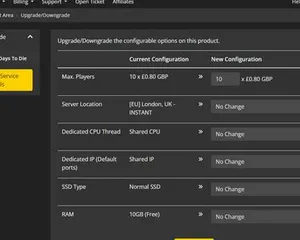
A quick guide on upgrading your LOW.MS server.
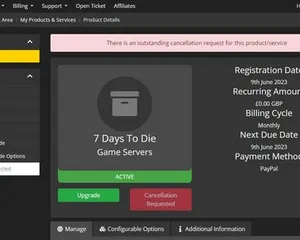
A quick guide on how to cancel your server with LOW.MS
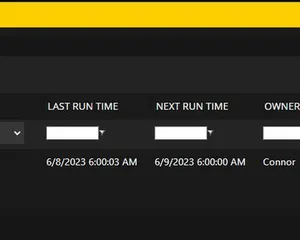
Easily create scheduled tasks to make your server run smoothly.
Start, stop and manage your SCUM server from your browser. Your control panel puts server settings, files, SFTP and backups within reach.
Nexus is now available for supported games, with built-in tools for everyday server management. Existing servers may still use TCAdmin; our support team can help you find the right panel for your server.
More infoJoin our Discord to chat with our staff and community!
Join Discord