How to join from Steam
Getting your Steam group onto a Palworld server takes a few minutes.
- 1
Order your server
Pick a plan and the location closest to your players. Your Palworld server is set up automatically after payment.
- 2
Set it up your way
Change your server's settings, such as its name and password where the game has them, from any browser, including on your phone.
- 3
Share the join details
The control panel shows your server's address and join details. Send them to the friends you want to play with.
- 4
Join from Steam
Launch Palworld on Steam and join through the game's server list, or the join option it offers on that platform.
Many Steam games also let you save a server as a favourite in Steam's own server browser (View, then Game Servers), so it is one click away next time.
Play Palworld across platforms
Palworld is also available on PC, Xbox, and PlayStation. Where the game supports crossplay between these versions, players on them can join the same server as your Steam group.
Why LOW.MS?
Below are a few reasons why LOW.MS is the ideal place to host your game server.
Crossplay default-on
Steam, Xbox, PS5, and Mac players all join the same server. No config, no upgrade, no extra plan needed.
Painless host migration
Moving from another Palworld host? We move your world, base, and Pals across for you. Automatic for common hosts, hands-on help for the rest.
Every .ini tweak in the browser
Edit PalWorldSettings.ini for capture rates, XP, damage, and hatching time through Configuration Files. Our docs cover the WorldOption.sav override bug that silently breaks settings.
Generous RAM, no overfilled nodes
Pocketpair recommends 16 GB for a Palworld server. We start at 10 GB, scale to 30 GB, and never stack servers tight on our hardware.
Nexus Mods with the right UE4SS
Drop .pak mods into File Manager. We ship the Palworld-specific RE-UE4SS build, not the generic one that crashes servers post-patch 0.4.1.5.
DDoS protection built in
Palworld servers attract the server-browser crowd hard, so enterprise DDoS protection is standard on every plan, not a paid upgrade.
Rated 4.8 out of 5 on Trustpilot
What people say after they have moved a server to us.
Read our reviews on TrustpilotTop choice in my list
Out of all hosting providers. This is by far the top choice in my list. Simple UI with a mod manager included making it hassle-free when downloading specific mods.
Jose, Trustpilot review
Very helpful and responsive
I opened a ticket for help migrating my server from a different host. The game is Palworld and it isn't a simple process, they did it for me! Very helpful and responsive.
Justin, Trustpilot review
Insanely reliable service
Their prices are pretty cheap and I thought they'd cut back on performance but damn was I wrong. The service has been insanely reliable and the Support Team are on their own level!
Anti, Trustpilot review
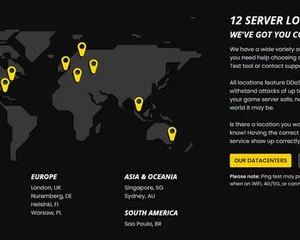
13 Server Locations
Low latency wherever your players are
Pick the location closest to your Palworld players. If you are not sure which one to choose, contact support.
Every location has DDoS protection that can absorb attacks of up to 100 Gbps.
If there is a location you would like us to add, let us know. The right location also lists your server under the right region in the in-game server browser.
Our DatacentersEurope
- Amsterdam, NL
- Nuremberg, DE
- Helsinki, FI
- Warsaw, PL
North America
- Ashburn, VA
- Miami, FL
- Dallas, TX
- San Jose, CA
- Los Angeles, CA
- Bend, OR
Asia & Oceania
- Singapore, SG
- Sydney, AU
- Melbourne, AU
Frequently Asked Questions
Common questions about hosting Palworld for Steam players.
Ready to host your Palworld server?
Instant Setup
Your server will be ready within minutes
DDoS Protection
Enterprise-grade protection included
24/7 Support
Expert help whenever you need it
Starting from
Cancel anytime. No minimum term. Full refund within 5 days.
Knowledgebase Articles
A selection of hosting guides and articles, hand-written by our own support team
Connecting to Your Server with SFTP (Port 8822)
Connect FileZilla or WinSCP to your LOW.MS server on port 8822 with your control panel login, find your files, and fix the usual connection and upload problems.
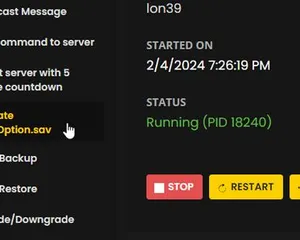
Increasing max pals on your server
We've fixed this issue on our dedicated servers!
Transfer your Palworld server to a new location
A quick guide on getting your server transferred over to a different region
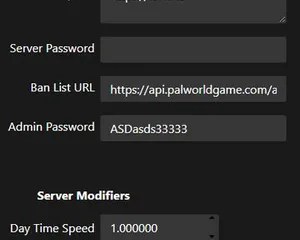
Server configuration for Palworld
Guide for customizing your Palworld server
WorldOption.sav vs PalWorldSettings.ini – Why Your Palworld Settings Won't Apply
If a WorldOption.sav file exists in your save folder, your Palworld server ignores most of PalWorldSettings.ini. Here's how to check which file your server is actually reading, and how to fix settings that revert or never apply.
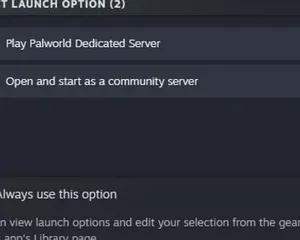
Palworld - Setting up a dedicated Server
Setting up a server via SteamCMD
Cutting Edge Control Panel
Start, stop and manage your Palworld server from your browser. Your control panel puts server settings, files and backups within reach.
Nexus is now available for supported games, with built-in tools for everyday server management. Existing servers may still use TCAdmin; our support team can help you find the right panel for your server.
More info