Branch
public
- Status
- Stable · Default
Multiplayer BeamNG.drive servers with your own maps, mods and player limits.
Pricing announced at launch
Below are a few reasons why LOW.MS is the ideal place to host your game server.
Add your Keymaster AuthKey to list the server in the BeamMP browser, or keep it private and share the IP and port with friends for Direct Connect.
Run a stock map or upload a map mod to Resources/Client and point the Map setting at it. Players download it automatically when they join.
Drop vehicle mod zips into Resources/Client and every player who joins gets the same cars, with no manual installs on their side.
Choose how many players can join and how many cars each one can spawn, so a big session stays playable.
Watch joins, chat and server output in real time from the control panel and run server commands without a remote desktop.
Your server gets its own IP and port on our network, so there is no router setup, firewall rules or home connection to worry about.
Your BeamMP worlds, settings and mod configuration are backed up to the cloud automatically. Keep up to 20 backups per server and lock the ones that matter so they are never cleared to make room.
From the Backups tab in the LOW.MS control panel you can restore any backup in one click, download a copy to your PC, or take a manual backup before a big change.
Backups include your worlds and mod settings. Locked ones are never deleted to make room.
| Created | Size | Status | Locked | |
|---|---|---|---|---|
| 17/08/2026, 15:19 | 3.6 MB | Completed | DownloadRestoreDelete | |
| 17/08/2026, 15:14 | 3.6 MB | Completed | DownloadRestoreDelete | |
| 14/08/2026, 00:12 | 3.6 MB | Completed | DownloadRestoreDelete | |
| 11/08/2026, 23:33 | 1.3 MB | Completed | DownloadRestoreDelete |
What people say after they have moved a server to us.
Read our reviews on TrustpilotOut of all hosting providers. This is by far the top choice in my list. Simple UI with a mod manager included making it hassle-free when downloading specific mods.
Jose, Trustpilot review
I opened a ticket for help migrating my server from a different host. The game is Palworld and it isn't a simple process, they did it for me! Very helpful and responsive.
Justin, Trustpilot review
Their prices are pretty cheap and I thought they'd cut back on performance but damn was I wrong. The service has been insanely reliable and the Support Team are on their own level!
Anti, Trustpilot review
We support every public BeamMP Steam branch out of the box, including the private password-protected ones. Switch from your control panel any time.
No updates - DirectX9 - 0.4.0.6
Low latency wherever your players are
Pick the location closest to your BeamMP players. If you are not sure which one to choose, contact support.
Every location has DDoS protection that can absorb attacks of up to 100 Gbps.
If there is a location you would like us to add, let us know. The right location also lists your server under the right region in the in-game server browser.
Our DatacentersEurope
North America
Asia & Oceania
Find answers to common questions about BeamMP server hosting.
Your server will be ready within minutes
Enterprise-grade protection included
Expert help whenever you need it
Cancel anytime. No minimum term. Full refund within 5 days.
BeamMP turns BeamNG.drive's soft-body physics into a shared sandbox. Host your own BeamMP server and drive, crash and race with friends on stock or modded maps, with your own vehicle and map mods loaded for everyone who joins. Set the server name, player limit, cars per player and map, then list it publicly in the BeamMP server browser or keep it private for direct connect only.



We are confident that you'll be happy with our service. If on the rare occasion there is a problem with your service, we will do our absolute best to get things working for you, or you can simply ask for your money back.
We have a full 5 day money-back guarantee on all our game server hosting. No questions asked.
A selection of hosting guides and articles, hand-written by our own support team
Connect FileZilla or WinSCP to your LOW.MS server on port 2022 with the SFTP login from your control panel, find your files, and fix the usual connection and upload problems.

Seeing "Cannot connect to server. App ID specified by the server is invalid" when joining your ARK, Palworld or other Steam game server? It's a Steam client bug, not your server. Here's how to get connected.
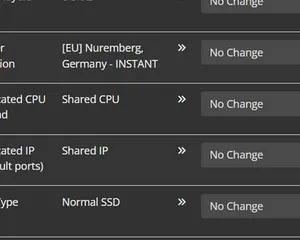
A quick guide on getting your server upgraded
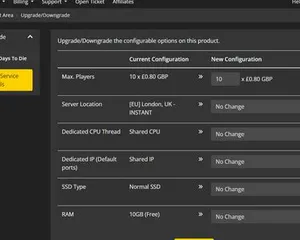
A quick guide on upgrading your LOW.MS server.
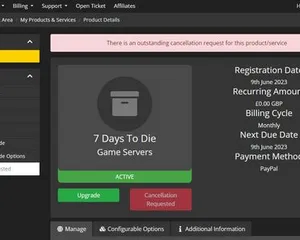
A quick guide on how to cancel your server with LOW.MS
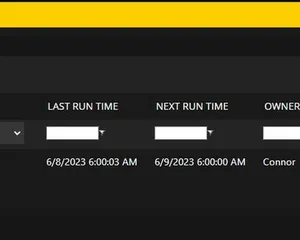
Easily create scheduled tasks to make your server run smoothly.
Doable, but the gap between 'it boots' and 'your crew can actually log in' is where most home setups fall over. Here's what self-hosting BeamMP signs you up for, and what we handle if you'd rather skip it.
A few hours to set up, then ongoing upkeep.
Grab BeamMP-Server.exe from the BeamMP-Server releases page on GitHub and install the Microsoft Visual C++ Redistributable it needs.
$ steamcmd +login anonymous +app_update 284160 validate +quitRun the server once so it creates ServerConfig.toml next to the exe, then stop it before editing.
Sign in to keymaster.beammp.com with Discord, create a key and paste it into AuthKey. One key works on one server at a time.
Edit Name, Map, MaxPlayers and MaxCars, and set Private to false if you want it in the server list.
Forward port 30814 on TCP and UDP on your router and allow the server through Windows Firewall in both directions.
Put vehicle and map zips in Resources/Client, start the server and join from the BeamMP server list or Direct Connect.
Order at the top of this page and we take care of all six steps.
Pricing visible up front. No signup wall.
If you'd rather try it yourself first, our BeamMP guides above walk through the SteamCMD setup. We'll be here if you migrate later.
Start, stop and manage your BeamMP server from your browser. Your control panel puts server settings, files, SFTP and backups within reach.
Nexus is now available for supported games, with built-in tools for everyday server management. Existing servers may still use TCAdmin; our support team can help you find the right panel for your server.
More infoJoin our Discord to chat with our staff and community!
Join Discord