$8.95/mois
$1.12 par slot (8)
PALWORLD30- Installation instantanée, en ligne en quelques secondes
- Protection DDoS incluse
Pourquoi LOW.MS ?
Voici quelques raisons pour lesquelles LOW.MS est l'endroit idéal pour héberger votre serveur de jeu.
Crossplay activé par défaut
Les joueurs Steam, Xbox, PS5 et Mac rejoignent le même serveur. Pas de config, pas d'upgrade, pas de plan supplémentaire.
Migration d'hébergeur sans douleur
Vous venez d'un autre hébergeur Palworld ? On déplace votre monde, votre base et vos Pals pour vous. Automatique chez les hébergeurs courants, à la main pour le reste.
Chaque réglage .ini dans le navigateur
Modifiez PalWorldSettings.ini pour les taux de capture, l'XP, les dégâts et le temps d'éclosion via Configuration Files. Nos docs couvrent le bug WorldOption.sav qui casse les réglages en silence.
RAM généreuse, nodes non saturés
Pocketpair recommande 16 Go pour un serveur Palworld. On démarre à 10 Go, on monte à 30 Go, et on ne surcharge jamais notre matériel.
Nexus Mods avec le bon UE4SS
Déposez des mods .pak via le File Manager. On livre le RE-UE4SS spécifique à Palworld, pas le générique qui crashe les serveurs depuis le patch 0.4.1.5.
Protection DDoS incluse
Les serveurs Palworld attirent beaucoup les habitués du server browser, donc la protection DDoS d'entreprise est de série dans chaque plan, sans supplément.
Sauvegardes Cloud Automatiques
Vos mondes, paramètres et configuration de mods Palworld sont sauvegardés automatiquement dans le cloud. Conservez jusqu'à 20 sauvegardes par serveur et verrouillez celles qui comptent pour qu'elles ne soient jamais supprimées pour faire de la place.
Depuis l'onglet Sauvegardes du panneau de configuration LOW.MS, restaurez n'importe quelle sauvegarde en un clic, téléchargez-en une copie sur votre PC ou créez une sauvegarde manuelle avant un changement important.
- Sauvegardes automatiques programmées, stockées hors de votre serveur
- Verrouillez les sauvegardes importantes pour qu'elles ne soient jamais écrasées
- Restauration en un clic, ou téléchargement de toute sauvegarde sur votre PC
- Inclus avec chaque serveur Palworld, sans frais supplémentaires
Les sauvegardes incluent vos mondes et paramètres de mods. Les sauvegardes verrouillées ne sont jamais supprimées pour faire de la place.
| Créée | Taille | Statut | Verrouillée | |
|---|---|---|---|---|
| 17/08/2026, 15:19 | 3.6 MB | Terminée | TéléchargerRestaurerSupprimer | |
| 17/08/2026, 15:14 | 3.6 MB | Terminée | TéléchargerRestaurerSupprimer | |
| 14/08/2026, 00:12 | 3.6 MB | Terminée | TéléchargerRestaurerSupprimer | |
| 11/08/2026, 23:33 | 1.3 MB | Terminée | TéléchargerRestaurerSupprimer |
Rated 4.8 out of 5 on Trustpilot
What people say after they have moved a server to us.
Read our reviews on TrustpilotTop choice in my list
Out of all hosting providers. This is by far the top choice in my list. Simple UI with a mod manager included making it hassle-free when downloading specific mods.
Jose, Trustpilot review
Very helpful and responsive
I opened a ticket for help migrating my server from a different host. The game is Palworld and it isn't a simple process, they did it for me! Very helpful and responsive.
Justin, Trustpilot review
Insanely reliable service
Their prices are pretty cheap and I thought they'd cut back on performance but damn was I wrong. The service has been insanely reliable and the Support Team are on their own level!
Anti, Trustpilot review
13 Emplacements des serveurs
Une faible latence où que soient vos joueurs
Choisissez l'emplacement le plus proche de vos joueurs Palworld. Si vous hésitez, contactez le support.
Chaque emplacement dispose d'une protection DDoS capable d'absorber des attaques jusqu'à 100 Gbps.
S'il y a un emplacement que vous aimeriez nous voir ajouter, dites-le-nous. Le bon emplacement place aussi votre serveur dans la bonne région du navigateur de serveurs du jeu.
Nos centres de donnéesEurope
- Amsterdam, NL
- Nuremberg, Allemagne
- Helsinki, Finlande
- Varsovie, Pologne
Amérique du Nord
- Ashburn, VA
- Miami, FL
- Dallas, TX
- San José, CA
- Los Angeles, CA
- Bend, OR
Asie & Océanie
- Singapour, SG
- Sydney, AU
- Melbourne, AU
Questions fréquentes
Trouvez des réponses aux questions fréquentes sur l'hébergement de serveurs Palworld.
Prêt à héberger votre serveur Palworld?
Installation instantanée
Votre serveur sera prêt en quelques minutes
Protection DDoS
Protection de niveau entreprise incluse
Support 24/7
Aide experte quand vous en avez besoin
À partir de
Annulez à tout moment. Aucune durée minimale. Remboursement complet sous 5 jours.
Qu'est-ce que Palworld
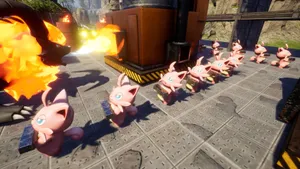
Palworld is Pocketpair's open-world survival game where you fight, farm, build and team up with creatures called Pals. You can ride them, put them to work in your base, send them into battle, or eat them. Pocketpair has never been particularly squeamish about the trade-offs. We have hosted Palworld dedicated servers since the game launched in January 2024, and crossplay between Steam, Xbox, PS5 and Mac has been default-on across all our plans since v0.5.0. Every server comes with automatic cloud backups, DDoS protection, 24/7 support and a graceful stop that saves your world before every restart, and you can pick a region at checkout. The 32-player cap is still where Pocketpair has it set in 2026, so that is the ceiling we offer plans up to.


Garantie de remboursement
Nous sommes convaincus que vous serez satisfait de notre service. Si, dans de rares cas, il y a un problème avec votre service, nous ferons de notre mieux pour résoudre la situation, ou vous pouvez simplement demander un remboursement.
Nous avons une garantie de remboursement intégrale de 5 jours sur tous nos hébergements de serveurs de jeux. Aucune question posée.
Articles de la base de connaissances pour
Une sélection de guides et d'articles sur l'hébergement , rédigés par notre équipe de support
Connecting to Your Server with SFTP (Port 2022)
Connect FileZilla or WinSCP to your LOW.MS server on port 2022 with the SFTP login from your control panel, find your files, and fix the usual connection and upload problems.
Increasing max pals on your server
We've fixed this issue on our dedicated servers!
Transfer your Palworld server to a new location
A quick guide on getting your server transferred over to a different region
Server configuration for Palworld
Guide for customizing your Palworld server
WorldOption.sav vs PalWorldSettings.ini – Why Your Palworld Settings Won't Apply
If a WorldOption.sav file exists in your save folder, your Palworld server ignores most of PalWorldSettings.ini. Here's how to check which file your server is actually reading, and how to fix settings that revert or never apply.
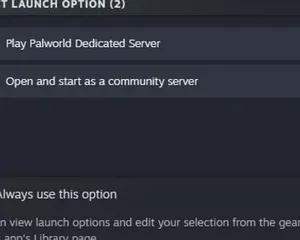
Palworld - Setting up a dedicated Server
Setting up a server via SteamCMD
Panneau de contrôle de pointe
Démarrez, arrêtez et gérez votre serveur Palworld depuis votre navigateur. Retrouvez les paramètres, les fichiers, l'accès SFTP et les sauvegardes dans votre panneau de contrôle.
Nexus est désormais disponible pour les jeux compatibles, avec des outils intégrés de gestion de serveur. Les serveurs existants peuvent encore utiliser TCAdmin ; notre équipe peut vous aider à trouver le bon panneau.
Plus d’infos