Branch
public
- Status
- Stable · Default
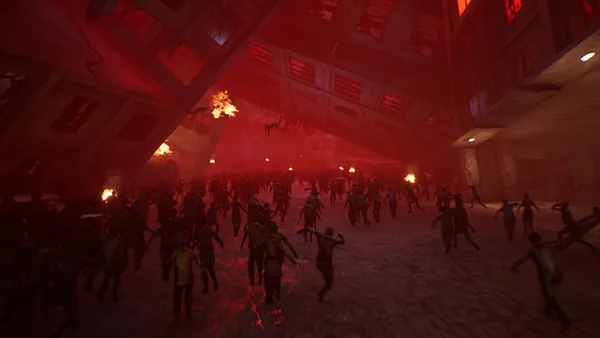
A survival open-world crafting sandbox where you are a resistance fighter sent back in time to stop the rise of a tyrannical empire. Collect resources, craft tech, build shelters, and fight monsters as you push your mission forward.
Below are a few reasons why LOW.MS is the ideal place to host your game server.
Begin playing on your The Front server within minutes after payment.
Never lose your The Front save again with our state of the art cloud backup system.
Your The Front server will be equipped with the latest Intel or AMD processors and NVMe SSDs.
All of our datacenter networks have enterprise-level DDOS protection to ensure your The Front server hosting never goes down.
Round-the-clock customer assistance with a 99.9% uptime guarantee to ensure your The Front server never goes offline.
Full refund within the first 5 days if your The Front server is not up to scratch.
Your The Front worlds, settings and mod configuration are backed up to the cloud automatically. Keep up to 20 backups per server and lock the ones that matter so they are never cleared to make room.
From the Backups tab in the LOW.MS control panel you can restore any backup in one click, download a copy to your PC, or take a manual backup before a big change.
Backups include your worlds and mod settings. Locked ones are never deleted to make room.
| Created | Size | Status | Locked | |
|---|---|---|---|---|
| 17/08/2026, 15:19 | 3.6 MB | Completed | DownloadRestoreDelete | |
| 17/08/2026, 15:14 | 3.6 MB | Completed | DownloadRestoreDelete | |
| 14/08/2026, 00:12 | 3.6 MB | Completed | DownloadRestoreDelete | |
| 11/08/2026, 23:33 | 1.3 MB | Completed | DownloadRestoreDelete |
What people say after they have moved a server to us.
Read our reviews on TrustpilotOut of all hosting providers. This is by far the top choice in my list. Simple UI with a mod manager included making it hassle-free when downloading specific mods.
Jose, Trustpilot review
I opened a ticket for help migrating my server from a different host. The game is Palworld and it isn't a simple process, they did it for me! Very helpful and responsive.
Justin, Trustpilot review
Their prices are pretty cheap and I thought they'd cut back on performance but damn was I wrong. The service has been insanely reliable and the Support Team are on their own level!
Anti, Trustpilot review
We support every public The Front Steam branch out of the box, including the private password-protected ones. Switch from your control panel any time.
Alphatest
Low latency wherever your players are
Pick the location closest to your The Front players. If you are not sure which one to choose, contact support.
Every location has DDoS protection that can absorb attacks of up to 100 Gbps.
If there is a location you would like us to add, let us know. The right location also lists your server under the right region in the in-game server browser.
Our DatacentersEurope
North America
Asia & Oceania
Find answers to common questions about The Front server hosting.
Your server will be ready within minutes
Enterprise-grade protection included
Expert help whenever you need it
Starting from
Cancel anytime. No minimum term. Full refund within 5 days.
The Front is the kind of survival game that sounds straightforward on the box. Drop into a hostile timeline, gather resources, craft tech, build a base, push back against an empire. In practice you spend most of your time arguing with friends about whether the watchtower needs another floor and watching somebody's home-made vehicle disassemble itself on the first hill. The world is shared, persistent, and a lot more interesting once you stop hosting it from your own machine. That's why most groups end up wanting a dedicated server. The official server binary works, but Samar Studio's SteamCMD distribution ships without a few pieces from the game client, and the missing files surface as NPCs that animate but never move. We've documented the fix in our [self-host walkthrough](https://low.ms/knowledgebase/how-to-host-the-front-dedicated-server), but if you'd rather not chase DLLs across two Steam installs at midnight, our LOW.MS plans for The Front have the file fix baked in, MariaDB wired up, and the four UDP ports the game wants open at provision time. You pick a region at checkout, the server spins up in minutes, and the [LOW.MS Control Panel](https://control.low.ms) does the rest. Where we put our weight is in the things that go wrong at 2am. Cloud Backup captures the install plus the MariaDB world state in a single snapshot, so a backup is actually a rollback point rather than half of one. DDoS protection sits in front of every server. Support is 24/7 because the game patches are 24/7 and we've learned the hard way that "small Asia-region patch on a Sunday" can wipe a public server's player list before anyone European wakes up. If you want the technical detail on what we run, the [hosting guide](https://low.ms/knowledgebase/how-to-host-the-front-dedicated-server) covers it; if you just want to pick a plan and play this weekend, the order form below is shorter than reading this paragraph.

We are confident that you'll be happy with our service. If on the rare occasion there is a problem with your service, we will do our absolute best to get things working for you, or you can simply ask for your money back.
We have a full 5 day money-back guarantee on all our game server hosting. No questions asked.
A selection of hosting guides and articles, hand-written by our own support team
Connect FileZilla or WinSCP to your LOW.MS server on port 2022 with the SFTP login from your control panel, find your files, and fix the usual connection and upload problems.
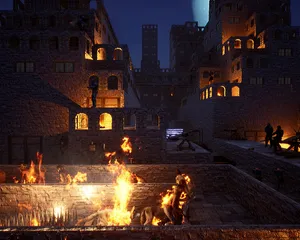
A grouped reference for every key in The Front's ServerConfig_.ini, with the defaults that ship, what they actually do, and the handful that are worth touching versus the ones that are safer left alone.
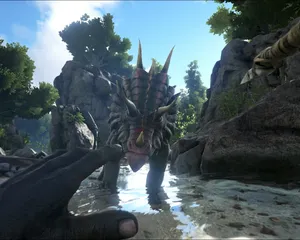
Seeing "Cannot connect to server. App ID specified by the server is invalid" when joining your ARK, Palworld or other Steam game server? It's a Steam client bug, not your server. Here's how to get connected.
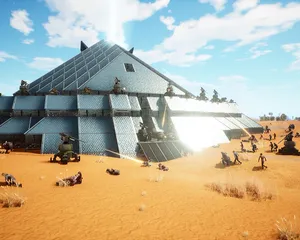
Setting up a dedicated server for The Front, the easy way and the SteamCMD way. Covers the four UDP ports, the missing-launcher-files trap that makes NPCs stand still, ServerConfig_.ini, admin and PvP setup, and what changes when you put it on LOW.MS.
A quick guide on getting your server upgraded
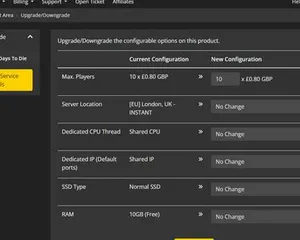
A quick guide on upgrading your LOW.MS server.
Doable, but the gap between 'it boots' and 'your crew can actually log in' is where most home setups fall over. Here's what self-hosting The Front signs you up for, and what we handle if you'd rather skip it.
A few hours to set up, then ongoing upkeep.
Get SteamCMD onto a Windows box and run the command below. The Front's game and dedicated server share App ID 2285150, anonymous login is fine, and no Linux build exists.
$ steamcmd +login anonymous +app_update 2285150 validate +quitFour UDP ports inbound: 7900 game, 7901 beacon (the easy one to miss), 7902 Steam query, 7903 manager shutdown. All four need firewall plus router port-forwarding.
SteamCMD ships incomplete. Copy WindowsServer\ and TheFrontManager\ from a client install into your server folder (this is what fixes the NPCs-not-moving bug), and drop the Steam DLLs into ProjectWar\Binaries\Win64\ so the server browser sees you. Then run TheFrontManager.exe to generate ServerConfig_.ini and edit name, password, cap, mode, admins.
Launch via the manager's Start button so the ?DedicatedServer token is set (the ?OfficialServer alternative silently breaks NPCs). Hand out IP:7900 and test the join from a second machine before telling anyone the server is live.
The box can't sleep, can't auto-reboot, can't lose power unnoticed. Back up both the bundled MariaDB AND the world files: either alone is useless. Re-run SteamCMD when Samar patches, then update every client to match before reconnects.
You're the support team. NPC bugs, version mismatches, ACE flags, midnight crashes, all yours. If that's not the hobby you signed up for, our LOW.MS plans for The Front ship with the file fix baked in, Cloud Backup that captures MariaDB plus world state in one snapshot, and 24/7 support.
Order at the top of this page and we take care of all six steps.
Pricing visible up front. No signup wall.
If you'd rather try it yourself first, our The Front guides above walk through the SteamCMD setup. We'll be here if you migrate later.
Start, stop and manage your The Front server from your browser. Your control panel puts server settings, files, SFTP and backups within reach.
Nexus is now available for supported games, with built-in tools for everyday server management. Existing servers may still use TCAdmin; our support team can help you find the right panel for your server.
More infoJoin our Discord to chat with our staff and community!
Join Discord