Steam Workshop
PZ modding lives on the Steam Workshop. Search and one-click install from the panel's Steam Workshop page, or hand-edit WorkshopItems= in servertest.ini.
Visit Steam WorkshopThe ultimate isometric zombie survival sandbox. Build your base, scavenge for supplies, and survive the apocalypse with friends on your own dedicated server.
$9.95/mo
$0.99 per slot (10)
Below are a few reasons why LOW.MS is the ideal place to host your game server.
Begin playing on your Project Zomboid server within minutes after payment.
Never lose your Project Zomboid save again with our state of the art cloud backup system.
Your Project Zomboid server will be equipped with the latest Intel or AMD processors and NVMe SSDs.
All of our datacenter networks have enterprise-level DDOS protection to ensure your Project Zomboid server hosting never goes down.
Round-the-clock customer assistance with a 99.9% uptime guarantee to ensure your Project Zomboid server never goes offline.
Full refund within the first 5 days if your Project Zomboid server is not up to scratch.
PZ modding lives on the Steam Workshop. Search and one-click install from the panel's Steam Workshop page, or hand-edit WorkshopItems= in servertest.ini.
Visit Steam WorkshopInstall mods in one click from your panel's built-in browser, or upload your own files via SFTP. Full access either way.
Your Project Zomboid worlds, settings and mod configuration are backed up to the cloud automatically. Keep up to 20 backups per server and lock the ones that matter so they are never cleared to make room.
From the Backups tab in the LOW.MS control panel you can restore any backup in one click, download a copy to your PC, or take a manual backup before a big change.
Backups include your worlds and mod settings. Locked ones are never deleted to make room.
| Created | Size | Status | Locked | |
|---|---|---|---|---|
| 17/08/2026, 15:19 | 3.6 MB | Completed | DownloadRestoreDelete | |
| 17/08/2026, 15:14 | 3.6 MB | Completed | DownloadRestoreDelete | |
| 14/08/2026, 00:12 | 3.6 MB | Completed | DownloadRestoreDelete | |
| 11/08/2026, 23:33 | 1.3 MB | Completed | DownloadRestoreDelete |
What people say after they have moved a server to us.
Read our reviews on TrustpilotOut of all hosting providers. This is by far the top choice in my list. Simple UI with a mod manager included making it hassle-free when downloading specific mods.
Jose, Trustpilot review
I opened a ticket for help migrating my server from a different host. The game is Palworld and it isn't a simple process, they did it for me! Very helpful and responsive.
Justin, Trustpilot review
Their prices are pretty cheap and I thought they'd cut back on performance but damn was I wrong. The service has been insanely reliable and the Support Team are on their own level!
Anti, Trustpilot review
We support every public Project Zomboid Steam branch out of the box, including the private password-protected ones. Switch from your control panel any time.
Build 41.78.21
Low latency wherever your players are
Pick the location closest to your Project Zomboid players. If you are not sure which one to choose, contact support.
Every location has DDoS protection that can absorb attacks of up to 100 Gbps.
If there is a location you would like us to add, let us know. The right location also lists your server under the right region in the in-game server browser.
Our DatacentersEurope
North America
Asia & Oceania
Find answers to common questions about Project Zomboid server hosting.
Your server will be ready within minutes
Enterprise-grade protection included
Expert help whenever you need it
Starting from
Cancel anytime. No minimum term. Full refund within 5 days.
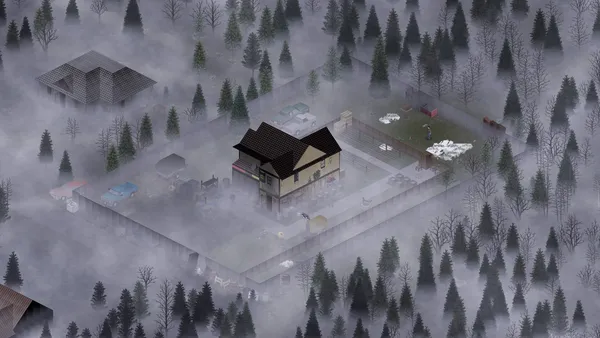
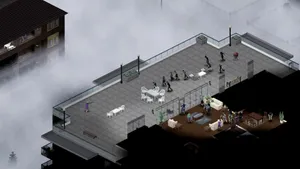
Project Zomboid is the isometric zombie survival game that does not let you win. You build a base, scrounge for cans of beans, try to keep your characters alive, and eventually die in a way you will remember. On a private server with a few friends, that loop gets a lot more interesting, because now you get to argue about where to loot next, whose turn it is to cook, and who left the generator off. Hosting your own Project Zomboid server on LOW.MS gives you a persistent Knox County apocalypse for your group, with full control over sandbox settings, mods from the Steam Workshop, and who is allowed in. We run PZ on dedicated bare-metal nodes with automatic cloud backups, DDoS protection, and 24/7 support. Build 42 is now the stable release, bringing a far larger map, basements, new crafting disciplines and animal husbandry. If your group would rather finish an existing Build 41 world first, we can pin your server to the legacy41 branch instead.
We are confident that you'll be happy with our service. If on the rare occasion there is a problem with your service, we will do our absolute best to get things working for you, or you can simply ask for your money back.
We have a full 5 day money-back guarantee on all our game server hosting. No questions asked.
A selection of hosting guides and articles, hand-written by our own support team
Connect FileZilla or WinSCP to your LOW.MS server on port 8822 with your control panel login, find your files, and fix the usual connection and upload problems.
A comprehensive guide to configuring your Project Zomboid server, covering servertest.ini network settings, sandbox gameplay options, zombie behaviour, loot tables, and Build 42 features.
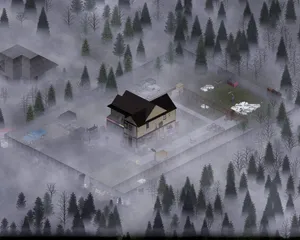
Everything you need to know to get your Project Zomboid dedicated server up and running, from first login to inviting friends and configuring basic settings.
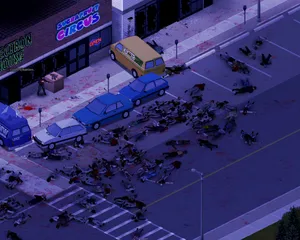
Find your Project Zomboid singleplayer save files and upload them to your dedicated server using File Manager or SFTP.
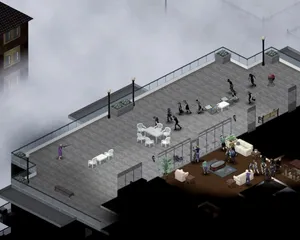
Solutions to the most common Project Zomboid dedicated server issues, including connection problems, crashes, mod conflicts, performance degradation, and Build 42 specific bugs.
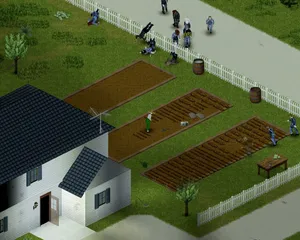
How to use the panel's Steam Workshop browser on a Project Zomboid Build 42 server, why the Mods= line it writes needs correcting by hand, and why a Build 41 mod list downloads perfectly on Build 42 and then kicks every player who tries to join.
Start, stop and manage your Project Zomboid server from your browser. Your control panel puts server settings, files, SFTP and backups within reach.
Nexus is now available for supported games, with built-in tools for everyday server management. Existing servers may still use TCAdmin; our support team can help you find the right panel for your server.
More infoJoin our Discord to chat with our staff and community!
Join Discord