$5.25/mo
$1.31 per slot (4)
- Instant setup, online in seconds
- DDoS protection included
How to join from PlayStation
Getting your PlayStation group onto your Enshrouded server takes a few minutes.
- 1
Order your server
Pick a plan and the location closest to your players. Your Enshrouded server is set up automatically after payment.
- 2
Set it up your way
Change your server's settings, such as its name and password where the game has them, from any browser, including on your phone.
- 3
Share the join details
The control panel shows your server's address and join details. Send them to the friends you want to play with.
- 4
Join from PlayStation
Launch Enshrouded on PlayStation and join through the game's server list, or the join option it offers on that platform.
PlayStation players join dedicated servers through the game itself. If Enshrouded has a crossplay setting, make sure it is on for your server before your PlayStation friends connect. Our support team can help you check.
Play Enshrouded across platforms
Enshrouded is also available on Steam. Where the game supports crossplay between these versions, players on them can join the same server as your PlayStation group.
Why LOW.MS?
Below are a few reasons why LOW.MS is the ideal place to host your game server.
Every setting, no config file
Difficulty presets, all 37 Custom tunables, chat and player roles are fields on the Manage tab. You never open enshrouded_server.json, and you never break it.
Four roles, four passwords
Admin, Friend, Guest and Visitor each get a password generated for your server, with permissions to match. Hand out the one that fits the person.
Ready for 1.0 and every patch after
Press Update on the Overview tab the moment Keen Games ship a build. Your players are on the new version, and so are you.
Bring the world you already play
Upload your savegame folder through the Files tab and carry on where you left off. Nobody starts again.
Backups, on your schedule
The Backups tab writes a copy off the server in one click, and a scheduled Backup task turns that into a nightly job. Worth setting up before the patch that needs it.
Support that has run these servers
Tickets reach people who actually run Enshrouded servers, at any hour. Nobody will ask you what a Flame Altar is.
Rated 4.8 out of 5 on Trustpilot
What people say after they have moved a server to us.
Read our reviews on TrustpilotTop choice in my list
Out of all hosting providers. This is by far the top choice in my list. Simple UI with a mod manager included making it hassle-free when downloading specific mods.
Jose, Trustpilot review
Very helpful and responsive
I opened a ticket for help migrating my server from a different host. The game is Palworld and it isn't a simple process, they did it for me! Very helpful and responsive.
Justin, Trustpilot review
Insanely reliable service
Their prices are pretty cheap and I thought they'd cut back on performance but damn was I wrong. The service has been insanely reliable and the Support Team are on their own level!
Anti, Trustpilot review
13 Server Locations
Low latency wherever your players are
Pick the location closest to your Enshrouded players. If you are not sure which one to choose, contact support.
Every location has DDoS protection that can absorb attacks of up to 100 Gbps.
If there is a location you would like us to add, let us know. The right location also lists your server under the right region in the in-game server browser.
Our DatacentersEurope
- Amsterdam, NL
- Nuremberg, DE
- Helsinki, FI
- Warsaw, PL
North America
- Ashburn, VA
- Miami, FL
- Dallas, TX
- San Jose, CA
- Los Angeles, CA
- Bend, OR
Asia & Oceania
- Singapore, SG
- Sydney, AU
- Melbourne, AU
Frequently Asked Questions
Common questions about hosting Enshrouded for PlayStation players.
Ready to host your Enshrouded server?
Instant Setup
Your server will be ready within minutes
DDoS Protection
Enterprise-grade protection included
24/7 Support
Expert help whenever you need it
Starting from
Cancel anytime. No minimum term. Full refund within 5 days.
Knowledgebase Articles
A selection of hosting guides and articles, hand-written by our own support team
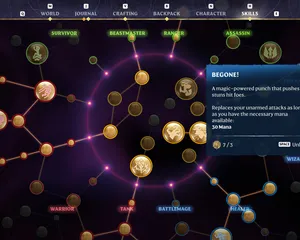
Enshrouded Server Configuration and Settings Guide
A detailed guide to configuring your Enshrouded dedicated server, covering enshrouded_server.json settings, difficulty presets, gameplay tweaks, player limits, and world configuration options.
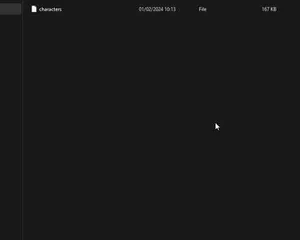
Enshrouded Save Location: Where Your World Lives and How to Move It to a Server
Where Enshrouded keeps your world on PC and in Steam Cloud, what the file codes and the index file mean, and how to move a world onto a dedicated server without the server loading the wrong one.

Enshrouded Server Troubleshooting: Common Issues and Fixes
Solutions to the most common Enshrouded dedicated server problems, including connection failures, version mismatches, performance issues, configuration errors, and world save problems.
Getting Started with Your Enshrouded Dedicated Server
A complete guide to setting up and connecting to your Enshrouded dedicated server on LOW.MS, including first-time configuration, inviting friends, and getting your world up and running.
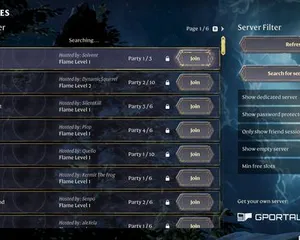
How to join your Enshrouded server
How to join your Enshrouded server without using the in game server list
Connecting to Your Server with SFTP (Port 2022)
Connect FileZilla or WinSCP to your LOW.MS server on port 2022 with the SFTP login from your control panel, find your files, and fix the usual connection and upload problems.
Cutting Edge Control Panel
Start, stop and manage your Enshrouded server from your browser. Your control panel puts server settings, files, SFTP and backups within reach.
Nexus is now available for supported games, with built-in tools for everyday server management. Existing servers may still use TCAdmin; our support team can help you find the right panel for your server.
More info