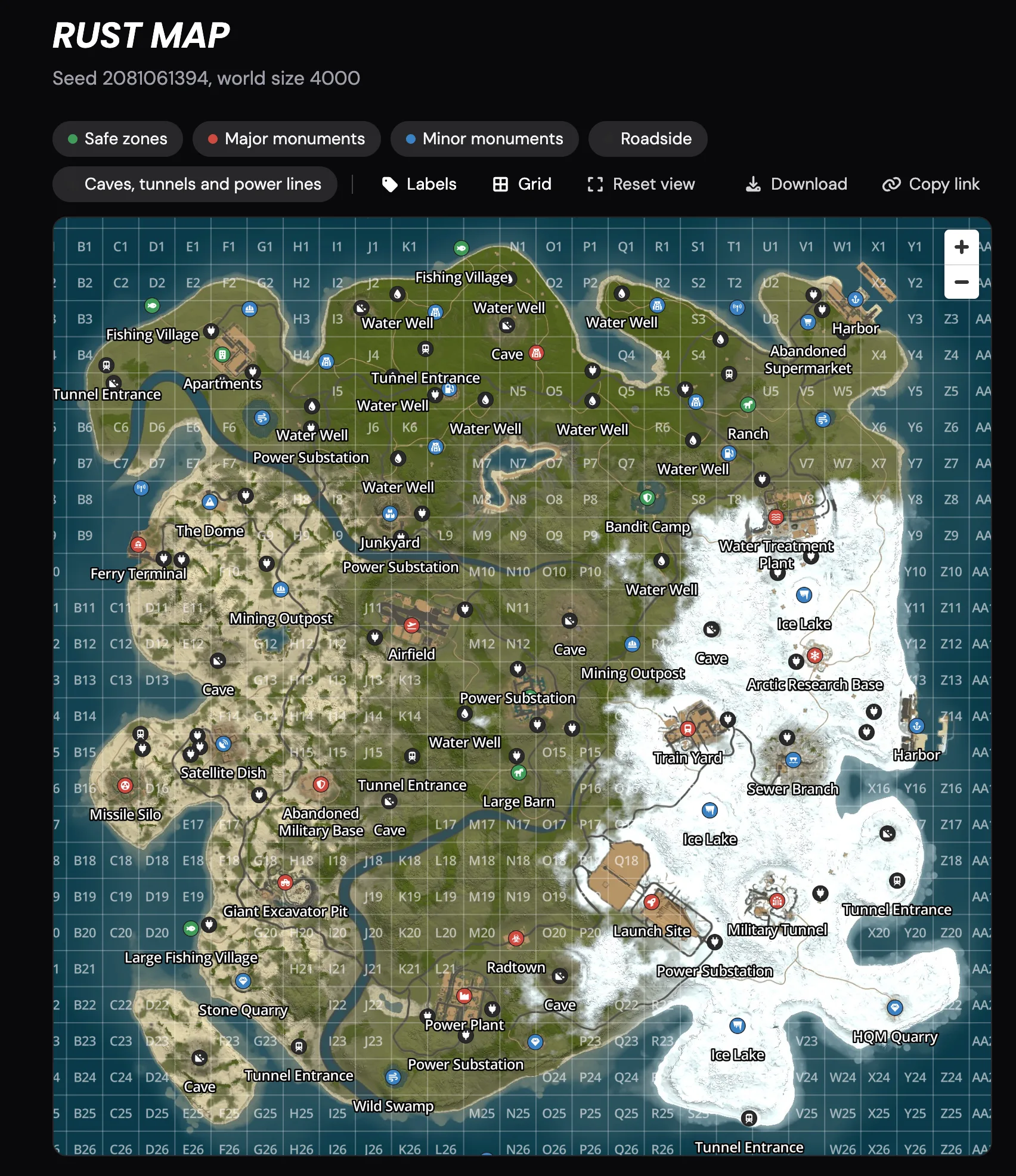
Every Rust server on LOW.MS now has a live map of its world on the Overview page, so you no longer need a third-party map site. Whenever your server generates a map, we capture it automatically. The map in your panel always matches the world your players are on.
What you can see
- The full map. You get a sharp, zoomable picture of your procedural world at its real size and seed.
- Every monument, labelled. Launch Site, Airfield, Oil Rigs, lighthouses and all the rest each have their own icon. Hover or tap an icon to see its name.
- Filter by type. You can show or hide landmarks by category, which cuts the clutter and helps you find what you're after.
- The in-game grid. You can turn on the same grid squares you see in game, so a callout like "G12" means the same thing on the panel as it does in game.
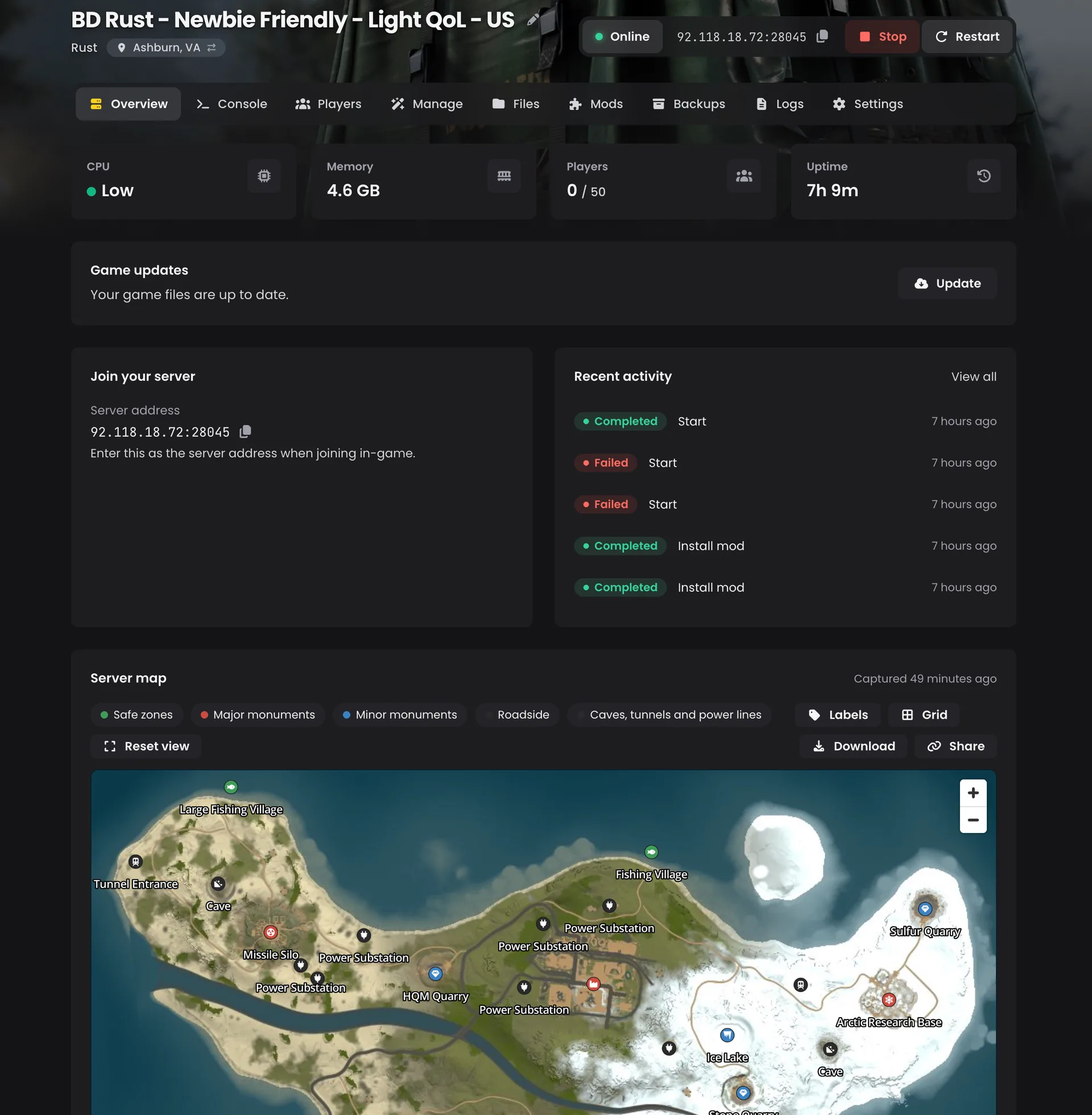
Always current
When you wipe to a new seed or change your map size, the new world appears on its own after the next boot. You don't have to upload or refresh anything by hand.
Share it with your players
Every map has its own public page at low.ms/rust/maps/size/seed. Drop the link in your Discord before wipe day and your players can plan their spawn and scout monuments before the server even opens.
The page shows only the map and its landmarks. It never shows anything about your server or your players.
How it works
- Your Rust server generates its map, as it does whenever it builds a world.
- We capture that map automatically and show it on the Overview page of your server in the control panel.
- When you wipe to a new seed or change the map size, the new map replaces the old one after the next boot.
- Each map also gets a public page based on its size and seed, which you can share with your community.
FAQ
Do I still need a third-party map site?
No. The live map sits on your server's Overview page, so you can see your world without leaving the control panel.
Do I have to upload the map myself after a wipe?
No. After you wipe to a new seed or change your map size, the new world appears on its own after the next boot, with nothing to upload or refresh by hand.
Can I use the same grid references as in game?
Yes. Turn on the in-game grid and the squares on the panel match the ones your players see in game.
What does the public map page show?
Only the map and its landmarks. It never shows anything about your server or your players.
Try it
Open the Overview page of your Rust server in the control panel, or share your map's link with your community.