If your modded DayZ server stopped starting after Update 1.30, or starts but ignores half its mod settings, it's usually one of two script changes: Bohemia renamed CombinationLock.UnlockServer to UnlockOnServer, so any mod still calling the old name fails to compile, and FindFile can no longer list files in folders addressed through $profile: (or the other $ prefixes), so mods that scan their config folder quietly load nothing. The first is fixed by updating (or pulling) the mod. The second is the game's bug. It's a known engine problem that hasn't been fixed yet, and no amount of fiddling on your side will make it go away.
Version 1.30.164078 went to Steam stable on 15 October 2026 alongside the Badlands expansion, and modded servers took the hit on day one (we started a clean, unmodded one that day and it ran fine). Bohemia's own patch notes list "FindFiles does not work" and "'#include' does not work" under known modding issues, and the launch post promised a first patch on experimental the next day aimed at modders. So some of this is your mods, some of it is the game, and the trick is working out which.
How to get a modded DayZ server running again on 1.30
Work through these in order. The first three cost nothing, and I'd expect most servers to be back up by step 5.
- Back up first. Copy the mission folder (your world and its
storage_1persistence) and the profile folder, which is where most mods keep their JSON settings. If a mod rewrites a config on its first 1.30 start, you want the old one somewhere safe. Bohemia wiped its official servers for 1.30, and I wouldn't promise an old world loads cleanly on yours either. - Update the server to 1.30. No staying behind: a 1.29 server can't take 1.30 players anyway.
- Update Community Framework and every other mod. CF's 13 October Workshop update (release 1.5.9) is its 1.30 compatibility release, and other mod authors pushed 1.30 fixes in the days around launch. An old copy of a fixed mod is the most common cause of all of this.
- Start the server once and open the newest script log. It's
script_<date>_<time>.login the profile folder. Search it for(E)rather thanSCRIPT (E), because the real lines have several spaces in the middle (SCRIPT (E):) and a search with one space finds nothing. The first error line is the one that matters. - Take the failing mod out of the load. The path after the
@in the error line is the mod's own script path, which usually makes it obvious which mod it is. Pull that mod (and anything that depends on it) and start again. Repeat until players can get in. - Read each removed mod's Workshop Change Notes. If the author has posted a 1.30 fix, update and add it back. If the last update predates 1.30, it's waiting on its author.
- Check your mod settings actually loaded. Test the things your mods configure (trader stock, spawn loadouts, custom zones) in game, because a
FindFilefailure usually won't stop the server or print an error.
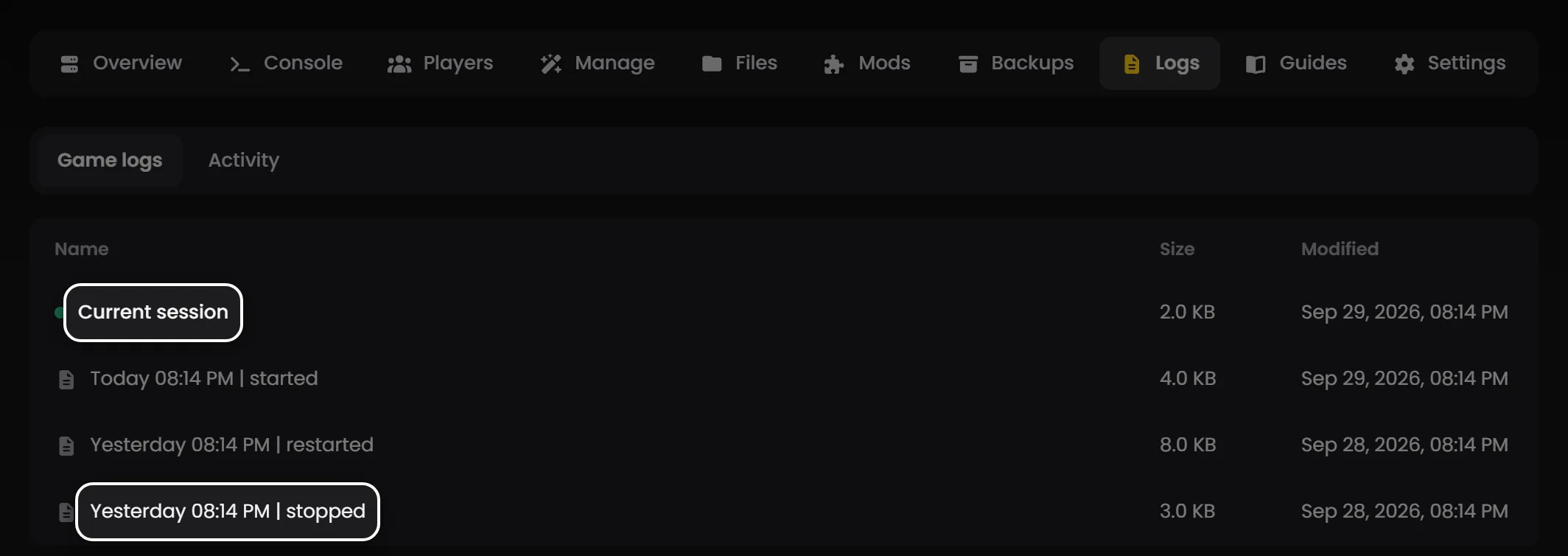
Tip: On LOW.MS, Create backup on the Backups tab of the control panel takes the mission and profile folders in one go, so it covers step 1. The script logs, .RPT files and error logs are in config/profiles on the Files tab (the newest ten of each are kept, so don't leave it too many failed starts before you look), and the Game logs view on the Logs tab keeps the console output from each start. Updating, uninstalling and the load order for Workshop mods live on the Mods tab, and nothing updates on its own unless you've turned auto-update on there. A mod you uploaded yourself is listed under Uploaded Mods or Server-Side Mods on the Manage tab: take its line out to remove it, and upload the new version to config/mods on the Files tab to update it.
The UnlockServer error and why your base-building mods won't load
This is the loud one. In 1.29 the vanilla combination lock had a method called UnlockServer(EntityAI player, EntityAI parent). In 1.30 it's gone, replaced by UnlockOnServer(EntityAI player, EntityAI parent, bool isInsideLock = false). You can see both in Bohemia's published script diffs, and the extra argument is there because the lock now has an inside dial as well as an outside one (the patch notes only say "improved (animated) combination lock").
Any mod that calls the old name now fails to compile, and the line in your script log looks like this:
SCRIPT (E): @"<mod script path>/4_World/<path to the file>.c,<line>": Undefined function 'CombinationLock.UnlockServer'
It's usually followed by a long run of other errors (Bad type and similar), and they look terrifying. Don't chase them. Once one script module fails to compile, code that depends on it starts throwing errors as well, so they're almost always fallout from the one above, and fixing the first error tends to take the rest with it.
The mods that hit this are the ones that touch locks: admin tools with a "clear the combination" button, base-building packs, raiding and lockpicking mods. At least one popular base-building mod and one admin tool failed on exactly this line during experimental, and any mod that overrides vanilla gates or lock-raiding actions is a likely candidate. There's nothing to configure your way out of, because the mod's own code is wrong for 1.30. The author ships an update or the mod stays out.
I'd be wary of unofficial "1.30 fix" mods that patch somebody else's mod over the top. Some of them are perfectly good stopgaps, but they're one more thing to keep in step, and the moment the original author ships a real fix the two can fight each other. If you do use one, write down that it's there.
Mods that load but ignore their settings (the FindFile bug)
This one's nastier, because nothing visibly breaks.
Plenty of mods don't name every config file in their code. They keep a folder of JSON files in the profile folder ($profile: in Enforce Script, which is whatever folder the server's -profiles= parameter points at) and use FindFile to list what's in there. In 1.30, that listing usually comes back empty. Community Framework's developers say the other $ prefixes, such as $mission:, are hit too. Creating files still works and checking a named file with FileExist still works, so the mod doesn't crash. It simply finds no files, loads no settings, and runs on whatever it does with nothing configured.
The symptoms depend on the mod: traders with empty stock, default loadouts instead of yours, custom spawn points or zones that never appear, an admin tool's saved presets gone. Mods that keep their configs in the mission folder can be hit the same way. If a mod's settings look reset after the update, don't start editing JSON yet. Your files are probably still sitting there untouched.
It's tracked on Bohemia's feedback tracker as DZEXP-134, "1.30 Exp: FindFile cannot list files under $profile: (creating and FileExist still work)", reported during experimental in September and still marked Assigned. A tracker moderator's latest word there is that the team is working on a fix for "an eventual 1.30 update sometime after the initial release". That isn't a date.
You'll see CF-Test mentioned as the workaround. For a server owner, it mostly isn't one. Community Framework's developers added CF.FindFileEx in early October, tested it in CF-Test, and shipped it in the normal CF Workshop item with release 1.5.9 on 13 October, so you don't need CF-Test for it (and its Workshop page says CF and CF-Test can't be loaded together anyway). It only helps a mod whose author has rewritten it to call CF.FindFileEx instead of plain FindFile. Updating CF on your server won't fix a mod that still calls FindFile itself. If you write your own mods, that's your route; if you just run them, it's your mod authors' job.
The honest workaround for server owners is patience, plus checking which of your mods enumerate a folder (the author's page or Discord will usually say if they're affected).
What's settled in 1.30, and what's waiting on a patch
The launch announcement on 15 October said: "We are aiming to release the first 1.30 patch for Steam on experimental tomorrow. This will focus on addressing issues that affect modders on Steam. The stable patch on all platforms will follow at a later date." So the first fix goes to experimental, and a server on the stable branch won't get it until Bohemia promotes it. I haven't seen a list of what that patch contains yet, so I wouldn't assume it fixes FindFile.
What's settled today:
- The
UnlockServerrename looks deliberate. Bohemia's published 1.30 scripts carry no stand-in for the old name, so I wouldn't wait for it to come back. FindFileunder$profile:is a bug Bohemia has acknowledged, with no date on the fix.#includenot working is also on Bohemia's known issues list for 1.30, and it looks like the same family of path problem (the tracker briefly merged the two reports). Mods built around it will misbehave until that's patched.- 1.30 changed how mods sit in the file system ("Mods now have their own named filesystem", in the patch notes' words), which is part of why so many file-handling mods were caught out.
Reading the 1.30 script log without panicking
A clean, completely unmodded 1.30 server writes a fair few warnings to its script log on every start. We started a vanilla 1.30 server on 15 October and got a screen of SCRIPT (W): lines straight away (missing declarations, a method marked obsolete in 1.30), and it ran fine. Warnings are noise. Look for (E).
The server won't start at all. Find the first (E) line in the newest script log. The path after the @ points at the mod. If it says Undefined function 'CombinationLock.UnlockServer', it's the rename above: update the mod, or take it out.
It starts, but a mod's settings are gone. Usually FindFile. Your config files are still there and the mod just can't list them, so don't delete or regenerate them: wait for the mod's update or Bohemia's fix.
Players can't join, or get kicked with a mismatch. Usually the server is behind. Steam updates players' Workshop copies on its own, so the common mismatch is a server that isn't on 1.30 yet, or one running an older copy of a mod than the Workshop has. Update the server and its mods first.
Everything looks fine, then a feature misbehaves in game. Check the mod's Workshop Change Notes for "1.30". If there's nothing, ask the author, and include the relevant lines from your script log.
If you're stuck after all that, our DayZ server troubleshooting guide covers the non-mod problems. The DayZ 1.30 and Badlands update post has what changed in the game itself. On a LOW.MS server, open a ticket from Support in the control panel with the name of the mod and the first error line from the script log, and we'll take a look. If you're still shopping for somewhere to run it, our DayZ server hosting page has the details.