If Conan Exiles Enhanced won't launch, start with three things: update your graphics driver, verify the game files in Steam, and if you're stuck on a black screen, end the Conan task in Task Manager and start it again. That clears most of it. The rest of this page goes symptom by symptom, in the order I'd try the fixes.
Enhanced moved Conan from Unreal Engine 4 to UE5 on May 5 2026, and Update 2.2.0 (September 15) bumped it again to Unreal Engine 5.8.2. Every engine jump brings a wave of "won't launch" reports, and they land in the same few buckets. For the first two, Funcom's common issues thread is the official source.
This is a client-side guide, for the game failing to start on your own PC. If your dedicated server isn't booting, that's a different problem and the Enhanced update guide covers it. And if you're after somewhere to run one, that's what Conan Exiles server hosting is for.
Black screen on startup
You click Play, the window opens, and it just sits there black. No menu, no Funcom logo.
Funcom's workaround: press Ctrl + Shift + Esc to open Task Manager, end the Conan Exiles task, then start the game again. Sounds dumb. It works often enough that Funcom put it on the official list, so try it twice before assuming it's something else.
Two more things:
- Funcom names hardware close to the minimum spec as a likely cause. The floor for Enhanced is a GTX 1070 Ti or RX 5700 XT with 8 GB of video memory, 16 GB of RAM and an SSD (Funcom's requirements page). A machine that ran the UE4 build happily can fall short here, and if it does, no software fix will help.
- Some players say Alt+Tab out and back in wakes it up. Not on Funcom's list, but it costs nothing to try.
Crashing or closing at startup
The game starts, flashes the splash screen, then closes with no error. Funcom's fixes, in order:
- Update your graphics driver. It's first on Funcom's list. At launch they pointed Nvidia users at driver 596.36, so that version or anything newer.
- Verify the game files in Steam. Right-click Conan Exiles, then Properties, Installed Files, Verify integrity of game files. The jump to UE5 was a huge download, and Steam's incremental update path has a habit of leaving an install like that half old and half new, which the game really doesn't enjoy when it tries to load. Verifying fixes it.
- Rename
modlist.txt. It's insteamapps\common\Conan Exiles\ConanSandbox\Mods\. Rename it tomodlist.txt.bakand launch again.
Step 3 matters a lot less than it did in launch week. Hotfix 1.0.1 (May 6) made the game ignore old Legacy mods in modlist.txt instead of choking on them, and it drops them from the list once you change your active mods. Still worth doing. If the game starts with the list renamed, a mod is your problem: put the file back and remove mods until it launches. The Workshop lets you filter for Enhanced-compatible mods, which saves a lot of guessing.
"DirectX 12 is not supported on your system"
The full message reads "DirectX 12 is not supported on your system. Try running without the -dx12 or -d3d12 command line argument." Confusing, because you're almost certainly not running with either.
What it actually means: Enhanced needs DirectX 12 (Funcom lists it as the minimum), and your graphics card, or the one Windows gave the game, can't provide the DX12 features it asks for. Having DirectX 12 installed in Windows doesn't settle it. The card has to support it as well. The reports on Funcom's forums are mostly older or integrated graphics: a Radeon R9 390 and Intel Iris Xe laptop graphics both hit it in the weeks after launch.
What to try:
- Update the graphics driver first. An old driver can under-report what the card supports.
- On a laptop with two GPUs, make sure Conan runs on the dedicated one. Windows Settings, System, Display, Graphics lets you set that per app.
- Compare your card against the minimum spec above. Below it? Then that's your answer, sadly.
You'll see forum advice to add -dx11 as a Steam launch option. I wouldn't count on it. Funcom lists DirectX 12 as a requirement and doesn't mention a DX11 mode, and I haven't found anyone in Funcom's threads confirming it fixed this. If your card simply can't do it, the honest fallback is the Legacy (UE4) build: in Steam, right-click Conan Exiles, Properties, Betas, and pick Conan Exiles Legacy. Legacy only connects to Legacy servers, so check with whoever runs yours first. Server owners who want to stay there can follow keeping your server on Legacy.
A popup about a missing DLL
If launch fails with a popup naming VCRUNTIME140_1.dll or MSVCP140_1.dll, the Microsoft Visual C++ runtime is missing or damaged. Install the Visual C++ 2015-2022 Redistributable (x64) from Microsoft's download page and restart your PC. Already installed? Fine. It just offers to repair.
This one isn't on Funcom's list. It's a general Windows fix, not an Enhanced bug. If the popup names some other file, search for that exact file name, and never grab a DLL from one of those "free DLL download" sites.
Things that won't help (whatever the forums say)
- Reinstalling Conan from scratch before you've verified. Verify is faster, fixes the same class of problem, and doesn't make you download the whole game again. Save the reinstall for when everything above has failed.
- Turning off the Steam overlay. It's not on anyone's official list and I haven't seen it fix a launch problem. Turn it off if you like, just don't expect much.
If none of that works
Funcom's common issues thread is kept up to date by their staff, so check it for anything new. Bug reports go through the Conan Exiles Help Center, which is where their forum moderators send people anyway.
If the problem is on the server side (your server won't come back up after an update, players bounce with "Pending Connection Failure", performance fell off a cliff), the Conan Exiles troubleshooting guide and the Enhanced update guide cover those. We're a server host, so that's the part we can actually fix for you.
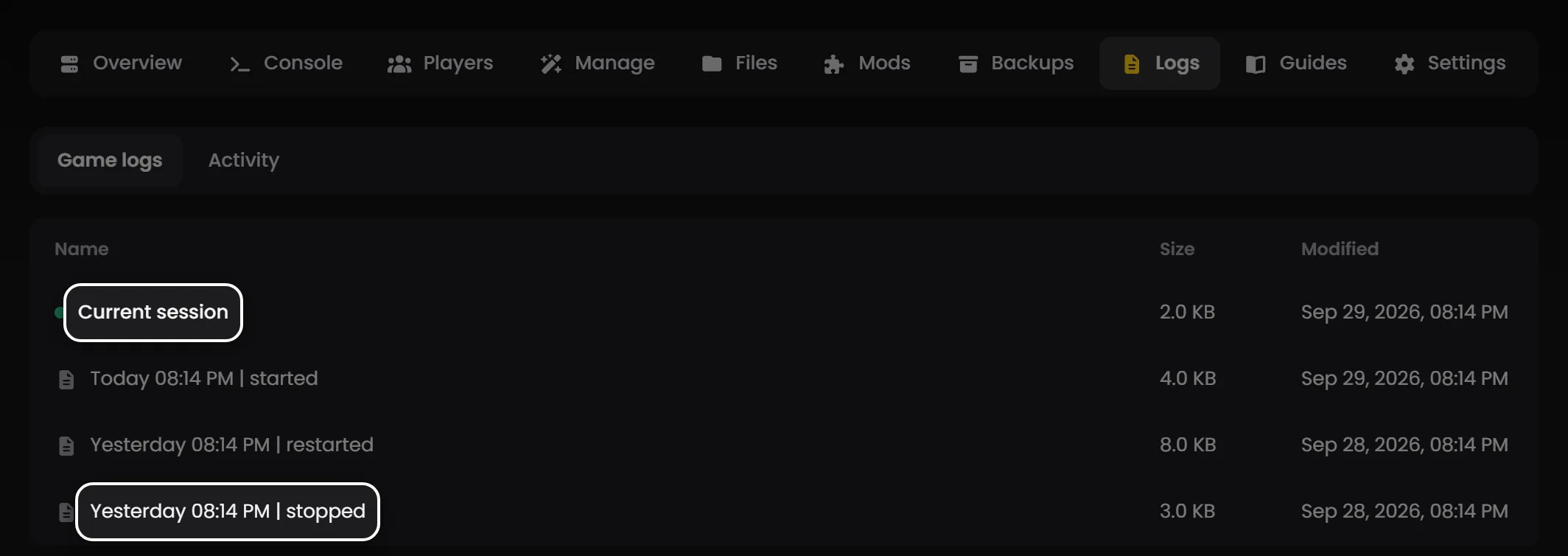
Tip: On LOW.MS, the Logs tab on your server keeps the log from every session. If your server stopped starting after an update, open the session where it stopped and the reason is usually near the bottom. If it doesn't make sense, open a ticket from the control panel and we'll take a look.