Why LOW.MS?
Below are a few reasons why LOW.MS is the ideal place to host your game server.
Instant Setup
Begin playing on your Stormworks: Build and Rescue server within minutes after payment.
Cloud backup system
Never lose your Stormworks: Build and Rescue save again with our state of the art cloud backup system.
High-Performance Hardware
Your Stormworks: Build and Rescue server will be equipped with the latest Intel or AMD processors and NVMe SSDs.
DDoS Protection
All of our datacenter networks have enterprise-level DDOS protection to ensure your Stormworks: Build and Rescue server hosting never goes down.
24/7 Support
Round-the-clock customer assistance with a 99.9% uptime guarantee to ensure your Stormworks: Build and Rescue server never goes offline.
Quality Guarantee
Full refund within the first 5 days if your Stormworks: Build and Rescue server is not up to scratch.
Automatic Cloud Backups
Your Stormworks: Build and Rescue worlds, settings and mod configuration are backed up to the cloud automatically. Keep up to 20 backups per server and lock the ones that matter so they are never cleared to make room.
From the Backups tab in the LOW.MS control panel you can restore any backup in one click, download a copy to your PC, or take a manual backup before a big change.
- Automatic scheduled backups, stored off your server
- Lock important backups so they are never overwritten
- One-click restore, or download any backup to your PC
- Included with every Stormworks: Build and Rescue server, no extra cost
Backups include your worlds and mod settings. Locked ones are never deleted to make room.
| Created | Size | Status | Locked | |
|---|---|---|---|---|
| 17/08/2026, 15:19 | 3.6 MB | Completed | DownloadRestoreDelete | |
| 17/08/2026, 15:14 | 3.6 MB | Completed | DownloadRestoreDelete | |
| 14/08/2026, 00:12 | 3.6 MB | Completed | DownloadRestoreDelete | |
| 11/08/2026, 23:33 | 1.3 MB | Completed | DownloadRestoreDelete |
Rated 4.8 out of 5 on Trustpilot
What people say after they have moved a server to us.
Read our reviews on TrustpilotTop choice in my list
Out of all hosting providers. This is by far the top choice in my list. Simple UI with a mod manager included making it hassle-free when downloading specific mods.
Jose, Trustpilot review
Very helpful and responsive
I opened a ticket for help migrating my server from a different host. The game is Palworld and it isn't a simple process, they did it for me! Very helpful and responsive.
Justin, Trustpilot review
Insanely reliable service
Their prices are pretty cheap and I thought they'd cut back on performance but damn was I wrong. The service has been insanely reliable and the Support Team are on their own level!
Anti, Trustpilot review
13 Server Locations
Low latency wherever your players are
Pick the location closest to your Stormworks: Build and Rescue players. If you are not sure which one to choose, contact support.
Every location has DDoS protection that can absorb attacks of up to 100 Gbps.
If there is a location you would like us to add, let us know. The right location also lists your server under the right region in the in-game server browser.
Our DatacentersEurope
- Amsterdam, NL
- Nuremberg, DE
- Helsinki, FI
- Warsaw, PL
North America
- Ashburn, VA
- Miami, FL
- Dallas, TX
- San Jose, CA
- Los Angeles, CA
- Bend, OR
Asia & Oceania
- Singapore, SG
- Sydney, AU
- Melbourne, AU
Frequently Asked Questions
Find answers to common questions about Stormworks: Build and Rescue server hosting.
Ready to host your Stormworks: Build and Rescue server?
Instant Setup
Your server will be ready within minutes
DDoS Protection
Enterprise-grade protection included
24/7 Support
Expert help whenever you need it
Starting from
Cancel anytime. No minimum term. Full refund within 5 days.
What is Stormworks: Build and Rescue
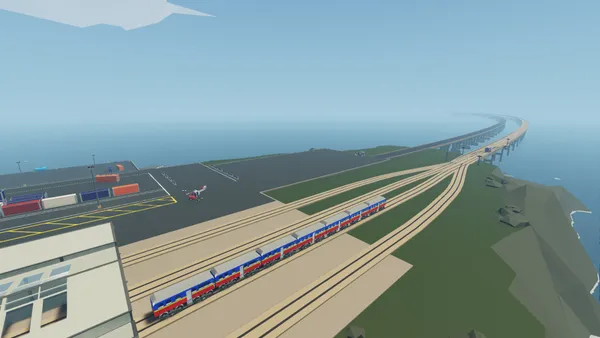
Stormworks is one of those games that's hard to explain until you've played it. You're given a box of components — engines, hulls, propellers, logic gates, fluid systems — and told to build vehicles that can actually rescue people from sinking ships and crashed helicopters. The physics are all simulated server-side, so when you build something that flies, it flies because the engineering works, not because the game is being generous. Multiplayer is where it really comes alive. One person designs the hull, another wires up the electronics, someone else handles propulsion — and then you take your creation into a Force 8 storm and find out if it actually works. There's nothing quite like coordinating a multi-vehicle rescue operation with friends, each piloting something you built together. Our servers run on high-performance AMD Ryzen hardware, which matters more for Stormworks than most games since the physics simulation is CPU-bound. You get automatic cloud backups, a full control panel for managing your server, and 24/7 support if anything goes sideways.

Money-back Guarantee
We are confident that you'll be happy with our service. If on the rare occasion there is a problem with your service, we will do our absolute best to get things working for you, or you can simply ask for your money back.
We have a full 5 day money-back guarantee on all our game server hosting. No questions asked.
Knowledgebase Articles
A selection of hosting guides and articles, hand-written by our own support team
Connecting to Your Server with SFTP (Port 2022)
Connect FileZilla or WinSCP to your LOW.MS server on port 2022 with the SFTP login from your control panel, find your files, and fix the usual connection and upload problems.
Stormworks Save Location & How to Upload Your World
Find your Stormworks save files and upload them to your dedicated server using File Manager or SFTP.
Stormworks: Build and Rescue Server Troubleshooting Guide
Solutions for the most common Stormworks: Build and Rescue dedicated server issues, including connection problems, performance lag, world save corruption, Workshop mod conflicts, and more.
Stormworks: Build and Rescue Server Configuration Guide
A comprehensive guide to every server configuration option in Stormworks: Build and Rescue, including server_config.xml settings, admin commands, weather, day/night cycles, and workshop content.
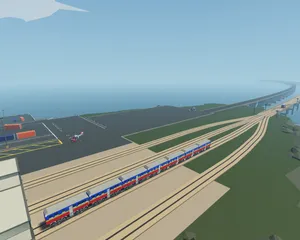
Getting Started with Your Stormworks: Build and Rescue Server
Everything you need to know to get your Stormworks: Build and Rescue dedicated server up and running, from first login to inviting friends and launching your first rescue mission.

Fixing "Cannot Connect to Server. App ID Specified by Server Is Invalid" on Steam
Seeing "Cannot connect to server. App ID specified by the server is invalid" when joining your ARK, Palworld or other Steam game server? It's a Steam client bug, not your server. Here's how to get connected.
Cutting Edge Control Panel
Start, stop and manage your Stormworks: Build and Rescue server from your browser. Your control panel puts server settings, files, SFTP and backups within reach.
Nexus is now available for supported games, with built-in tools for everyday server management. Existing servers may still use TCAdmin; our support team can help you find the right panel for your server.
More info