How to join from PC
Getting your PC group onto your Factorio server takes a few minutes.
- 1
Order your server
Pick a plan and the location closest to your players. Your Factorio server is set up automatically after payment.
- 2
Set it up your way
Change your server's settings, such as its name and password where the game has them, from any browser, including on your phone.
- 3
Share the join details
The control panel shows your server's address and join details. Send them to the friends you want to play with.
- 4
Join from PC
Launch Factorio on PC and join through the game's server list, or the join option it offers on that platform.
Playing a PC version from outside Steam, such as a Microsoft Store or Epic Games Store edition? Check that your version can join the same servers as everyone else, and turn on crossplay if Factorio has that setting. Our support team can help you check.
Play Factorio across platforms
Factorio is also available on Steam. Where the game supports crossplay between these versions, players on them can join the same server as your PC group.
Why LOW.MS?
Below are a few reasons why LOW.MS is the ideal place to host your game server.
Instant Setup
Begin playing on your Factorio server within minutes after payment.
Cloud backup system
Never lose your Factorio save again with our state of the art cloud backup system.
High-Performance Hardware
Your Factorio server will be equipped with the latest Intel or AMD processors and NVMe SSDs.
DDoS Protection
All of our datacenter networks have enterprise-level DDOS protection to ensure your Factorio server hosting never goes down.
24/7 Support
Round-the-clock customer assistance with a 99.9% uptime guarantee to ensure your Factorio server never goes offline.
Quality Guarantee
Full refund within the first 5 days if your Factorio server is not up to scratch.
Rated 4.8 out of 5 on Trustpilot
What people say after they have moved a server to us.
Read our reviews on TrustpilotTop choice in my list
Out of all hosting providers. This is by far the top choice in my list. Simple UI with a mod manager included making it hassle-free when downloading specific mods.
Jose, Trustpilot review
Very helpful and responsive
I opened a ticket for help migrating my server from a different host. The game is Palworld and it isn't a simple process, they did it for me! Very helpful and responsive.
Justin, Trustpilot review
Insanely reliable service
Their prices are pretty cheap and I thought they'd cut back on performance but damn was I wrong. The service has been insanely reliable and the Support Team are on their own level!
Anti, Trustpilot review
13 Server Locations
Low latency wherever your players are
Pick the location closest to your Factorio players. If you are not sure which one to choose, contact support.
Every location has DDoS protection that can absorb attacks of up to 100 Gbps.
If there is a location you would like us to add, let us know. The right location also lists your server under the right region in the in-game server browser.
Our DatacentersEurope
- Amsterdam, NL
- Nuremberg, DE
- Helsinki, FI
- Warsaw, PL
North America
- Ashburn, VA
- Miami, FL
- Dallas, TX
- San Jose, CA
- Los Angeles, CA
- Bend, OR
Asia & Oceania
- Singapore, SG
- Sydney, AU
- Melbourne, AU
Frequently Asked Questions
Common questions about hosting Factorio for PC players.
Ready to host your Factorio server?
Instant Setup
Your server will be ready within minutes
DDoS Protection
Enterprise-grade protection included
24/7 Support
Expert help whenever you need it
Starting from
Cancel anytime. No minimum term. Full refund within 5 days.
Knowledgebase Articles
A selection of hosting guides and articles, hand-written by our own support team
Connecting to Your Server with SFTP (Port 2022)
Connect FileZilla or WinSCP to your LOW.MS server on port 2022 with the SFTP login from your control panel, find your files, and fix the usual connection and upload problems.
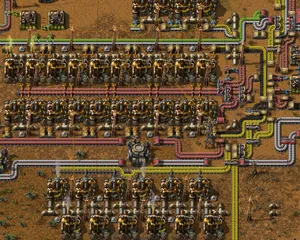
How to Set Up a Whitelist on Your Factorio Server
Restrict access to your Factorio server using the built-in whitelist system with server-whitelist.json and in-game commands.
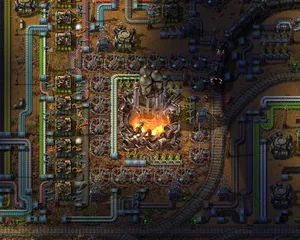
Factorio Server Configuration Guide
A detailed walkthrough of every Factorio server config file – server-settings.json, map-gen-settings.json, and map-settings.json – plus RCON setup, admin commands, and mod configuration.
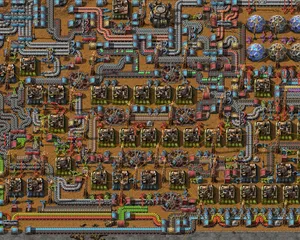
How to Upload a Save File to Your Factorio Server
Transfer your local Factorio save to your dedicated server using File Manager or SFTP, and configure the server to load it.
Factorio Server Troubleshooting
Fixes for common Factorio dedicated server issues – connection problems, desyncs, UPS drops, mod mismatches, slow joins, and save corruption.
Getting Started with Your Factorio Server
Everything you need to go from a fresh Factorio server order to playing multiplayer with friends – creating your first save, connecting, setting up admins, and getting mods sorted.
Cutting Edge Control Panel
Start, stop and manage your Factorio server from your browser. Your control panel puts server settings, files, SFTP and backups within reach.
Nexus is now available for supported games, with built-in tools for everyday server management. Existing servers may still use TCAdmin; our support team can help you find the right panel for your server.
More info