Oxide (uMod)
The classic Rust plugin framework. Install plugins by dropping .cs files into oxide/plugins via File Manager or SFTP, and Oxide hot-reloads them on the fly.
Visit Oxide (uMod)A ruthless multiplayer survival game where people are the real danger. Start with nothing, craft tools and weapons, build a base, and defend it because every raid, alliance, and betrayal is driven by players.
Below are a few reasons why LOW.MS is the ideal place to host your game server.
Kick off monthly forced wipes or custom blueprint wipes from the panel and your server is back up and ready in minutes.
One-click Mod Manager installs, with easy reinstalls after every monthly Facepunch patch overwrites your frameworks.
10 GB RAM baseline, upgradable to 30 GB, on high-clock Ryzen 7950X/9950X cores, built for late-wipe entity storms.
Rust gets attacked more than almost any game we host, so enterprise DDoS protection is baked in at no extra cost.
Run RCON commands straight from your browser, or point RustAdmin at the ports and password we generate for you.
Change worldsize and seed from Configuration Files or Commandline Manager, then preview picks on rustmaps.com before you wipe.
The classic Rust plugin framework. Install plugins by dropping .cs files into oxide/plugins via File Manager or SFTP, and Oxide hot-reloads them on the fly.
Visit Oxide (uMod)A modern Oxide-compatible framework focused on performance. Runs the same .cs plugins as Oxide but with lower overhead. Pick one or the other, not both.
Visit CarbonInstall mods in one click from your panel's built-in browser, or upload your own files via SFTP. Full access either way.
Your Rust worlds, settings and mod configuration are backed up to the cloud automatically. Keep up to 20 backups per server and lock the ones that matter so they are never cleared to make room.
From the Backups tab in the LOW.MS control panel you can restore any backup in one click, download a copy to your PC, or take a manual backup before a big change.
Backups include your worlds and mod settings. Locked ones are never deleted to make room.
| Created | Size | Status | Locked | |
|---|---|---|---|---|
| 17/08/2026, 15:19 | 3.6 MB | Completed | DownloadRestoreDelete | |
| 17/08/2026, 15:14 | 3.6 MB | Completed | DownloadRestoreDelete | |
| 14/08/2026, 00:12 | 3.6 MB | Completed | DownloadRestoreDelete | |
| 11/08/2026, 23:33 | 1.3 MB | Completed | DownloadRestoreDelete |
What people say after they have moved a server to us.
Read our reviews on TrustpilotOut of all hosting providers. This is by far the top choice in my list. Simple UI with a mod manager included making it hassle-free when downloading specific mods.
Jose, Trustpilot review
I opened a ticket for help migrating my server from a different host. The game is Palworld and it isn't a simple process, they did it for me! Very helpful and responsive.
Justin, Trustpilot review
Their prices are pretty cheap and I thought they'd cut back on performance but damn was I wrong. The service has been insanely reliable and the Support Team are on their own level!
Anti, Trustpilot review
We support every public Rust Steam branch out of the box, including the private password-protected ones. Switch from your control panel any time.
GPU skinning test
We've got you covered!
We have a wide variety of locations available for your Rust server. If you need help choosing a location, contact support.
All locations feature DDoS protection which can withstand attacks of up to 100 Gbps. Keeping your game server safe, no matter where in the world it may be.
Is there a location you would like to see? Let us know! Having the correct location helps your service show up correctly in the server list.
Our Datacenters
United States
Europe
Asia & Oceania
Find answers to common questions about Rust server hosting.
Open Rust, press F1 to drop the console, and type `client.connect
Rust has a mandatory forced wipe on the **first Thursday of every month**, which is when Facepunch ships their monthly update. Every server has to wipe on that day. Between forced wipes you choose your own cadence — weekly, bi-weekly or monthly are the three most common. Blueprint wipes are less frequent, normally every couple of months, and Facepunch occasionally forces one alongside a major update.
Install Oxide through **Mod Manager** in your LOW.MS control panel, then upload plugin `.cs` files to `/oxide/plugins/` with **File Manager** or SFTP. Plugins auto-load. One thing to remember: Facepunch's monthly forced-wipe update overwrites Oxide, so you need to reinstall Oxide after every monthly patch. Carbon is an Oxide-compatible alternative that runs the same plugin files if you prefer it.
RCON lets you run admin commands without being in-game. The easiest option is the **Web Console** in your LOW.MS control panel — no setup, just works. For something richer you can point RustAdmin or a browser-based webrcon tool at your server using the IP, RCON port and password from your control panel. Rust's default RCON port is 28017 (TCP) and uses websockets.
Yes — every LOW.MS Rust server ships with `server.secure true`, which turns on EAC. I would strongly suggest leaving it on. Most players will not join a server without EAC anyway, and turning it off mostly invites cheaters in rather than giving you anything useful.
Rust is one of the most RAM-hungry games you can host. Roughly 8–16 GB covers most community servers; heavily modded or 200+ player boxes can push higher, especially late in a wipe when entity counts climb. LOW.MS Rust plans come with generous RAM out of the gate and you can upgrade further if your server grows — see the Rust hosting page for the current options.
Yes. `server.worldsize` accepts 1000–6000 (most community servers sit between 3000 and 4500), and `server.seed` is just an integer that picks the procedural map layout. You can edit both in server.cfg via **Configuration Files**, or pass them as startup args via **Commandline Manager**. Preview seeds at rustmaps.com before you commit — saves the heartbreak of wiping to something you do not like. Changing either requires a wipe to take effect.
Yes — every LOW.MS server sits behind enterprise-grade DDoS protection at no extra cost. Rust gets attacked more than most games, so this is not optional; it is baked in.
Your Rust is set up instantly after payment, allowing you to start hosting without delays.
Yes! Our user-friendly control panel gives you full control over game modes, maps, and server configurations over your Rust server.
We provide 24/7 support for your Rust server through live chat and email to assist you with any questions or technical issues.
Absolutely. If you're not satisfied with your Rust server. We provide a full refund within the first 5 days.
Our Rust servers use top-tier Intel or AMD hardware to ensure your server runs super smoothly!
Your server will be ready within minutes
Enterprise-grade protection included
Expert help whenever you need it
Starting from
Cancel anytime. No minimum term. Full refund within 5 days.
Rust is one of the most unforgiving multiplayer survival games out there. You wake up on a beach with nothing but a rock and a torch, and everything after that — the base, the gear, the alliances — has to be built and defended with your own hands. It is hostile, social, and addictive in equal measure, which is exactly why the community keeps growing year after year. Hosting your own Rust server means you decide what the world looks like: vanilla purity, a friendly 2x community box, a hardcore PvP crucible, or a heavily modded PvE sandbox with teleports and kits. LOW.MS Rust servers run on high-clock hardware with plenty of RAM headroom — Rust is famously RAM-hungry, and we have seen too many community servers choke on skimpy host plans to think of that as optional. Every server comes with enterprise DDoS protection, automatic cloud backups, one-click Oxide/uMod and Carbon installs through Mod Manager, and round-the-clock support from people who actually play the game. If you want to spin something up for you and a handful of friends, or run a 200-slot community with monthly forced wipes, the same panel and the same support team are there either way.


We are confident that you'll be happy with our service. If on the rare occasion there is a problem with your service, we will do our absolute best to get things working for you, or you can simply ask for your money back.
We have a full 5 day money-back guarantee on all our game server hosting. No questions asked.
A selection of hosting guides and articles, hand-written by our own support team
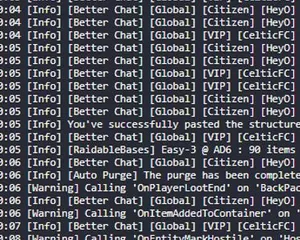
Rust server crashing randomly or on startup? A plugin is the most likely cause

Find your Rust server save files, back them up, and move your map and blueprints between hosts using File Manager or SFTP.
Steps to help you diagnose why your Rust is crashing when you join a server
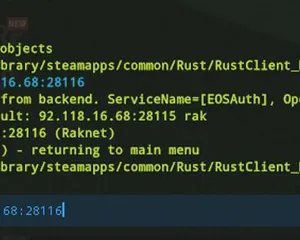
A quick guide on how you can join your Rust server via the IP directly

Seeing "Cannot connect to server. App ID specified by the server is invalid" when joining your ARK, Palworld or other Steam game server? It's a Steam client bug, not your server. Here's how to get connected.
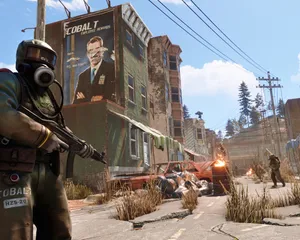
Solutions for the most common Rust server issues including EAC kicks, high memory usage, server lag, connection errors, plugin conflicts, and crash diagnostics.
Doable, but the gap between 'it boots' and 'your crew can actually log in' is where most home setups fall over. Here's what self-hosting Rust signs you up for, and what we handle if you'd rather skip it.
Run steamcmd +login anonymous +app_update 258550 validate +quit. Around 8 GB on first install, and you re-run the same command after every forced wipe.
$ steamcmd +login anonymous +app_update 258550 validate +quitForward 28015/UDP for the game and 28016/TCP for RCON. If your home connection is on CGNAT you are stuck, because most ISPs will not forward incoming UDP.
Recurring rules live in server/myserver/cfg/server.cfg, with users.cfg for admins and bans.cfg for permabans (the myserver folder name matches whatever you pass as +server.identity). Lines like server.tickrate 30 and decay.scale 1 belong in server.cfg.
Launch RustDedicated.exe with the usual -batchmode +server.port 28015 +rcon.port 28016 +rcon.password "..." +server.identity "myserver" +server.worldsize 3500 +server.maxplayers 100. Players connect through the F1 console with client.connect YOUR_IP:28015.
Wrap the binary in NSSM on Windows or systemd on Linux so it auto-restarts on crash, and back up the server/myserver/ folder nightly. A 100-slot 3500 worldsize map wants around 16 GB of RAM.
You are on call for every cheat report, every crash, and every forced wipe Facepunch ships. That is the DIY trade: lower bill, more of your evenings.
Check out at the top of this page and we handle all six steps.
Panel access and connection details land in your inbox the moment payment clears. Share with your crew and start playing.
12 locations to choose at checkout, so ping stays low without your home upload doing the heavy lifting.
Saves snapshot in the background while you play. Browse and restore previous backups from the panel any time.
No router config, no port forwarding, no firewall fights. Network filtering sits in front of your server from the first minute.
If a patch or a mod breaks the world, roll back to a known-good snapshot from the panel. Takes seconds.
Pricing visible up front. No signup wall.
If you'd rather try it yourself first, our Rust guides above walk through the SteamCMD setup. We'll be here if you migrate later.
Our brand new control-panel will soon be available for Rust server hosting. Featuring everything our existing control panel has, but with an all new intuitive and sleek looking interface. Including a fully advanced file manager, mod installation and so on.
Our own in-house development team have been working on this since 2021, and it will take the industry by storm. Click the button below to learn more about it. Until the new control panel is released, you'll still have access to our feature-packed TCAdmin server control panel.
Join our Discord to chat with our staff and community!
Join Discord