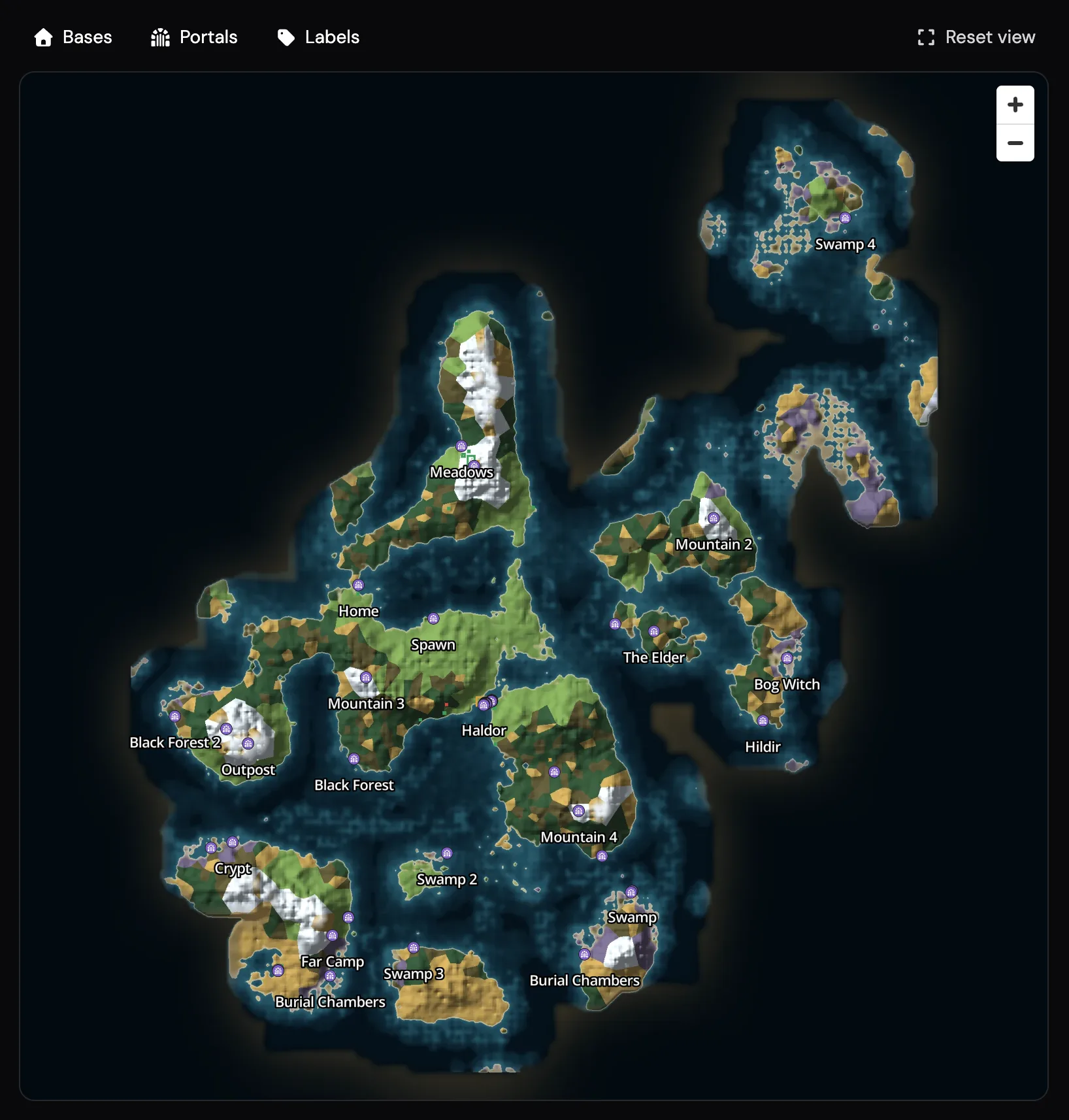
Every Valheim server on LOW.MS now has a live world map in the control panel. It's drawn from your server's own save file, so it shows your world as it really is: the land your players have explored, the bases they've built and the portals that connect them.
How it works
- Your Valheim server saves the world as normal.
- The map reads your server's own save file, so what you see matches the world your players are actually in.
- The map refreshes on its own each time the world saves.
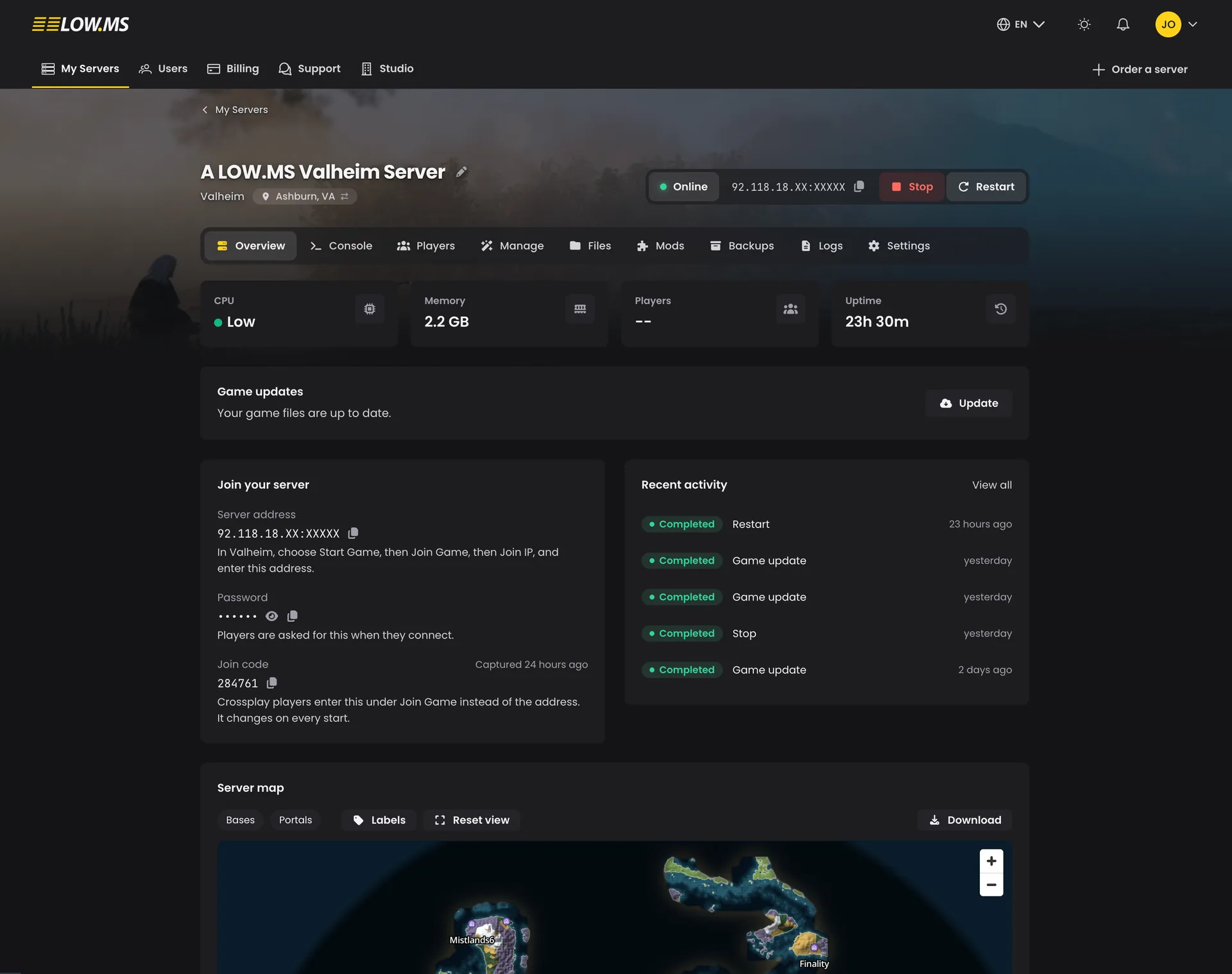
- You open it from the Overview page of your Valheim server in the control panel.
What you can see
- Your explored world. The map covers the areas your players have discovered. A brand new world stays blank until someone joins and starts exploring.
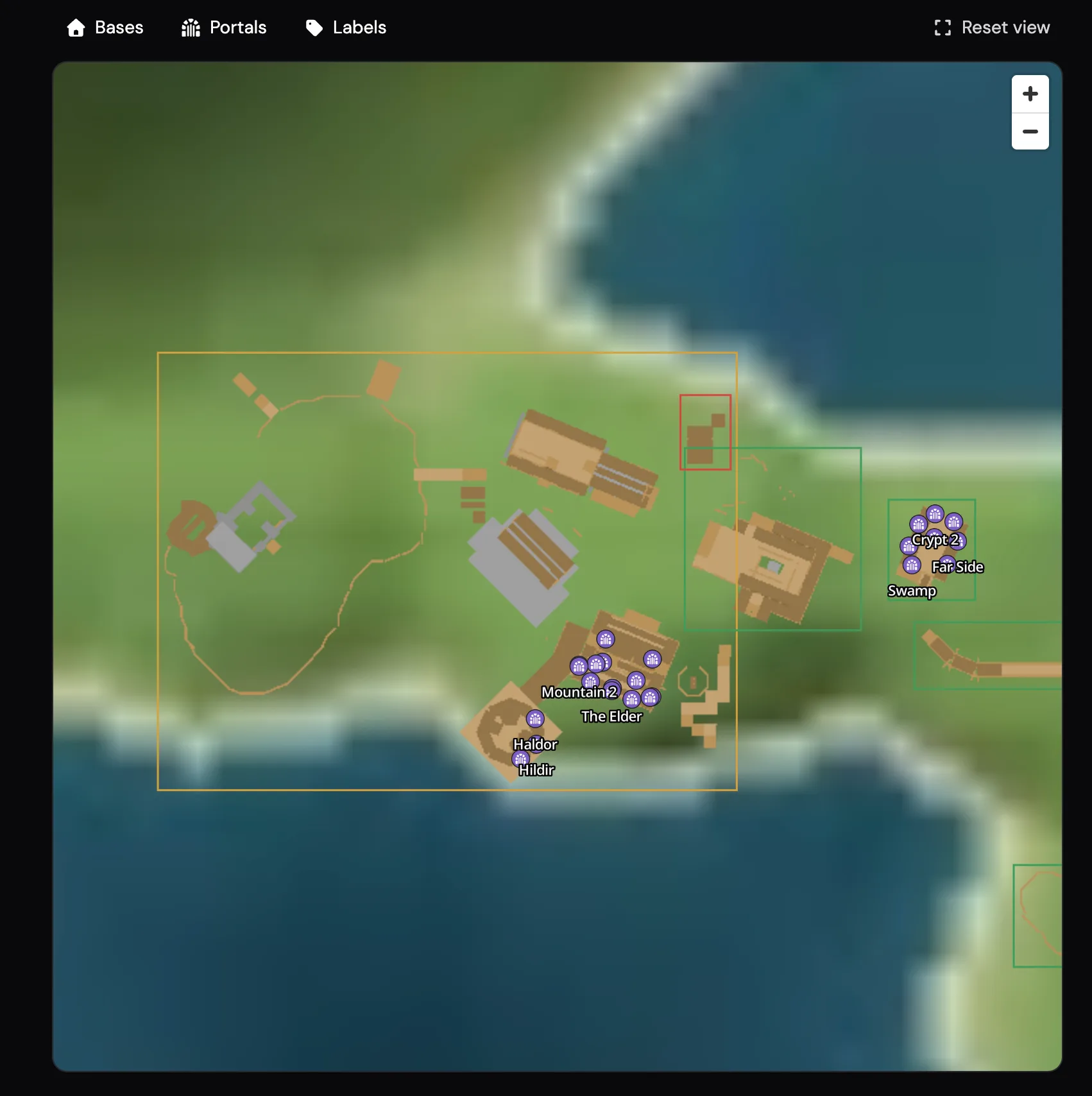
- Bases, drawn from above. Each base appears as a picture of the actual building from overhead, with the name of the player who built it.
- Portals and where they lead. Every portal is marked with its tag. Click one to see a line to the portal it's linked to, so you can find your way around a busy portal network.
Always up to date
The map refreshes on its own as your world saves. If you've just finished a build and want to see it straight away, press Refresh on the map card.
Share it with your community
Turn on a public share link and anyone can view your map in their browser, with no login needed. It's ideal for Discord servers and community pages. The shared version hides player names, so you can show off your world without revealing who built what. Turn the link off at any time and it stops working.
Try it
See a real shared world at low.ms/valheim/maps/demo, or open the Overview page of your Valheim server in the control panel.
FAQ
Why is my map blank?
The map only shows areas your players have discovered. A brand new world stays blank until someone joins and starts exploring.
How do I see a build I've just finished?
The map updates as your world saves. To see a new build straight away, press Refresh on the map card.
Do people need an account to view a shared map?
No. Anyone with the public share link can view the map in their browser without logging in.
Will the shared map show who built each base?
No. The shared version hides player names. Player names appear on bases only in your own control panel view.
Can I stop sharing my map?
Yes. Turn the share link off at any time and it stops working.