
You can now manage your LOW.MS game server from the AI assistant you already use. The LOW.MS MCP server works with any assistant that supports MCP, including Claude, ChatGPT and Gemini. Connect it once, then just ask:
"Who's online on my Valheim server?"
"Set max players to 16 and restart it."
"Why did the server crash last night?"
You don't need to open the control panel, find the right tab or remember a console command. You ask in plain language, and your assistant does the work on the servers on your account.
How it works
- You add the LOW.MS MCP address to your assistant as an MCP server or custom connector.
- You sign in with your LOW.MS account. There's no key to copy.
- You choose exactly what your assistant may do. Anything that makes changes starts switched off until you allow it.
- You ask your assistant about your server. It can check status, read settings, look at the console and more.
- Before it changes anything, your assistant checks with you first.
What it can do
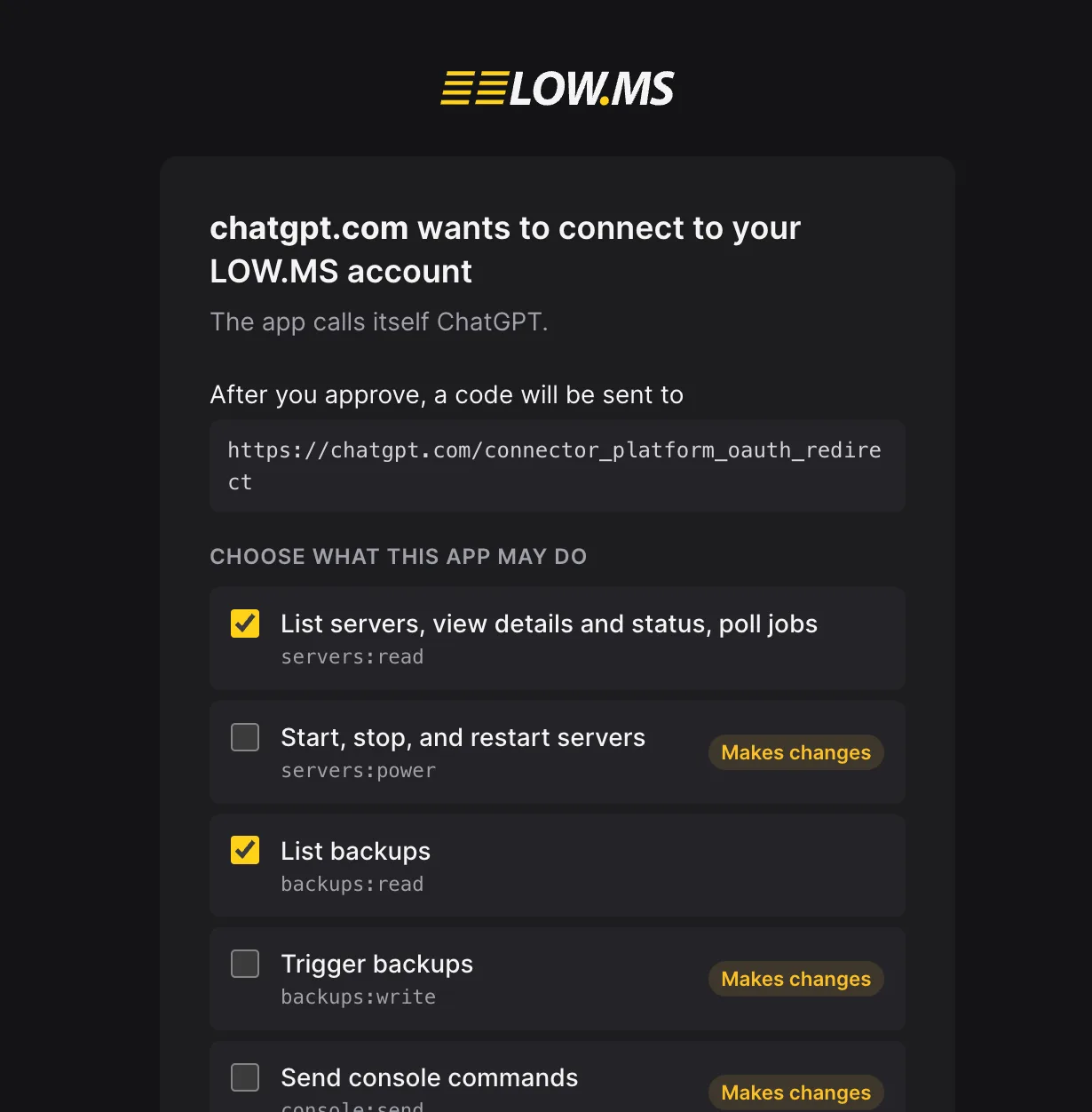
- Status and power: see your servers, start, stop and restart them, and follow each job until it finishes.
- Settings: read and change the settings on your Manage tab, then restart when you're ready.
- Players: see who's online, kick or ban a player, and manage your admin, ban and allow lists.
- Console: read recent output or send a command.
- Files: browse, read and search your server's files (read only).
- Backups: list your backups and take a new one before a risky change.
- Help: search our guides for your game and the control panel.
This means you can, for example, ask your assistant to take a backup before you change a setting, or ask it to read the recent console output when you want to know why your server crashed.
Set it up in a minute
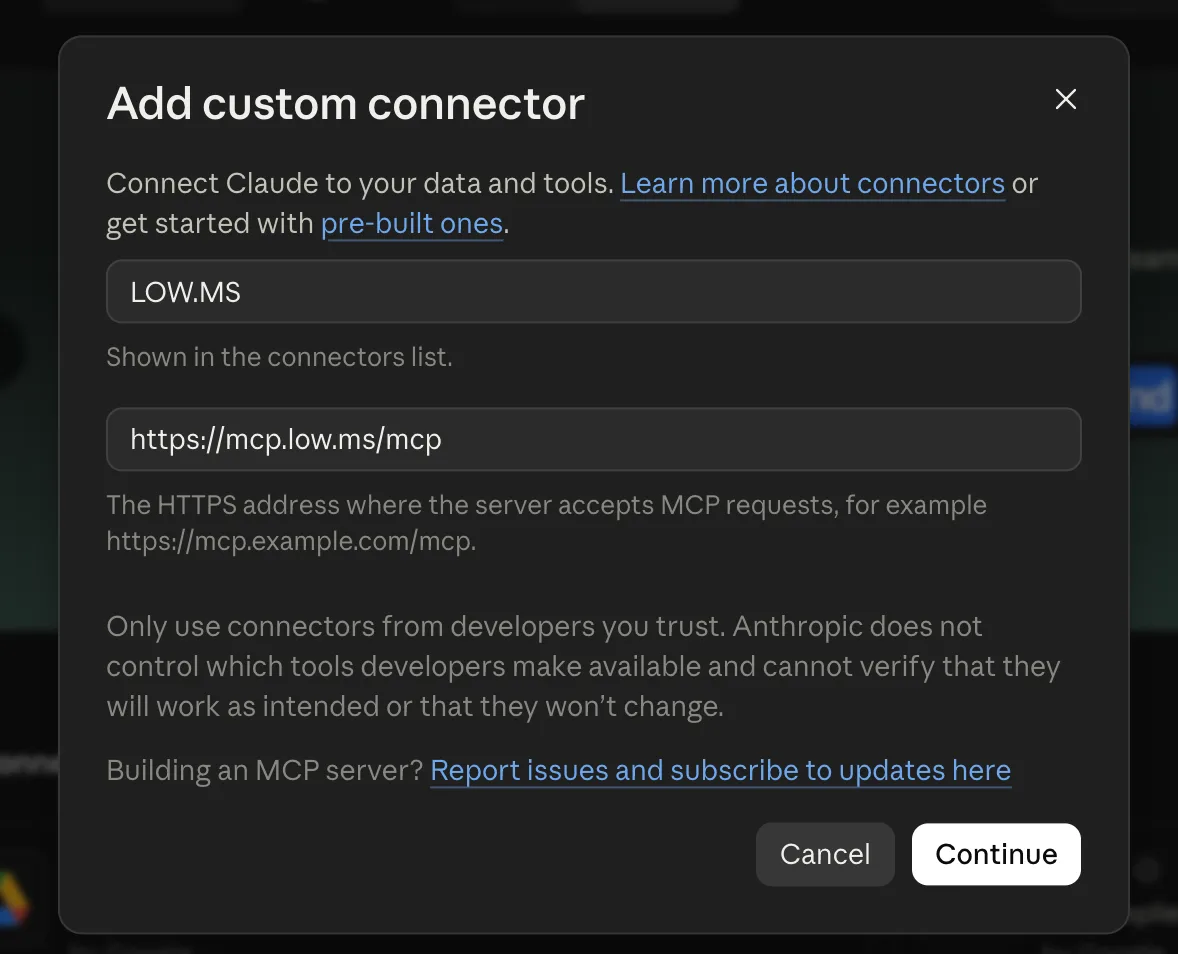
Add this address as an MCP server or custom connector in your assistant:
https://mcp.low.ms/mcp
Sign in with your LOW.MS account and you're connected. There's no key to copy.
Using a command-line tool such as Claude Code? It's one line:
claude mcp add --transport http lowms https://mcp.low.ms/mcp
You stay in control
When you connect, you choose exactly what your assistant may do. Anything that makes changes, like restarts, settings and player actions, starts switched off until you allow it, and your assistant checks with you before changing anything.
It only sees the servers on your account. It never sees your billing details, and it never sees your server passwords, which stay in the control panel.
Every connected app appears in the panel under Account settings, API keys, where you can disconnect it at any time.
FAQ
Which AI assistants can I use? Any assistant that supports MCP, including Claude, ChatGPT and Gemini. Command-line tools such as Claude Code work too.
Do I need an API key? No. You sign in with your LOW.MS account and you're connected. There's no key to copy.
Can my assistant change my server's files? No. File access is read only. Your assistant can browse, read and search your server's files, but it can't change them.
Will my assistant make changes without asking? No. Anything that makes changes starts switched off until you allow it, and your assistant checks with you before changing anything.
Can my assistant see my billing details or server passwords? No. It only sees the servers on your account. Billing details and server passwords are never shared, and your passwords stay in the control panel.
How do I disconnect an assistant? Go to Account settings, API keys in the panel. Every connected app appears there, and you can disconnect it at any time.
Does it cost extra? No. The MCP server is included with every game server on the new LOW.MS control panel, at no extra cost.
Get started
The MCP server is included with every game server on the new LOW.MS control panel, at no extra cost. Find out more and get started.