Ceny ogłosimy w dniu premiery
Dlaczego LOW.MS?
Oto kilka powodów, dla których LOW.MS to idealne miejsce na Twój serwer gry.
Console and mobile players welcome
One world your friends can join from a phone, a Switch, an Xbox, a PlayStation or a PC, without a bridge or a proxy in the middle.
Bring your existing world
Upload a single player or Realms world and carry on where you left off, with your builds and your progress intact.
Automatic backups
Worlds get backed up on a schedule and restored from the panel, so a bad night is an inconvenience rather than a loss.
Behaviour and resource packs
Install and manage packs from the panel to change gameplay, mobs, loot and visuals across the whole server.
Allowlist and operators
Decide who gets in and who gets commands, edited from the panel instead of a text file over FTP.
Update on your terms
Take a Mojang release when your packs and add-ons are ready for it, rather than the moment it lands.
Automatyczne kopie zapasowe w chmurze
Twoje światy Minecraft: Bedrock Edition, ustawienia i konfiguracja modów są automatycznie kopiowane do chmury. Trzymaj do 20 kopii na serwer i zablokuj te najważniejsze, żeby nigdy nie zostały usunięte dla zwolnienia miejsca.
W zakładce Kopie zapasowe w panelu LOW.MS przywrócisz dowolną kopię jednym kliknięciem, pobierzesz ją na swój komputer albo zrobisz kopię ręcznie przed większą zmianą.
- Automatyczne kopie według harmonogramu, trzymane poza Twoim serwerem
- Blokuj ważne kopie, żeby nigdy nie zostały nadpisane
- Przywracanie jednym kliknięciem albo pobranie dowolnej kopii na komputer
- W cenie każdego serwera Minecraft: Bedrock Edition, bez dopłat
Kopie obejmują Twoje światy i ustawienia modów. Zablokowane nigdy nie są usuwane dla zwolnienia miejsca.
| Utworzono | Rozmiar | Status | Zablokowana | |
|---|---|---|---|---|
| 17/08/2026, 15:19 | 3.6 MB | Ukończona | PobierzPrzywróćUsuń | |
| 17/08/2026, 15:14 | 3.6 MB | Ukończona | PobierzPrzywróćUsuń | |
| 14/08/2026, 00:12 | 3.6 MB | Ukończona | PobierzPrzywróćUsuń | |
| 11/08/2026, 23:33 | 1.3 MB | Ukończona | PobierzPrzywróćUsuń |
Rated 4.8 out of 5 on Trustpilot
What people say after they have moved a server to us.
Read our reviews on TrustpilotTop choice in my list
Out of all hosting providers. This is by far the top choice in my list. Simple UI with a mod manager included making it hassle-free when downloading specific mods.
Jose, Trustpilot review
Very helpful and responsive
I opened a ticket for help migrating my server from a different host. The game is Palworld and it isn't a simple process, they did it for me! Very helpful and responsive.
Justin, Trustpilot review
Insanely reliable service
Their prices are pretty cheap and I thought they'd cut back on performance but damn was I wrong. The service has been insanely reliable and the Support Team are on their own level!
Anti, Trustpilot review
13 Lokalizacje serwerów
Niskie opóźnienia, gdziekolwiek są Twoi gracze
Wybierz lokalizację najbliżej swoich graczy Minecraft: Bedrock Edition. Jeśli nie wiesz, którą wybrać, skontaktuj się ze wsparciem.
Każda lokalizacja ma ochronę DDoS, która wytrzymuje ataki do 100 Gbps.
Jeśli chcesz, żebyśmy dodali jakąś lokalizację, daj nam znać. Właściwa lokalizacja sprawia też, że serwer pojawia się we właściwym regionie w przeglądarce serwerów w grze.
Nasze centra danychEuropa
- Amsterdam, NL
- Norymberga, DE
- Helsinki, FI
- Warszawa, PL
Ameryka Północna
- Ashburn, VA
- Miami, FL
- Dallas, TX
- San Jose, CA
- Los Angeles, CA
- Bend, OR
Azja i Oceania
- Singapur, SG
- Sydney, AU
- Melbourne, AU
Najczęściej zadawane pytania
Znajdź odpowiedzi na częste pytania o hosting serwera Minecraft: Bedrock Edition.
Gotowy na własny serwer Minecraft: Bedrock Edition?
Natychmiastowa konfiguracja
Twój serwer będzie gotowy w kilka minut
Ochrona DDoS
Ochrona klasy enterprise w cenie
Wsparcie 24/7
Pomoc ekspertów, kiedy tylko jej potrzebujesz
Anuluj kiedy chcesz. Bez okresu minimalnego. Pełny zwrot w ciągu 5 dni.
Czym jest Minecraft: Bedrock Edition
Minecraft: Bedrock Edition is the version that runs on Windows, iOS, Android, PlayStation, Xbox and Nintendo Switch, and a Bedrock Dedicated Server is the straightforward way to give all of those players one shared world. If your friends play on phones or consoles, this is the server you want. Mojang publishes the Bedrock Dedicated Server for Windows and Linux, and it is a genuinely different piece of software from the Java server: different config file, different addon format, different permissions model. Behaviour packs and resource packs replace Java plugins, and third-party server software such as PowerNukkitX or Endstone opens up plugin support for anyone who wants it. We already host Java Edition. Bedrock is the missing half, and we are building the template now: world uploads, behaviour and resource pack management, allowlist and operator editing, automatic backups, and control over when a Mojang release lands on your world. Watch this page for the order button.
Gwarancja zwrotu pieniędzy
Jesteśmy przekonani, że będziesz zadowolony z naszej usługi. Jeśli w rzadkim przypadku pojawi się problem, zrobimy wszystko, żeby go rozwiązać, albo po prostu poprosisz o zwrot pieniędzy.
Na cały hosting serwerów gier dajemy pełną, 5-dniową gwarancję zwrotu pieniędzy. Bez zbędnych pytań.
Artykuły z bazy wiedzy
Wybór poradników i artykułów o hostingu , napisanych ręcznie przez nasz zespół wsparcia
Connecting to Your Server with SFTP (Port 2022)
Connect FileZilla or WinSCP to your LOW.MS server on port 2022 with the SFTP login from your control panel, find your files, and fix the usual connection and upload problems.

Fixing "Cannot Connect to Server. App ID Specified by Server Is Invalid" on Steam
Seeing "Cannot connect to server. App ID specified by the server is invalid" when joining your ARK, Palworld or other Steam game server? It's a Steam client bug, not your server. Here's how to get connected.
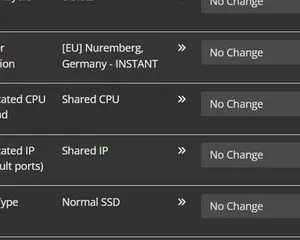
Upgrading your server
A quick guide on getting your server upgraded
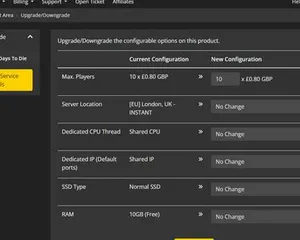
Upgrading / downgrading your LOW.MS server
A quick guide on upgrading your LOW.MS server.
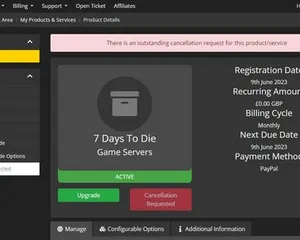
Cancelling your server
A quick guide on how to cancel your server with LOW.MS
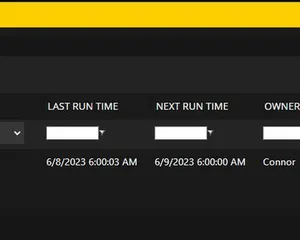
How to use the scheduled tasks via control panel
Easily create scheduled tasks to make your server run smoothly.
Nowoczesny panel sterowania
Uruchamiaj, zatrzymuj i zarządzaj serwerem Minecraft: Bedrock Edition w przeglądarce. Ustawienia serwera, pliki, SFTP i kopie zapasowe znajdziesz w panelu sterowania.
Nexus jest już dostępny dla obsługiwanych gier i oferuje wbudowane narzędzia do zarządzania serwerem. Istniejące serwery mogą nadal korzystać z TCAdmin. Nasz zespół pomoże Ci znaleźć odpowiedni panel.
Więcej informacji