Gałąź
public
- Status
- Stabilna, domyślna
A massive military sandbox built for authentic, combined-arms combat at any scale. Run co-op operations or PvP scenarios with deep modding and mission creation to shape war your way.
$12.50/mies.
$1.25 za slot (10)
Oto kilka powodów, dla których LOW.MS to idealne miejsce na Twój serwer gry.
Zacznij grać na swoim serwerze ArmA 3 w kilka minut po płatności.
Nigdy więcej nie strać zapisu ArmA 3 dzięki naszemu nowoczesnemu systemowi kopii zapasowych w chmurze.
Twój serwer ArmA 3 dostanie najnowsze procesory Intel lub AMD oraz dyski NVMe SSD.
Wszystkie nasze sieci w centrach danych mają ochronę DDoS klasy enterprise, dzięki czemu hosting Twojego serwera ArmA 3 nigdy nie pada.
Całodobowa pomoc dla klientów i gwarancja 99,9% dostępności sprawiają, że Twój serwer ArmA 3 nigdy nie znika z sieci.
Pełny zwrot pieniędzy w ciągu pierwszych 5 dni, jeśli Twój serwer ArmA 3 nie spełni oczekiwań.
Twoje światy ArmA 3, ustawienia i konfiguracja modów są automatycznie kopiowane do chmury. Trzymaj do 20 kopii na serwer i zablokuj te najważniejsze, żeby nigdy nie zostały usunięte dla zwolnienia miejsca.
W zakładce Kopie zapasowe w panelu LOW.MS przywrócisz dowolną kopię jednym kliknięciem, pobierzesz ją na swój komputer albo zrobisz kopię ręcznie przed większą zmianą.
Kopie obejmują Twoje światy i ustawienia modów. Zablokowane nigdy nie są usuwane dla zwolnienia miejsca.
| Utworzono | Rozmiar | Status | Zablokowana | |
|---|---|---|---|---|
| 17/08/2026, 15:19 | 3.6 MB | Ukończona | PobierzPrzywróćUsuń | |
| 17/08/2026, 15:14 | 3.6 MB | Ukończona | PobierzPrzywróćUsuń | |
| 14/08/2026, 00:12 | 3.6 MB | Ukończona | PobierzPrzywróćUsuń | |
| 11/08/2026, 23:33 | 1.3 MB | Ukończona | PobierzPrzywróćUsuń |
What people say after they have moved a server to us.
Read our reviews on TrustpilotOut of all hosting providers. This is by far the top choice in my list. Simple UI with a mod manager included making it hassle-free when downloading specific mods.
Jose, Trustpilot review
I opened a ticket for help migrating my server from a different host. The game is Palworld and it isn't a simple process, they did it for me! Very helpful and responsive.
Justin, Trustpilot review
Their prices are pretty cheap and I thought they'd cut back on performance but damn was I wrong. The service has been insanely reliable and the Support Team are on their own level!
Anti, Trustpilot review
Obsługujemy każdą publiczną gałąź ArmA 3 na Steam od razu po wykupieniu, łącznie z prywatnymi, chronionymi hasłem. Przełączysz się z panelu sterowania w dowolnej chwili.
Performance Profiling Build
Niskie opóźnienia, gdziekolwiek są Twoi gracze
Wybierz lokalizację najbliżej swoich graczy ArmA 3. Jeśli nie wiesz, którą wybrać, skontaktuj się ze wsparciem.
Każda lokalizacja ma ochronę DDoS, która wytrzymuje ataki do 100 Gbps.
Jeśli chcesz, żebyśmy dodali jakąś lokalizację, daj nam znać. Właściwa lokalizacja sprawia też, że serwer pojawia się we właściwym regionie w przeglądarce serwerów w grze.
Nasze centra danychEuropa
Ameryka Północna
Azja i Oceania
Znajdź odpowiedzi na częste pytania o hosting serwera ArmA 3.
Twój serwer będzie gotowy w kilka minut
Ochrona klasy enterprise w cenie
Pomoc ekspertów, kiedy tylko jej potrzebujesz
Już od
Anuluj kiedy chcesz. Bez okresu minimalnego. Pełny zwrot w ciągu 5 dni.
ArmA 3 is still, over a decade after launch, the deepest military sandbox on PC. Real tactics, real ballistics, real distances – and a modding scene that has kept the game alive through ACE, RHS, Antistasi, Exile, King of the Hill, and thousands of community-built missions. Hosting a dedicated server is how communities run serious unit ops, public Altis Life roleplay, or persistent PvE campaigns without bumping into the 32-player peer-to-peer ceiling. Every LOW.MS ArmA 3 server ships with 10 GB RAM, the TCAdmin panel at control.low.ms, full Mod Manager access to the Steam Workshop, SFTP for dropping in custom .pbo mods or Creator DLC content, and BattlEye enabled by default. You get the Log Viewer, Commandline Manager, Configuration Files editor, Web Console, and Scheduled Tasks – the usual TCAdmin toolkit – plus automated cloud backups and DDoS protection. Slot counts go from 10 up to 120; pick the tier that matches your expected player count and upgrade later if your community grows. If you are planning heavy modded missions like ACE + RHS + Antistasi with a headless client offloading the AI, lean toward one of the higher RAM tiers – mod-stacked ArmA 3 is one of the few games where 15 to 25 GB genuinely earns its keep. For a vanilla Warlords or Game Master server, 10 GB is plenty.


Jesteśmy przekonani, że będziesz zadowolony z naszej usługi. Jeśli w rzadkim przypadku pojawi się problem, zrobimy wszystko, żeby go rozwiązać, albo po prostu poprosisz o zwrot pieniędzy.
Na cały hosting serwerów gier dajemy pełną, 5-dniową gwarancję zwrotu pieniędzy. Bez zbędnych pytań.
Wybór poradników i artykułów o hostingu , napisanych ręcznie przez nasz zespół wsparcia
Connect FileZilla or WinSCP to your LOW.MS server on port 2022 with the SFTP login from your control panel, find your files, and fix the usual connection and upload problems.
Move your Arma 3 server missions, configs, and persistence data to your LOW.MS dedicated server using File Manager or SFTP.

Seeing "Cannot connect to server. App ID specified by the server is invalid" when joining your ARK, Palworld or other Steam game server? It's a Steam client bug, not your server. Here's how to get connected.
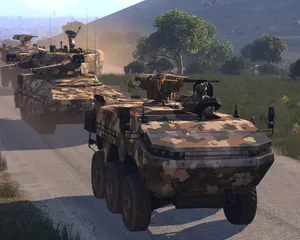
A reference guide to configuring an Arma 3 dedicated server on LOW.MS – server.cfg, basic.cfg, commandline switches, mods, missions, BattlEye and RCON.
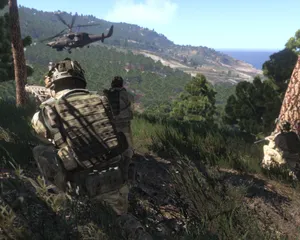
A symptom-first guide to fixing the Arma 3 dedicated server problems we see most often – boot crashes, missing browser listings, BattlEye kicks, signature mismatches, desync, and RCON.
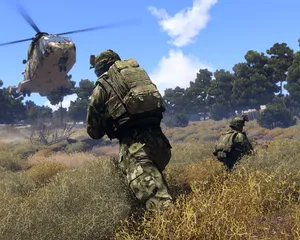
A first-time walkthrough for your LOW.MS-hosted ArmA 3 dedicated server – picking a tier, first boot, editing server.cfg, setting an admin password, and sorting mods.
Uruchamiaj, zatrzymuj i zarządzaj serwerem ArmA 3 w przeglądarce. Ustawienia serwera, pliki, SFTP i kopie zapasowe znajdziesz w panelu sterowania.
Nexus jest już dostępny dla obsługiwanych gier i oferuje wbudowane narzędzia do zarządzania serwerem. Istniejące serwery mogą nadal korzystać z TCAdmin. Nasz zespół pomoże Ci znaleźć odpowiedni panel.
Więcej informacjiJoin our Discord to chat with our staff and community!
Join Discord