BepInEx (Thunderstore)
Search Thunderstore from the Mods tab and install in one click. BepInEx and each mod's dependencies are installed with it.
Odwiedź BepInEx (Thunderstore)Your world stays online when your PC is off. No port forwarding and no machine left running: friends join whenever they like, Thunderstore mods install in one click and backups run on a schedule. Live in about five minutes, with a full refund in the first 5 days.
$10.99/mies.
$1.10 za slot (10)
VALHEIM30Oto kilka powodów, dla których LOW.MS to idealne miejsce na Twój serwer gry.
Steam, Xbox, PlayStation and Switch 2 players can share one world. Tick Crossplay in the panel and console players join with the six-digit code shown on your Overview tab.
Valheim left early access on 9 September 2026. Press Update in the panel, or schedule it, to pull each new build and hotfix as soon as Iron Gate ship it, so you are not sat waiting on us to get round to it.
Search Thunderstore from the Mods tab and install with one click, with BepInEx and every dependency handled for you. Anything not in the list goes in by pasting its Thunderstore link.
Upload your world folder through the Files tab, point the server at it, and carry on where you left off. An older .db and .fwl pair works too, and converts itself on first load. Nobody has to start again.
The Backups tab writes a copy off the server in one click, and a scheduled Backup task turns that into a nightly job. Worth setting up on day one rather than the day you need it.
Tickets reach people who actually run Valheim servers, at any hour. You will not spend your evening explaining what BepInEx is.
Każdy serwer Valheim ma mapę na żywo, odczytaną prosto z zapisu świata. Zobacz, jak daleko zapuściła się twoja drużyna, kto co zbudował i dokąd prowadzi każdy portal, bez logowania się do gry.
Bazy i portale z opisami
Każda baza jest rysowana z góry z nazwą budowniczego, a każdy portal pokazuje swoją nazwę.
Nadąża za waszą grą
Mapa odświeża się z zapisu, gdy serwer działa, więc nowe budowle pojawiają się same.
Udostępnij ją drużynie
Wyślij link tylko do odczytu, a znajomi obejrzą mapę w przeglądarce bez konta w panelu.
bazy: 14, portale: 9
Udostępnij OdświeżUstawienie wstępne świata
Standard: klasyczny ValheimTrudność walki
Ustawienie wstępneBardzo łatwaŁatwaTrudnaBardzo trudnaKara za śmierć
Ustawienie wstępneLuźna (zachowujesz wszystko)Bardzo łatwaŁatwaTrudnaHardcore (bez nagrobka)Łupy z surowców
Ustawienie wstępneDużo mniejMniejWięcejDużo więcejNajwięcejNajazdy
Ustawienie wstępneBrakDużo mniejMniejWięcejDużo więcejPortale
Ustawienie wstępneLuźne (przenoś wszystko)Trudne (bez metali)Bardzo trudne (bez portali)Wybierz ustawienie wstępne, a potem jednym kliknięciem zmień walkę, karę za śmierć, surowce, najazdy i portale. Panel zapisuje za ciebie parametry uruchomienia Valheim i stosuje je przy następnym restarcie.
Ustawienia wstępne i modyfikatory
Zacznij od jednego z ustawień wstępnych Valheim i zmień dowolny pojedynczy modyfikator.
Zasady świata
Włącz darmowe budowanie, pasywne potwory, wydarzenia graczy, zagrożenie pożarem lub brak mapy dla całego serwera.
Własne modyfikatory
Dopracuj obrażenia wrogów, zdobywanie i utratę umiejętności, tempo surowców i więcej, poza ustawieniami wstępnymi.
Karta dołączania zbiera adres i hasło w jednym miejscu. Admini, bany i biała lista to jedno kliknięcie, według konta Steam.
Jeden adres do udostępnienia
Skopiuj adres i hasło z panelu i wklej je w Valheim w opcji Dołącz przez IP.
Admini, bany i biała lista
Nadaj znajomemu admina, zbanuj griefera lub ogranicz serwer do białej listy bez edycji pliku tekstowego.
Dodawanie graczy po SteamID64
Dodaj kogoś, zanim w ogóle dołączy. Zmiany zaczną działać przy następnym uruchomieniu serwera.
Dołącz do serwera
Adres serwera
demo.join.low.ms:2456
W Valheim wybierz Rozpocznij grę, potem Dołącz do gry, potem Dołącz przez IP i wpisz ten adres.
Hasło
••••••••
Gracze są o nie pytani przy łączeniu.
Search Thunderstore from the Mods tab and install in one click. BepInEx and each mod's dependencies are installed with it.
Odwiedź BepInEx (Thunderstore)Instaluj mody jednym kliknięciem z wbudowanej przeglądarki w panelu albo wgrywaj własne pliki przez SFTP. W obu przypadkach masz pełny dostęp.
Twoje światy Valheim, ustawienia i konfiguracja modów są automatycznie kopiowane do chmury. Trzymaj do 20 kopii na serwer i zablokuj te najważniejsze, żeby nigdy nie zostały usunięte dla zwolnienia miejsca.
W zakładce Kopie zapasowe w panelu LOW.MS przywrócisz dowolną kopię jednym kliknięciem, pobierzesz ją na swój komputer albo zrobisz kopię ręcznie przed większą zmianą.
Kopie obejmują Twoje światy i ustawienia modów. Zablokowane nigdy nie są usuwane dla zwolnienia miejsca.
| Utworzono | Rozmiar | Status | Zablokowana | |
|---|---|---|---|---|
| 17/08/2026, 15:19 | 3.6 MB | Ukończona | PobierzPrzywróćUsuń | |
| 17/08/2026, 15:14 | 3.6 MB | Ukończona | PobierzPrzywróćUsuń | |
| 14/08/2026, 00:12 | 3.6 MB | Ukończona | PobierzPrzywróćUsuń | |
| 11/08/2026, 23:33 | 1.3 MB | Ukończona | PobierzPrzywróćUsuń |
What people say after they have moved a server to us.
Read our reviews on TrustpilotOut of all hosting providers. This is by far the top choice in my list. Simple UI with a mod manager included making it hassle-free when downloading specific mods.
Jose, Trustpilot review
I opened a ticket for help migrating my server from a different host. The game is Palworld and it isn't a simple process, they did it for me! Very helpful and responsive.
Justin, Trustpilot review
Their prices are pretty cheap and I thought they'd cut back on performance but damn was I wrong. The service has been insanely reliable and the Support Team are on their own level!
Anti, Trustpilot review
Obsługujemy każdą publiczną gałąź Valheim na Steam od razu po wykupieniu, łącznie z prywatnymi, chronionymi hasłem. Przełączysz się z panelu sterowania w dowolnej chwili.
Last stable build before 1.0
Niskie opóźnienia, gdziekolwiek są Twoi gracze
Wybierz lokalizację najbliżej swoich graczy Valheim. Jeśli nie wiesz, którą wybrać, skontaktuj się ze wsparciem.
Każda lokalizacja ma ochronę DDoS, która wytrzymuje ataki do 100 Gbps.
Jeśli chcesz, żebyśmy dodali jakąś lokalizację, daj nam znać. Właściwa lokalizacja sprawia też, że serwer pojawia się we właściwym regionie w przeglądarce serwerów w grze.
Nasze centra danychEuropa
Ameryka Północna
Azja i Oceania
Znajdź odpowiedzi na częste pytania o hosting serwera Valheim.
Twój serwer będzie gotowy w kilka minut
Ochrona klasy enterprise w cenie
Pomoc ekspertów, kiedy tylko jej potrzebujesz
Już od
Anuluj kiedy chcesz. Bez okresu minimalnego. Pełny zwrot w ciągu 5 dni.
Valheim is a viking survival game which can be played solo, or with a group. Players work together to gather resources, build structures, and defeat enemies and bosses. The game also has a strong focus on exploration and discovery (including by boat), which makes it more enjoyable to play with others as you can share in the excitement of discovering new areas and secrets together. Many of the LOW.MS team are big fans of the game, and often re-visit the game when major updates (such as Mistlands, and now the Deep North in 1.0) are released. We have been providing Valheim hosting since day one. The Backups tab writes a copy of your world off the server, and a scheduled Backup task does it on whatever schedule you set, so a bad update or a corrupted save is an inconvenience rather than the end of a run you have put months into.



Jesteśmy przekonani, że będziesz zadowolony z naszej usługi. Jeśli w rzadkim przypadku pojawi się problem, zrobimy wszystko, żeby go rozwiązać, albo po prostu poprosisz o zwrot pieniędzy.
Na cały hosting serwerów gier dajemy pełną, 5-dniową gwarancję zwrotu pieniędzy. Bez zbędnych pytań.
Wybór poradników i artykułów o hostingu , napisanych ręcznie przez nasz zespół wsparcia
Connect FileZilla or WinSCP to your LOW.MS server on port 2022 with the SFTP login from your control panel, find your files, and fix the usual connection and upload problems.
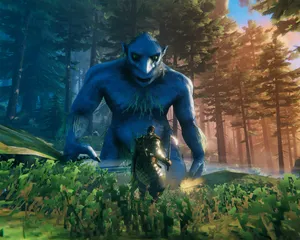
A comprehensive guide to configuring your Valheim dedicated server, including world modifiers, admin commands, server launch parameters, and permission management.
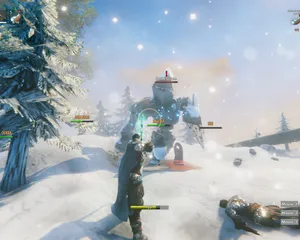
Fixes for the common Valheim dedicated server problems since 1.0: can't connect and version mismatch, lag and long loads, world not saving or reset, mods not loading, crossplay join issues.
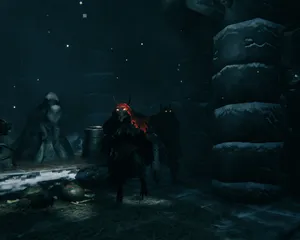
A version bump the size of 1.0 breaks essentially every BepInEx mod until authors catch up. How to tell a broken mod from a broken server, get back online first, and reintroduce mods without guessing.
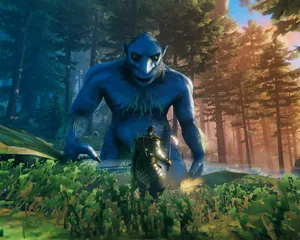
Valheim 1.0 is out and the 1.0.12 hotfix followed two days later. The order to update in: back up first, update through Steam Update (a restart won't do it), what the new world folders mean, what crossplay changes, and what to check when players can't connect.

Whether a Valheim mod runs on the server, on each player's PC, or on both decides who can join and who gets kicked. How to tell the three apart, why console players changed the maths at 1.0, and how to install each kind on a LOW.MS server.
Da się, ale przepaść między 'odpala się' a 'ekipa naprawdę może wejść' to miejsce, w którym większość domowych konfiguracji się wykłada. Oto na co się piszesz, hostując Valheim samodzielnie, i czym my się zajmiemy, jeśli wolisz to pominąć.
Kilka godzin konfiguracji, potem stała obsługa.
Na komputerze z Windowsem, nad którym masz kontrolę (stary desktop wystarczy, dopóki znajomi nie odkryją budowania), zainstaluj SteamCMD i uruchom steamcmd +force_install_dir C:\valheimds +login anonymous +app_update 896660 validate +quit. Valheim bez modów nie potrzebuje potwora, ale wymaga stabilnego czasu procesora i takiego zapasu RAM, żeby Windows Update nie walczył z Twoim drakkarem o zasoby.
$ steamcmd +login anonymous +app_update 896660 validate +quitPrzekieruj UDP 2456-2457 na routerze na lokalny adres IP serwera, a potem odblokuj te same porty w Zaporze systemu Windows. Tu wysypuje się większość domowych konfiguracji, bo CGNAT, sieć Wi-Fi dla gości i "pomocne" routery operatora uwielbiają udawać, że przekierowanie portów jest opcjonalne.
Skopiuj start_headless_server.bat, zanim cokolwiek zmienisz, bo krok validate w SteamCMD przywraca oryginał, a potem ustaw w kopii nazwę serwera, nazwę świata, hasło i port. Kontrola dostępu siedzi w adminlist.txt, bannedlist.txt i permittedlist.txt w folderze zapisów Valheim, jeden identyfikator gracza w linii, a po każdej zmianie restartujesz serwer.
Uruchom plik wsadowy i obserwuj konsolę, aż pojawi się Game server connected. Potem dołącz przez przeglądarkę serwerów w grze, wyszukując nazwę serwera, albo dodaj go bezpośrednio jako IP:2456. Dla znajomych na konsolach dopisz -crossplay do linii startowej i przygotuj się na pytanie "czemu kod dołączenia się zmienił?" po każdym restarcie, a do tego na to, że Twoja prędkość wysyłania jest teraz wąskim gardłem całej ekipy.
Serwer dedykowany jest dedykowany tylko wtedy, gdy komputer stoi włączony, uśpienie jest wyłączone, a restarty dzieją się według Twojego planu, a nie planu Windowsa. Dni łatek, jak 1.0 i jego hotfixy, oznaczają ponowne uruchomienie SteamCMD, sprawdzenie, czy świat nadal się wczytuje, i nadzieję, że nic nie zepsuło zapisu, bo rotacyjne kopie zapasowe Valheim leżą na tym samym dysku i nie są kopią poza maszyną.
Gdy mody BepInEx z Thunderstore zaczynają sypać błędami po aktualizacji gry, to Ty czytasz logi, zawężasz winne pluginy i tłumaczysz znajomym na konsolach, dlaczego mody po stronie klienta ich wykluczają. A gdy ktoś nie widzi serwera, to Ty debugujesz NAT hairpinning, konflikty portów i klasyczne "wczoraj działało", jakby to był Twój drugi etat, bo teraz nim jest.
Złóż zamówienie na górze tej strony, a my zajmiemy się wszystkimi sześcioma krokami.
Ceny widoczne od razu. Bez zakładania konta.
Jeśli wolisz najpierw spróbować samodzielnie, nasze poradniki Valheim powyżej przeprowadzą Cię przez konfigurację SteamCMD. Będziemy tu, gdybyś później chciał się przenieść.
Uruchamiaj, zatrzymuj i zarządzaj serwerem Valheim w przeglądarce. Ustawienia serwera, pliki, SFTP i kopie zapasowe znajdziesz w panelu sterowania.
Nexus jest już dostępny dla obsługiwanych gier i oferuje wbudowane narzędzia do zarządzania serwerem. Istniejące serwery mogą nadal korzystać z TCAdmin. Nasz zespół pomoże Ci znaleźć odpowiedni panel.
Więcej informacjiJoin our Discord to chat with our staff and community!
Join Discord