Tarifs annoncés au lancement
Pourquoi LOW.MS ?
Voici quelques raisons pour lesquelles LOW.MS est l'endroit idéal pour héberger votre serveur de jeu.
Console and mobile players welcome
One world your friends can join from a phone, a Switch, an Xbox, a PlayStation or a PC, without a bridge or a proxy in the middle.
Bring your existing world
Upload a single player or Realms world and carry on where you left off, with your builds and your progress intact.
Automatic backups
Worlds get backed up on a schedule and restored from the panel, so a bad night is an inconvenience rather than a loss.
Behaviour and resource packs
Install and manage packs from the panel to change gameplay, mobs, loot and visuals across the whole server.
Allowlist and operators
Decide who gets in and who gets commands, edited from the panel instead of a text file over FTP.
Update on your terms
Take a Mojang release when your packs and add-ons are ready for it, rather than the moment it lands.
Sauvegardes Cloud Automatiques
Vos mondes, paramètres et configuration de mods Minecraft: Bedrock Edition sont sauvegardés automatiquement dans le cloud. Conservez jusqu'à 20 sauvegardes par serveur et verrouillez celles qui comptent pour qu'elles ne soient jamais supprimées pour faire de la place.
Depuis l'onglet Sauvegardes du panneau de configuration LOW.MS, restaurez n'importe quelle sauvegarde en un clic, téléchargez-en une copie sur votre PC ou créez une sauvegarde manuelle avant un changement important.
- Sauvegardes automatiques programmées, stockées hors de votre serveur
- Verrouillez les sauvegardes importantes pour qu'elles ne soient jamais écrasées
- Restauration en un clic, ou téléchargement de toute sauvegarde sur votre PC
- Inclus avec chaque serveur Minecraft: Bedrock Edition, sans frais supplémentaires
Les sauvegardes incluent vos mondes et paramètres de mods. Les sauvegardes verrouillées ne sont jamais supprimées pour faire de la place.
| Créée | Taille | Statut | Verrouillée | |
|---|---|---|---|---|
| 17/08/2026, 15:19 | 3.6 MB | Terminée | TéléchargerRestaurerSupprimer | |
| 17/08/2026, 15:14 | 3.6 MB | Terminée | TéléchargerRestaurerSupprimer | |
| 14/08/2026, 00:12 | 3.6 MB | Terminée | TéléchargerRestaurerSupprimer | |
| 11/08/2026, 23:33 | 1.3 MB | Terminée | TéléchargerRestaurerSupprimer |
Rated 4.8 out of 5 on Trustpilot
What people say after they have moved a server to us.
Read our reviews on TrustpilotTop choice in my list
Out of all hosting providers. This is by far the top choice in my list. Simple UI with a mod manager included making it hassle-free when downloading specific mods.
Jose, Trustpilot review
Very helpful and responsive
I opened a ticket for help migrating my server from a different host. The game is Palworld and it isn't a simple process, they did it for me! Very helpful and responsive.
Justin, Trustpilot review
Insanely reliable service
Their prices are pretty cheap and I thought they'd cut back on performance but damn was I wrong. The service has been insanely reliable and the Support Team are on their own level!
Anti, Trustpilot review
13 Emplacements des serveurs
Une faible latence où que soient vos joueurs
Choisissez l'emplacement le plus proche de vos joueurs Minecraft: Bedrock Edition. Si vous hésitez, contactez le support.
Chaque emplacement dispose d'une protection DDoS capable d'absorber des attaques jusqu'à 100 Gbps.
S'il y a un emplacement que vous aimeriez nous voir ajouter, dites-le-nous. Le bon emplacement place aussi votre serveur dans la bonne région du navigateur de serveurs du jeu.
Nos centres de donnéesEurope
- Amsterdam, NL
- Nuremberg, Allemagne
- Helsinki, Finlande
- Varsovie, Pologne
Amérique du Nord
- Ashburn, VA
- Miami, FL
- Dallas, TX
- San José, CA
- Los Angeles, CA
- Bend, OR
Asie & Océanie
- Singapour, SG
- Sydney, AU
- Melbourne, AU
Questions fréquentes
Trouvez des réponses aux questions fréquentes sur l'hébergement de serveurs Minecraft: Bedrock Edition.
Prêt à héberger votre serveur Minecraft: Bedrock Edition?
Installation instantanée
Votre serveur sera prêt en quelques minutes
Protection DDoS
Protection de niveau entreprise incluse
Support 24/7
Aide experte quand vous en avez besoin
Annulez à tout moment. Aucune durée minimale. Remboursement complet sous 5 jours.
Qu'est-ce que Minecraft: Bedrock Edition
Minecraft: Bedrock Edition is the version that runs on Windows, iOS, Android, PlayStation, Xbox and Nintendo Switch, and a Bedrock Dedicated Server is the straightforward way to give all of those players one shared world. If your friends play on phones or consoles, this is the server you want. Mojang publishes the Bedrock Dedicated Server for Windows and Linux, and it is a genuinely different piece of software from the Java server: different config file, different addon format, different permissions model. Behaviour packs and resource packs replace Java plugins, and third-party server software such as PowerNukkitX or Endstone opens up plugin support for anyone who wants it. We already host Java Edition. Bedrock is the missing half, and we are building the template now: world uploads, behaviour and resource pack management, allowlist and operator editing, automatic backups, and control over when a Mojang release lands on your world. Watch this page for the order button.
Garantie de remboursement
Nous sommes convaincus que vous serez satisfait de notre service. Si, dans de rares cas, il y a un problème avec votre service, nous ferons de notre mieux pour résoudre la situation, ou vous pouvez simplement demander un remboursement.
Nous avons une garantie de remboursement intégrale de 5 jours sur tous nos hébergements de serveurs de jeux. Aucune question posée.
Articles de la base de connaissances pour
Une sélection de guides et d'articles sur l'hébergement , rédigés par notre équipe de support
Connecting to Your Server with SFTP (Port 2022)
Connect FileZilla or WinSCP to your LOW.MS server on port 2022 with the SFTP login from your control panel, find your files, and fix the usual connection and upload problems.
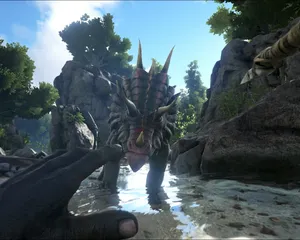
Fixing "Cannot Connect to Server. App ID Specified by Server Is Invalid" on Steam
Seeing "Cannot connect to server. App ID specified by the server is invalid" when joining your ARK, Palworld or other Steam game server? It's a Steam client bug, not your server. Here's how to get connected.
Upgrading your server
A quick guide on getting your server upgraded
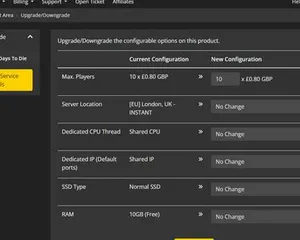
Upgrading / downgrading your LOW.MS server
A quick guide on upgrading your LOW.MS server.
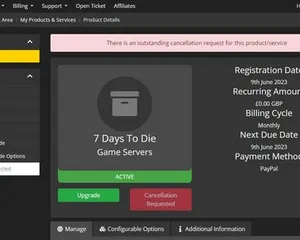
Cancelling your server
A quick guide on how to cancel your server with LOW.MS
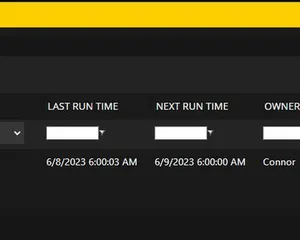
How to use the scheduled tasks via control panel
Easily create scheduled tasks to make your server run smoothly.
Panneau de contrôle de pointe
Démarrez, arrêtez et gérez votre serveur Minecraft: Bedrock Edition depuis votre navigateur. Retrouvez les paramètres, les fichiers, l'accès SFTP et les sauvegardes dans votre panneau de contrôle.
Nexus est désormais disponible pour les jeux compatibles, avec des outils intégrés de gestion de serveur. Les serveurs existants peuvent encore utiliser TCAdmin ; notre équipe peut vous aider à trouver le bon panneau.
Plus d’infos