Branche
public
- Statut
- Disponible
A relentless survival sandbox on a mysterious island teeming with dinosaurs and primeval creatures. Hunt, harvest, craft, and build—then tame and breed beasts to thrive with your tribe.
$8.95/mois
$1.49 par slot (6)
Voici quelques raisons pour lesquelles LOW.MS est l'endroit idéal pour héberger votre serveur de jeu.
Commencez à jouer sur votre serveur ARK: Survival Evolved quelques minutes après le paiement.
Ne perdez plus jamais votre sauvegarde ARK: Survival Evolved grâce à notre système de sauvegarde cloud de pointe.
Votre serveur ARK: Survival Evolved sera équipé des derniers processeurs Intel ou AMD et SSD NVMe.
Tous nos réseaux de centres de données disposent d'une protection DDOS de niveau entreprise pour garantir que l'hébergement de votre serveur ARK: Survival Evolved ne tombe jamais en panne.
Assistance client 24 heures sur 24 avec une garantie de disponibilité de 99,9 % pour garantir que votre serveur ARK: Survival Evolved ne se déconnecte jamais.
Remboursement intégral dans les 5 premiers jours si votre serveur ARK: Survival Evolved n'est pas à jour.
Vos mondes, paramètres et configuration de mods ARK: Survival Evolved sont sauvegardés automatiquement dans le cloud. Conservez jusqu'à 20 sauvegardes par serveur et verrouillez celles qui comptent pour qu'elles ne soient jamais supprimées pour faire de la place.
Depuis l'onglet Sauvegardes du panneau de configuration LOW.MS, restaurez n'importe quelle sauvegarde en un clic, téléchargez-en une copie sur votre PC ou créez une sauvegarde manuelle avant un changement important.
Les sauvegardes incluent vos mondes et paramètres de mods. Les sauvegardes verrouillées ne sont jamais supprimées pour faire de la place.
| Créée | Taille | Statut | Verrouillée | |
|---|---|---|---|---|
| 17/08/2026, 15:19 | 3.6 MB | Terminée | TéléchargerRestaurerSupprimer | |
| 17/08/2026, 15:14 | 3.6 MB | Terminée | TéléchargerRestaurerSupprimer | |
| 14/08/2026, 00:12 | 3.6 MB | Terminée | TéléchargerRestaurerSupprimer | |
| 11/08/2026, 23:33 | 1.3 MB | Terminée | TéléchargerRestaurerSupprimer |
What people say after they have moved a server to us.
Read our reviews on TrustpilotOut of all hosting providers. This is by far the top choice in my list. Simple UI with a mod manager included making it hassle-free when downloading specific mods.
Jose, Trustpilot review
I opened a ticket for help migrating my server from a different host. The game is Palworld and it isn't a simple process, they did it for me! Very helpful and responsive.
Justin, Trustpilot review
Their prices are pretty cheap and I thought they'd cut back on performance but damn was I wrong. The service has been insanely reliable and the Support Team are on their own level!
Anti, Trustpilot review
Nous prenons en charge nativement toutes les branches Steam publiques de ARK: Survival Evolved, y compris les branches privées protégées par mot de passe. Changez depuis votre panneau de contrôle à tout moment.
ASE : Pre-Aquatica
Une faible latence où que soient vos joueurs
Choisissez l'emplacement le plus proche de vos joueurs ARK: Survival Evolved. Si vous hésitez, contactez le support.
Chaque emplacement dispose d'une protection DDoS capable d'absorber des attaques jusqu'à 100 Gbps.
S'il y a un emplacement que vous aimeriez nous voir ajouter, dites-le-nous. Le bon emplacement place aussi votre serveur dans la bonne région du navigateur de serveurs du jeu.
Nos centres de donnéesEurope
Amérique du Nord
Asie & Océanie
Trouvez des réponses aux questions fréquentes sur l'hébergement de serveurs ARK: Survival Evolved.
Votre serveur sera prêt en quelques minutes
Protection de niveau entreprise incluse
Aide experte quand vous en avez besoin
À partir de
Annulez à tout moment. Aucune durée minimale. Remboursement complet sous 5 jours.
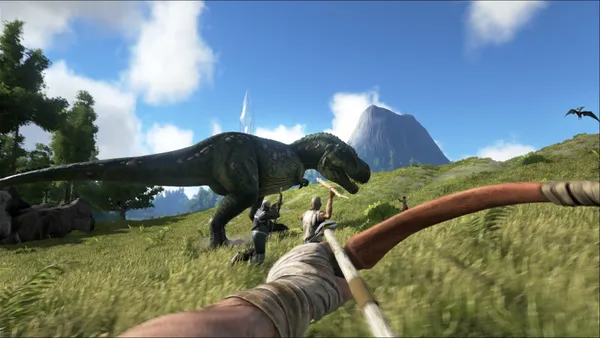
ARK: Survival Evolved is an action-adventure survival game that takes place on a mysterious island inhabited by prehistoric creatures. You awaken on the island with nothing but your wits and survival skills, and must fight to survive against the elements, hunger, thirst, and the deadly predators that roam the island. As you progress, you'll learn to craft weapons, build shelters, and tame the island's inhabitants, using them as mounts or even as allies in your fight for survival. You'll explore the island's vast terrain, from lush forests to scorching deserts and frozen tundras, uncovering hidden secrets and ancient ruins as you go. But survival won't be easy - the island is filled with dangers at every turn, from ferocious predators to rival tribes competing for resources. You'll need to work together with other players to establish alliances and fend off attacks, building a community of survivors that can weather any storm. With stunning graphics, immersive gameplay, and an endless world of possibilities, ARK: Survival Evolved is a game that will keep you hooked for hours on end. So gather your tools, sharpen your skills, and prepare to face the ultimate survival challenge in this prehistoric world.


Nous sommes convaincus que vous serez satisfait de notre service. Si, dans de rares cas, il y a un problème avec votre service, nous ferons de notre mieux pour résoudre la situation, ou vous pouvez simplement demander un remboursement.
Nous avons une garantie de remboursement intégrale de 5 jours sur tous nos hébergements de serveurs de jeux. Aucune question posée.
Une sélection de guides et d'articles sur l'hébergement , rédigés par notre équipe de support
Connect FileZilla or WinSCP to your LOW.MS server on port 2022 with the SFTP login from your control panel, find your files, and fix the usual connection and upload problems.
How to enable new Primitive+ DLC on your ARK: Survival Evolved Server
Find your ARK: Survival Evolved singleplayer save files and upload them to your dedicated server using File Manager or SFTP.
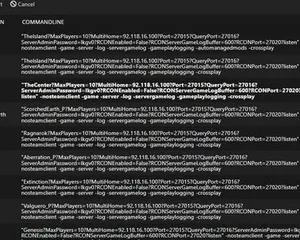
Guide to switching map or DLC on your server

Guide on how to Create an ARK: Survival Evolved Dedicated Server Guide
Quickly and easily become an admin in your Ark server
Démarrez, arrêtez et gérez votre serveur ARK: Survival Evolved depuis votre navigateur. Retrouvez les paramètres, les fichiers, l'accès SFTP et les sauvegardes dans votre panneau de contrôle.
Nexus est désormais disponible pour les jeux compatibles, avec des outils intégrés de gestion de serveur. Les serveurs existants peuvent encore utiliser TCAdmin ; notre équipe peut vous aider à trouver le bon panneau.
Plus d’infosJoin our Discord to chat with our staff and community!
Join Discord