Precios anunciados en el lanzamiento
¿Por qué LOW.MS?
A continuación, se presentan algunas razones por las cuales LOW.MS es el lugar ideal para alojar su servidor de juegos.
Console and mobile players welcome
One world your friends can join from a phone, a Switch, an Xbox, a PlayStation or a PC, without a bridge or a proxy in the middle.
Bring your existing world
Upload a single player or Realms world and carry on where you left off, with your builds and your progress intact.
Automatic backups
Worlds get backed up on a schedule and restored from the panel, so a bad night is an inconvenience rather than a loss.
Behaviour and resource packs
Install and manage packs from the panel to change gameplay, mobs, loot and visuals across the whole server.
Allowlist and operators
Decide who gets in and who gets commands, edited from the panel instead of a text file over FTP.
Update on your terms
Take a Mojang release when your packs and add-ons are ready for it, rather than the moment it lands.
Copias de Seguridad Cloud Automáticas
Tus mundos, ajustes y configuración de mods de Minecraft: Bedrock Edition se respaldan en la nube automáticamente. Conserva hasta 20 copias de seguridad por servidor y bloquea las que importan para que nunca se borren para hacer espacio.
Desde la pestaña Copias del panel de control de LOW.MS puedes restaurar cualquier copia de seguridad con un clic, descargarla a tu PC o crear una copia manual antes de un cambio importante.
- Copias de seguridad automáticas programadas, guardadas fuera de tu servidor
- Bloquea las copias importantes para que nunca se sobrescriban
- Restauración con un clic o descarga de cualquier copia a tu PC
- Incluido con cada servidor de Minecraft: Bedrock Edition, sin coste adicional
Las copias incluyen tus mundos y ajustes de mods. Las bloqueadas nunca se eliminan para hacer espacio.
| Creada | Tamaño | Estado | Bloqueada | |
|---|---|---|---|---|
| 17/08/2026, 15:19 | 3.6 MB | Completada | DescargarRestaurarEliminar | |
| 17/08/2026, 15:14 | 3.6 MB | Completada | DescargarRestaurarEliminar | |
| 14/08/2026, 00:12 | 3.6 MB | Completada | DescargarRestaurarEliminar | |
| 11/08/2026, 23:33 | 1.3 MB | Completada | DescargarRestaurarEliminar |
Rated 4.8 out of 5 on Trustpilot
What people say after they have moved a server to us.
Read our reviews on TrustpilotTop choice in my list
Out of all hosting providers. This is by far the top choice in my list. Simple UI with a mod manager included making it hassle-free when downloading specific mods.
Jose, Trustpilot review
Very helpful and responsive
I opened a ticket for help migrating my server from a different host. The game is Palworld and it isn't a simple process, they did it for me! Very helpful and responsive.
Justin, Trustpilot review
Insanely reliable service
Their prices are pretty cheap and I thought they'd cut back on performance but damn was I wrong. The service has been insanely reliable and the Support Team are on their own level!
Anti, Trustpilot review
13 Ubicaciones de servidores
Baja latencia estén donde estén tus jugadores
Elige la ubicación más cercana a tus jugadores de Minecraft: Bedrock Edition. Si no sabes cuál elegir, contacta con soporte.
Todas las ubicaciones tienen protección DDoS capaz de absorber ataques de hasta 100 Gbps.
Si hay una ubicación que te gustaría que añadiéramos, dínoslo. La ubicación adecuada también hace que tu servidor aparezca en la región correcta del navegador de servidores del juego.
Nuestros Centros de DatosEuropa
- Ámsterdam, NL
- Nuremberg, Alemania
- Helsinki, Finlandia
- Varsovia, Polonia
Norteamérica
- Ashburn, VA
- Miami, FL
- Dallas, TX
- San José, CA
- Los Ángeles, CA
- Bend, OR
Asia y Oceanía
- Singapur, SG
- Sídney, Australia
- Melbourne, Australia
Preguntas frecuentes
Encuentra respuestas a preguntas frecuentes sobre alojamiento de servidores Minecraft: Bedrock Edition.
¿Listo para alojar tu servidor Minecraft: Bedrock Edition?
Configuración instantánea
Tu servidor estará listo en minutos
Protección DDoS
Protección empresarial incluida
Soporte 24/7
Ayuda experta cuando la necesites
Cancela en cualquier momento. Sin plazo mínimo. Reembolso completo en 5 días.
Qué es Minecraft: Bedrock Edition
Minecraft: Bedrock Edition is the version that runs on Windows, iOS, Android, PlayStation, Xbox and Nintendo Switch, and a Bedrock Dedicated Server is the straightforward way to give all of those players one shared world. If your friends play on phones or consoles, this is the server you want. Mojang publishes the Bedrock Dedicated Server for Windows and Linux, and it is a genuinely different piece of software from the Java server: different config file, different addon format, different permissions model. Behaviour packs and resource packs replace Java plugins, and third-party server software such as PowerNukkitX or Endstone opens up plugin support for anyone who wants it. We already host Java Edition. Bedrock is the missing half, and we are building the template now: world uploads, behaviour and resource pack management, allowlist and operator editing, automatic backups, and control over when a Mojang release lands on your world. Watch this page for the order button.
Garantía de devolución de dinero
Estamos seguros de que estarás satisfecho con nuestro servicio. Si en raras ocasiones hay un problema con tu servicio, haremos todo lo posible para solucionarlo, o simplemente puedes solicitar la devolución de tu dinero.
Ofrecemos una garantía de devolución de dinero completa de 5 días en todos nuestros alojamientos de servidores de juegos. Sin preguntas.
Artículos de la base de conocimientos para
Una selección de guías y artículos de hosting de , escritos por nuestro equipo de soporte
Connecting to Your Server with SFTP (Port 2022)
Connect FileZilla or WinSCP to your LOW.MS server on port 2022 with the SFTP login from your control panel, find your files, and fix the usual connection and upload problems.
Fixing "Cannot Connect to Server. App ID Specified by Server Is Invalid" on Steam
Seeing "Cannot connect to server. App ID specified by the server is invalid" when joining your ARK, Palworld or other Steam game server? It's a Steam client bug, not your server. Here's how to get connected.
Upgrading your server
A quick guide on getting your server upgraded
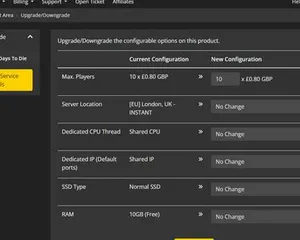
Upgrading / downgrading your LOW.MS server
A quick guide on upgrading your LOW.MS server.
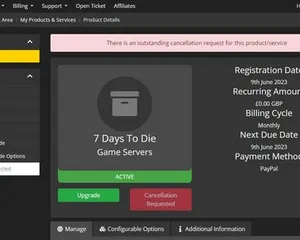
Cancelling your server
A quick guide on how to cancel your server with LOW.MS
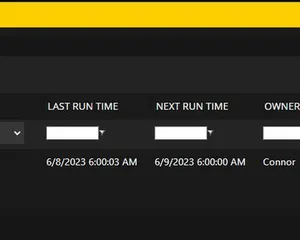
How to use the scheduled tasks via control panel
Easily create scheduled tasks to make your server run smoothly.
Panel de control de vanguardia
Inicia, detén y administra tu servidor de Minecraft: Bedrock Edition desde el navegador. Accede a la configuración, los archivos, SFTP y las copias de seguridad desde tu panel de control.
Nexus ya está disponible para los juegos compatibles, con herramientas integradas para administrar tu servidor. Los servidores existentes pueden seguir usando TCAdmin; nuestro equipo te ayudará a encontrar el panel adecuado.
Más información