BepInEx (Thunderstore)
Search Thunderstore from the Mods tab and install in one click. BepInEx and each mod's dependencies are installed with it.
Visitar BepInEx (Thunderstore)Your world stays online when your PC is off. No port forwarding and no machine left running: friends join whenever they like, Thunderstore mods install in one click and backups run on a schedule. Live in about five minutes, with a full refund in the first 5 days.
$10.99/mes
$1.10 por espacio (10)
VALHEIM30A continuación, se presentan algunas razones por las cuales LOW.MS es el lugar ideal para alojar su servidor de juegos.
Steam, Xbox, PlayStation and Switch 2 players can share one world. Tick Crossplay in the panel and console players join with the six-digit code shown on your Overview tab.
Valheim left early access on 9 September 2026. Press Update in the panel, or schedule it, to pull each new build and hotfix as soon as Iron Gate ship it, so you are not sat waiting on us to get round to it.
Search Thunderstore from the Mods tab and install with one click, with BepInEx and every dependency handled for you. Anything not in the list goes in by pasting its Thunderstore link.
Upload your world folder through the Files tab, point the server at it, and carry on where you left off. An older .db and .fwl pair works too, and converts itself on first load. Nobody has to start again.
The Backups tab writes a copy off the server in one click, and a scheduled Backup task turns that into a nightly job. Worth setting up on day one rather than the day you need it.
Tickets reach people who actually run Valheim servers, at any hour. You will not spend your evening explaining what BepInEx is.
Cada servidor de Valheim tiene un mapa en vivo leído directamente de su partida guardada. Mira cuánto ha explorado tu grupo, quién construyó qué y adónde lleva cada portal, sin que nadie tenga que conectarse.
Bases y portales, con etiquetas
Cada base se dibuja vista desde arriba con el nombre de quien la construyó, y cada portal muestra su etiqueta.
Se actualiza mientras jugáis
El mapa se actualiza desde la partida guardada mientras el servidor está en marcha, así que las nuevas construcciones aparecen solas.
Compártelo con tu grupo
Envía un enlace de solo lectura y tus amigos podrán explorar el mapa en su navegador sin cuenta en el panel.
14 bases, 9 portales
Compartir ActualizarPreajuste del mundo
Estándar: Valheim clásicoDificultad de combate
Usar preajusteMuy fácilFácilDifícilMuy difícilPenalización por muerte
Usar preajusteCasual (conservas todo)Muy fácilFácilDifícilExtremo (sin lápida)Botín de recursos
Usar preajusteMucho menosMenosMásMucho másMáximoIncursiones
Usar preajusteNingunaMucho menosMenosMásMucho másPortales
Usar preajusteCasual (lleva de todo)Difícil (sin metales)Muy difícil (sin portales)Elige un preajuste y luego ajusta el combate, la penalización por muerte, los recursos, las incursiones y los portales con un clic. El panel escribe los parámetros de inicio de Valheim por ti y los aplica en el siguiente reinicio.
Preajustes y modificadores
Parte de uno de los preajustes de Valheim y cambia cualquier modificador por separado.
Reglas del mundo
Activa construir sin coste, criaturas pasivas, eventos de jugador, peligro de incendio o sin mapa para todo el servidor.
Modificadores personalizados
Afina el daño enemigo, la ganancia y pérdida de habilidades, el ritmo de recursos y más, más allá de los preajustes.
La tarjeta de conexión reúne la dirección y la contraseña en un solo lugar. Administradores, baneos y lista blanca están a un clic, por cuenta de Steam.
Una dirección para compartir
Copia la dirección y la contraseña del panel y pégalas en Unirse por IP en Valheim.
Administradores, baneos y lista blanca
Haz administrador a un amigo, banea a un griefer o limita el servidor a una lista blanca sin editar ningún archivo de texto.
Añade jugadores por SteamID64
Añade a alguien antes de que se haya unido nunca. Los cambios se aplican la próxima vez que se inicie el servidor.
Únete a tu servidor
Dirección del servidor
demo.join.low.ms:2456
En Valheim, elige Iniciar partida, luego Unirse a partida, luego Unirse por IP, e introduce esta dirección.
Contraseña
••••••••
Se pide a los jugadores al conectarse.
Search Thunderstore from the Mods tab and install in one click. BepInEx and each mod's dependencies are installed with it.
Visitar BepInEx (Thunderstore)Instala mods con un clic desde el navegador integrado de tu panel, o sube tus propios archivos por SFTP. Control total en ambos casos.
Tus mundos, ajustes y configuración de mods de Valheim se respaldan en la nube automáticamente. Conserva hasta 20 copias de seguridad por servidor y bloquea las que importan para que nunca se borren para hacer espacio.
Desde la pestaña Copias del panel de control de LOW.MS puedes restaurar cualquier copia de seguridad con un clic, descargarla a tu PC o crear una copia manual antes de un cambio importante.
Las copias incluyen tus mundos y ajustes de mods. Las bloqueadas nunca se eliminan para hacer espacio.
| Creada | Tamaño | Estado | Bloqueada | |
|---|---|---|---|---|
| 17/08/2026, 15:19 | 3.6 MB | Completada | DescargarRestaurarEliminar | |
| 17/08/2026, 15:14 | 3.6 MB | Completada | DescargarRestaurarEliminar | |
| 14/08/2026, 00:12 | 3.6 MB | Completada | DescargarRestaurarEliminar | |
| 11/08/2026, 23:33 | 1.3 MB | Completada | DescargarRestaurarEliminar |
What people say after they have moved a server to us.
Read our reviews on TrustpilotOut of all hosting providers. This is by far the top choice in my list. Simple UI with a mod manager included making it hassle-free when downloading specific mods.
Jose, Trustpilot review
I opened a ticket for help migrating my server from a different host. The game is Palworld and it isn't a simple process, they did it for me! Very helpful and responsive.
Justin, Trustpilot review
Their prices are pretty cheap and I thought they'd cut back on performance but damn was I wrong. The service has been insanely reliable and the Support Team are on their own level!
Anti, Trustpilot review
Soportamos de forma nativa todas las ramas públicas de Steam de Valheim, incluidas las privadas protegidas con contraseña. Cambia desde tu panel de control en cualquier momento.
Last stable build before 1.0
Baja latencia estén donde estén tus jugadores
Elige la ubicación más cercana a tus jugadores de Valheim. Si no sabes cuál elegir, contacta con soporte.
Todas las ubicaciones tienen protección DDoS capaz de absorber ataques de hasta 100 Gbps.
Si hay una ubicación que te gustaría que añadiéramos, dínoslo. La ubicación adecuada también hace que tu servidor aparezca en la región correcta del navegador de servidores del juego.
Nuestros Centros de DatosEuropa
Norteamérica
Asia y Oceanía
Encuentra respuestas a preguntas frecuentes sobre alojamiento de servidores Valheim.
Tu servidor estará listo en minutos
Protección empresarial incluida
Ayuda experta cuando la necesites
Desde
Cancela en cualquier momento. Sin plazo mínimo. Reembolso completo en 5 días.
Valheim is a viking survival game which can be played solo, or with a group. Players work together to gather resources, build structures, and defeat enemies and bosses. The game also has a strong focus on exploration and discovery (including by boat), which makes it more enjoyable to play with others as you can share in the excitement of discovering new areas and secrets together. Many of the LOW.MS team are big fans of the game, and often re-visit the game when major updates (such as Mistlands, and now the Deep North in 1.0) are released. We have been providing Valheim hosting since day one. The Backups tab writes a copy of your world off the server, and a scheduled Backup task does it on whatever schedule you set, so a bad update or a corrupted save is an inconvenience rather than the end of a run you have put months into.



Estamos seguros de que estarás satisfecho con nuestro servicio. Si en raras ocasiones hay un problema con tu servicio, haremos todo lo posible para solucionarlo, o simplemente puedes solicitar la devolución de tu dinero.
Ofrecemos una garantía de devolución de dinero completa de 5 días en todos nuestros alojamientos de servidores de juegos. Sin preguntas.
Una selección de guías y artículos de hosting de , escritos por nuestro equipo de soporte
Connect FileZilla or WinSCP to your LOW.MS server on port 2022 with the SFTP login from your control panel, find your files, and fix the usual connection and upload problems.
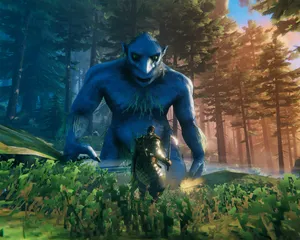
A comprehensive guide to configuring your Valheim dedicated server, including world modifiers, admin commands, server launch parameters, and permission management.
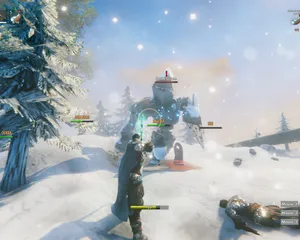
Fixes for the common Valheim dedicated server problems since 1.0: can't connect and version mismatch, lag and long loads, world not saving or reset, mods not loading, crossplay join issues.
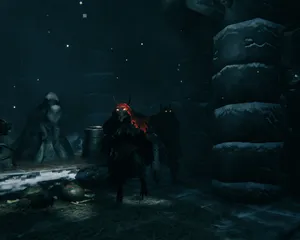
A version bump the size of 1.0 breaks essentially every BepInEx mod until authors catch up. How to tell a broken mod from a broken server, get back online first, and reintroduce mods without guessing.
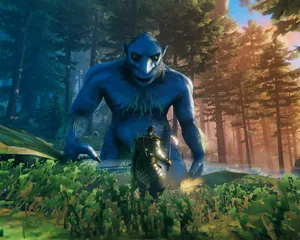
Valheim 1.0 is out and the 1.0.12 hotfix followed two days later. The order to update in: back up first, update through Steam Update (a restart won't do it), what the new world folders mean, what crossplay changes, and what to check when players can't connect.

Whether a Valheim mod runs on the server, on each player's PC, or on both decides who can join and who gets kicked. How to tell the three apart, why console players changed the maths at 1.0, and how to install each kind on a LOW.MS server.
Es viable, pero la diferencia entre 'arranca' y 'tu tripulación puede conectarse de verdad' es donde fallan la mayoría de configuraciones caseras. Esto es a lo que te apuntas si autoalojas Valheim, y lo que nosotros gestionamos si prefieres saltártelo.
Unas horas de configuración y después mantenimiento continuo.
En un equipo Windows que controles (un ordenador viejo sirve, hasta que tus amigos descubran la construcción), instala SteamCMD y ejecuta steamcmd +force_install_dir C:\valheimds +login anonymous +app_update 896660 validate +quit. Valheim sin mods no necesita una máquina monstruosa, pero sí tiempo de CPU estable y suficiente margen de RAM para que Windows Update no le dispute los recursos a tu barco vikingo.
$ steamcmd +login anonymous +app_update 896660 validate +quitRedirige UDP 2456-2457 en tu router hacia la IP local del servidor y permite esos mismos puertos en el Firewall de Windows. Aquí es donde fallan la mayoría de las instalaciones caseras, porque el CGNAT, el wifi de invitados y los routers "amables" del proveedor adoran fingir que redirigir puertos es opcional.
Copia start_headless_server.bat antes de tocarlo, porque el paso validate de SteamCMD restaura el original, y después configura el nombre del servidor, el nombre del mundo, la contraseña y el puerto en la copia. El control de acceso está en adminlist.txt, bannedlist.txt y permittedlist.txt dentro de la carpeta de partidas de Valheim, un ID de jugador por línea, y reinicias el servidor cada vez que los cambias.
Ejecuta tu archivo por lotes y vigila la consola hasta que muestre Game server connected. Luego únete desde el navegador de servidores del juego buscando su nombre, o añádelo directamente como IP:2456. Añade -crossplay a la línea de arranque para tus amigos de consola, y prepárate para la conversación de "¿por qué ha cambiado el código de acceso?" tras cada reinicio, además de asumir que tu velocidad de subida es ahora el cuello de botella de todo el grupo.
Un servidor dedicado solo es dedicado si el PC sigue encendido, la suspensión está desactivada y los reinicios ocurren cuando tú decides y no cuando decide Windows. Los días de parche como la 1.0 y sus hotfixes implican volver a ejecutar SteamCMD, comprobar que el mundo sigue cargando y rezar para que nada haya roto tu partida, porque las copias rotativas de Valheim están en el mismo disco y no son una copia fuera de la máquina.
Cuando los mods de BepInEx de Thunderstore empiezan a dar errores tras una actualización del juego, te toca leer registros, aislar plugins y explicar a tus amigos de consola por qué los mods del lado del cliente los dejan fuera. Y cuando alguien no ve el servidor, te toca depurar NAT hairpinning, conflictos de puertos y el clásico "ayer funcionaba" como si fuera tu segundo trabajo, porque ahora lo es.
Paga arriba en esta página y nos encargamos de los seis pasos.
Precios visibles desde el principio. Sin muro de registro.
Si prefieres probarlo tú primero, nuestras guías de Valheim de arriba explican la configuración con SteamCMD. Aquí estaremos cuando quieras migrar.
Inicia, detén y administra tu servidor de Valheim desde el navegador. Accede a la configuración, los archivos, SFTP y las copias de seguridad desde tu panel de control.
Nexus ya está disponible para los juegos compatibles, con herramientas integradas para administrar tu servidor. Los servidores existentes pueden seguir usando TCAdmin; nuestro equipo te ayudará a encontrar el panel adecuado.
Más informaciónJoin our Discord to chat with our staff and community!
Join Discord