Precios anunciados en el lanzamiento
Cómo unirse desde Steam
Llevar a tu grupo de Steam a un servidor de FiveM lleva solo unos minutos.
- 1
Pide tu servidor
Elige un plan y la ubicación más cercana a tus jugadores. Tu servidor de FiveM se configura automáticamente tras el pago.
- 2
Configúralo a tu manera
Cambia los ajustes de tu servidor, como el nombre y la contraseña cuando el juego los tiene, desde cualquier navegador, incluso en tu móvil.
- 3
Comparte los datos de conexión
El panel de control muestra la dirección y los datos de conexión de tu servidor. Envíalos a los amigos con los que quieras jugar.
- 4
Únete desde Steam
Abre FiveM en Steam y únete desde la lista de servidores del juego o con la opción de conexión que ofrezca en esa plataforma.
Muchos juegos de Steam también te permiten guardar un servidor como favorito en el navegador de servidores de Steam (Ver y luego Servidores de juegos), para tenerlo a un clic la próxima vez.
Juega a FiveM entre plataformas
FiveM también está disponible en PC. Cuando el juego admite juego cruzado entre estas versiones, sus jugadores pueden unirse al mismo servidor que tu grupo de Steam.
¿Por qué LOW.MS?
A continuación, se presentan algunas razones por las cuales LOW.MS es el lugar ideal para alojar su servidor de juegos.
Built for heavy resource loads
A busy roleplay city is bound by single thread performance, not core count. High clock speed Ryzen CPUs and NVMe storage keep a hundred active resources responsive.
txAdmin and full console
Player management, bans, live console, scheduled restarts and recipe deployment, alongside the control panel's own console and file tools.
Your resources, your framework
ESX, QBCore or something you wrote yourself. Full file access and complete control over every resource on the server.
Sized to what you can actually run
Forty eight slots is where FiveM's free OneSync ceiling sits, so that is what we sell. No plan that looks bigger on paper than the licence will allow.
DDoS protection as standard
Roleplay servers attract attacks from people who lost an argument in character. Always-on enterprise protection, no add-on fee.
Locations near your players
Datacenters across Europe, North America and Asia-Pacific, so your city runs on low ping wherever your community is based.
Rated 4.8 out of 5 on Trustpilot
What people say after they have moved a server to us.
Read our reviews on TrustpilotTop choice in my list
Out of all hosting providers. This is by far the top choice in my list. Simple UI with a mod manager included making it hassle-free when downloading specific mods.
Jose, Trustpilot review
Very helpful and responsive
I opened a ticket for help migrating my server from a different host. The game is Palworld and it isn't a simple process, they did it for me! Very helpful and responsive.
Justin, Trustpilot review
Insanely reliable service
Their prices are pretty cheap and I thought they'd cut back on performance but damn was I wrong. The service has been insanely reliable and the Support Team are on their own level!
Anti, Trustpilot review
13 Ubicaciones de servidores
Baja latencia estén donde estén tus jugadores
Elige la ubicación más cercana a tus jugadores de FiveM. Si no sabes cuál elegir, contacta con soporte.
Todas las ubicaciones tienen protección DDoS capaz de absorber ataques de hasta 100 Gbps.
Si hay una ubicación que te gustaría que añadiéramos, dínoslo. La ubicación adecuada también hace que tu servidor aparezca en la región correcta del navegador de servidores del juego.
Nuestros Centros de DatosEuropa
- Ámsterdam, NL
- Nuremberg, Alemania
- Helsinki, Finlandia
- Varsovia, Polonia
Norteamérica
- Ashburn, VA
- Miami, FL
- Dallas, TX
- San José, CA
- Los Ángeles, CA
- Bend, OR
Asia y Oceanía
- Singapur, SG
- Sídney, Australia
- Melbourne, Australia
Preguntas frecuentes
Preguntas frecuentes sobre el alojamiento de FiveM para jugadores de Steam.
¿Listo para alojar tu servidor FiveM?
Configuración instantánea
Tu servidor estará listo en minutos
Protección DDoS
Protección empresarial incluida
Soporte 24/7
Ayuda experta cuando la necesites
Cancela en cualquier momento. Sin plazo mínimo. Reembolso completo en 5 días.
Artículos de la base de conocimientos para
Una selección de guías y artículos de hosting de , escritos por nuestro equipo de soporte
FiveM and RedM "Missing server data": Set Your Server Name, Tags and Banner in the Cfx Portal
From 21 October 2026 a FiveM or RedM server's name, description, tags, language, banner and Discord link are managed in the Cfx Portal. How to fix a listing that says "Missing server data (must be configured in Portal)".
Connecting to Your Server with SFTP (Port 2022)
Connect FileZilla or WinSCP to your LOW.MS server on port 2022 with the SFTP login from your control panel, find your files, and fix the usual connection and upload problems.

Fixing "Cannot Connect to Server. App ID Specified by Server Is Invalid" on Steam
Seeing "Cannot connect to server. App ID specified by the server is invalid" when joining your ARK, Palworld or other Steam game server? It's a Steam client bug, not your server. Here's how to get connected.
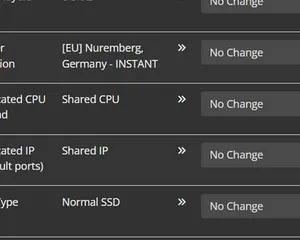
Upgrading your server
A quick guide on getting your server upgraded
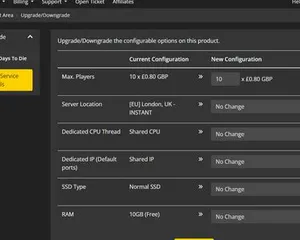
Upgrading / downgrading your LOW.MS server
A quick guide on upgrading your LOW.MS server.
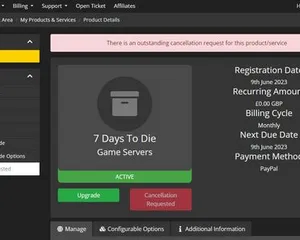
Cancelling your server
A quick guide on how to cancel your server with LOW.MS
Panel de control de vanguardia
Inicia, detén y administra tu servidor de FiveM desde el navegador. Accede a la configuración, los archivos, SFTP y las copias de seguridad desde tu panel de control.
Nexus ya está disponible para los juegos compatibles, con herramientas integradas para administrar tu servidor. Los servidores existentes pueden seguir usando TCAdmin; nuestro equipo te ayudará a encontrar el panel adecuado.
Más información