Branch
public
- Status
- Estável, padrão
A first-person factory-automation sandbox in a fully destructible voxel world. Mine, automate, and optimise sprawling production lines with friends on an always-on dedicated server.
$11.95/mês
$1.99 por slot (6)
Veja alguns motivos que fazem da LOW.MS o lugar ideal para hospedar seu servidor de jogos.
Your FOUNDRY server is deployed and ready to join within minutes of ordering, fully configured with sensible defaults.
High clock speed Ryzen CPUs and NVMe storage keep large, complex factories ticking smoothly, because in FOUNDRY the factory, not the player count, is what pushes the hardware.
Scheduled backups protect your world, and one-click restores mean a bad day in the mines never costs you your megabase.
Server name, password, player limit, autosave, and visibility are all editable from the control panel config editor. No file hunting required.
Friends can build while you sleep, or the server can pause itself when empty. Either way, nobody has to host from their own PC.
Our team runs FOUNDRY servers themselves. If you get stuck, real humans who know the game are a ticket away.
Seus mundos, configurações e mods de FOUNDRY são copiados para a nuvem automaticamente. Guarde até 20 backups por servidor e bloqueie os que importam para que nunca sejam apagados para abrir espaço.
Na aba Backups do painel de controle da LOW.MS você restaura qualquer backup com um clique, baixa uma cópia para o seu PC ou cria um backup manual antes de uma mudança grande.
Os backups incluem seus mundos e as configurações dos mods. Os bloqueados nunca são apagados para abrir espaço.
| Criado em | Tamanho | Status | Bloqueado | |
|---|---|---|---|---|
| 17/08/2026, 15:19 | 3.6 MB | Concluído | BaixarRestaurarExcluir | |
| 17/08/2026, 15:14 | 3.6 MB | Concluído | BaixarRestaurarExcluir | |
| 14/08/2026, 00:12 | 3.6 MB | Concluído | BaixarRestaurarExcluir | |
| 11/08/2026, 23:33 | 1.3 MB | Concluído | BaixarRestaurarExcluir |
What people say after they have moved a server to us.
Read our reviews on TrustpilotOut of all hosting providers. This is by far the top choice in my list. Simple UI with a mod manager included making it hassle-free when downloading specific mods.
Jose, Trustpilot review
I opened a ticket for help migrating my server from a different host. The game is Palworld and it isn't a simple process, they did it for me! Very helpful and responsive.
Justin, Trustpilot review
Their prices are pretty cheap and I thought they'd cut back on performance but damn was I wrong. The service has been insanely reliable and the Support Team are on their own level!
Anti, Trustpilot review
Suportamos todas as branches públicas de FOUNDRY na Steam de fábrica, incluindo as privadas protegidas por senha. Troque pelo seu painel de controle quando quiser.
Hotfix Update 4
Baixa latência onde quer que seus jogadores estejam
Escolha o local mais próximo dos seus jogadores de FOUNDRY. Se não souber qual escolher, fale com o suporte.
Todos os locais têm proteção DDoS capaz de absorver ataques de até 100 Gbps.
Se quiser que a gente adicione algum local, avise. O local certo também coloca seu servidor na região certa da lista de servidores do jogo.
Nossos datacentersEuropa
América do Norte
Ásia e Oceania
Encontre respostas para as dúvidas mais comuns sobre hospedagem de servidor FOUNDRY.
Seu servidor fica pronto em poucos minutos
Proteção de nível empresarial inclusa
Ajuda especializada sempre que você precisar
A partir de
Cancele quando quiser. Sem prazo mínimo. Reembolso integral em 5 dias.
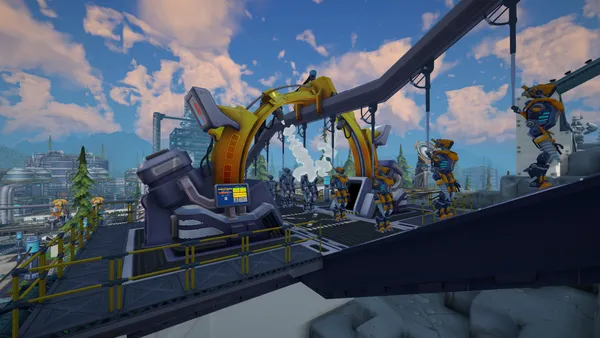
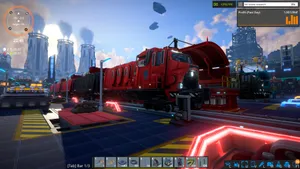
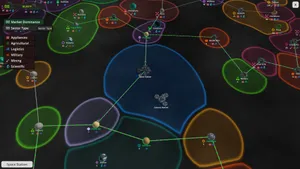
FOUNDRY is a first-person factory-building sandbox set in an endless, fully destructible voxel world. Dig for resources, wire up power grids, and grow a handful of hand-fed machines into a vast automated industrial complex. Because every block of terrain can be reshaped, your factory can burrow through mountains, span canyons, or sprawl across the surface in whatever layout you can imagine. Multiplayer is where FOUNDRY really shines. A dedicated server keeps your world online around the clock, so friends can drop in, push production forward, and log off again without anyone needing to host from their own PC. As you unlock conveyor networks, robotic arms, and full logistics systems, the factory keeps running even while nobody is connected, and the auto-pause option can freeze time whenever the server is empty. With a LOW.MS server you get instant setup, automated backups, NVMe storage, and high clock speed CPUs. That last part matters: like all factory games, FOUNDRY's performance is driven by the size and complexity of your builds more than by player count, so strong single-core performance keeps a megabase ticking smoothly.
Temos certeza de que você vai gostar do nosso serviço. Se, nas raras vezes em que algo der errado, houver um problema com o seu serviço, faremos o possível para resolver ou você simplesmente pede seu dinheiro de volta.
Temos garantia de reembolso de 5 dias em toda a nossa hospedagem de servidores de jogos. Sem perguntas.
Uma seleção de guias e artigos sobre hospedagem de , escritos à mão pela nossa própria equipe de suporte
Connect FileZilla or WinSCP to your LOW.MS server on port 2022 with the SFTP login from your control panel, find your files, and fix the usual connection and upload problems.

A complete beginner's guide to connecting to, configuring, and looking after your FOUNDRY dedicated server hosted on LOW.MS.

Seeing "Cannot connect to server. App ID specified by the server is invalid" when joining your ARK, Palworld or other Steam game server? It's a Steam client bug, not your server. Here's how to get connected.
A quick guide on getting your server upgraded
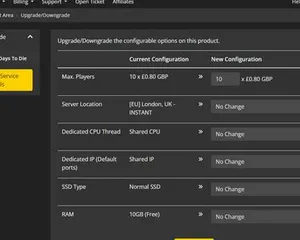
A quick guide on upgrading your LOW.MS server.
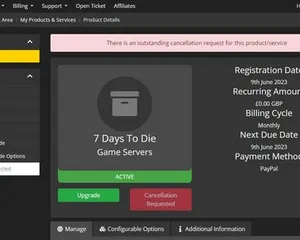
A quick guide on how to cancel your server with LOW.MS
É possível, mas a distância entre 'o servidor sobe' e 'sua galera consegue entrar' é onde a maioria dos setups caseiros trava. Veja no que você se mete ao hospedar FOUNDRY sozinho, e o que a gente resolve se você preferir pular essa parte.
Algumas horas de configuração e depois manutenção contínua.
On a Windows box, grab SteamCMD, open a terminal in its folder, then run steamcmd +login anonymous +force_install_dir C:\foundryserver +app_update 2915550 validate +quit. A spare desktop or mini-PC works, but if you plan to build a megabase, the server cares more about single-core speed and fast storage than about player count.
$ steamcmd +login anonymous +app_update 2915550 validate +quitForward 3724/UDP (game) and 27015/UDP (Steam query) on your router to the host machine's LAN IP, then add matching inbound rules in Windows Firewall. This is where most home setups fall over, especially if your ISP puts you behind CGNAT.
Stop the server, open app.cfg in the server folder, and set the basics: server name, password, world name, player limit, autosave interval, public visibility, and the pause-when-empty option. Save it, start the server again, and hope you didn't typo something that makes it boot with defaults.
Launch the dedicated server executable and watch the console until it is clearly listening on the expected ports, then try connecting from a client using direct connect to YourPublicIP:3724. If it only works on your home network, you just learned the difference between LAN and WAN the annoying way, and your upload speed now dictates everyone else's experience.
Now you get to run an always-on PC: power settings, sleep states, Windows reboots, and the moment someone trips a breaker your 24/7 server becomes "whenever I'm home". Patch days are extra fun because the server and every client need matching versions, and you should be making your own backups, because save corruption is a matter of when, not if.
When players can't see the server, it's you checking port forwards, firewall rules, and logs late at night, not a magic button. You'll eventually have a little folder of known fixes and a big pile of "why is it doing that".
Finalize o pedido no topo desta página e a gente cuida dos seis passos.
Preços na cara desde o começo. Sem cadastro obrigatório.
Se preferir tentar por conta própria primeiro, nossos guias de FOUNDRY acima explicam a configuração via SteamCMD. Estaremos aqui se você quiser migrar depois.
Inicie, pare e gerencie seu servidor de FOUNDRY pelo navegador. Acesse configurações, arquivos, SFTP e backups no painel de controle.
O Nexus já está disponível para jogos compatíveis, com ferramentas integradas de gerenciamento de servidores. Servidores existentes ainda podem usar o TCAdmin; nossa equipe pode ajudar você a encontrar o painel certo.
Mais informaçõesJoin our Discord to chat with our staff and community!
Join Discord