BepInEx (Thunderstore)
Search Thunderstore from the Mods tab and install in one click. BepInEx and each mod's dependencies are installed with it.
Visitar BepInEx (Thunderstore)Your world stays online when your PC is off. No port forwarding and no machine left running: friends join whenever they like, Thunderstore mods install in one click and backups run on a schedule. Live in about five minutes, with a full refund in the first 5 days.
$10.99/mês
$1.10 por slot (10)
VALHEIM30Veja alguns motivos que fazem da LOW.MS o lugar ideal para hospedar seu servidor de jogos.
Steam, Xbox, PlayStation and Switch 2 players can share one world. Tick Crossplay in the panel and console players join with the six-digit code shown on your Overview tab.
Valheim left early access on 9 September 2026. Press Update in the panel, or schedule it, to pull each new build and hotfix as soon as Iron Gate ship it, so you are not sat waiting on us to get round to it.
Search Thunderstore from the Mods tab and install with one click, with BepInEx and every dependency handled for you. Anything not in the list goes in by pasting its Thunderstore link.
Upload your world folder through the Files tab, point the server at it, and carry on where you left off. An older .db and .fwl pair works too, and converts itself on first load. Nobody has to start again.
The Backups tab writes a copy off the server in one click, and a scheduled Backup task turns that into a nightly job. Worth setting up on day one rather than the day you need it.
Tickets reach people who actually run Valheim servers, at any hour. You will not spend your evening explaining what BepInEx is.
Todo servidor de Valheim ganha um mapa ao vivo lido direto do save do mundo. Veja até onde seu grupo explorou, quem construiu o quê e para onde cada portal leva, sem ninguém precisar entrar no jogo.
Bases e portais, com nomes
Cada base é desenhada vista de cima com o nome de quem construiu, e cada portal mostra sua tag.
Acompanha o jogo
O mapa se atualiza a partir do save enquanto o servidor roda, então novas construções aparecem sozinhas.
Compartilhe com seu grupo
Envie um link somente leitura e seus amigos exploram o mapa no navegador sem conta no painel.
14 bases, 9 portais
Compartilhar AtualizarPredefinição do mundo
Padrão: Valheim clássicoDificuldade de combate
Usar predefiniçãoMuito fácilFácilDifícilMuito difícilPenalidade de morte
Usar predefiniçãoCasual (mantém tudo)Muito fácilFácilDifícilHardcore (sem lápide)Coleta de recursos
Usar predefiniçãoMuito menosMenosMaisMuito maisMáximoAtaques
Usar predefiniçãoNenhumMuito menosMenosMaisMuito maisPortais
Usar predefiniçãoCasual (leva qualquer coisa)Difícil (sem metais)Muito difícil (sem portais)Escolha uma predefinição e ajuste combate, penalidade de morte, recursos, ataques e portais com um clique. O painel grava os parâmetros de inicialização do Valheim para você e os aplica no próximo reinício.
Predefinições e modificadores
Comece com uma das predefinições do Valheim e altere qualquer modificador individualmente.
Regras do mundo
Ative construção sem custo, criaturas passivas, eventos de jogador, risco de incêndio ou sem mapa para o servidor inteiro.
Modificadores personalizados
Ajuste o dano dos inimigos, o ganho e a perda de habilidades, a taxa de recursos e mais, além das predefinições.
O cartão de conexão reúne endereço e senha em um só lugar. Admins, banimentos e whitelist ficam a um clique, por conta Steam.
Um endereço para compartilhar
Copie o endereço e a senha do painel e cole em Entrar por IP no Valheim.
Admins, banimentos e whitelist
Torne um amigo admin, bana um griefer ou restrinja o servidor a uma whitelist sem editar arquivo de texto.
Adicione jogadores por SteamID64
Adicione alguém antes mesmo de entrar pela primeira vez. As mudanças valem na próxima inicialização do servidor.
Entre no seu servidor
Endereço do servidor
demo.join.low.ms:2456
No Valheim, escolha Iniciar jogo, depois Entrar no jogo, depois Entrar por IP, e digite este endereço.
Senha
••••••••
Os jogadores precisam dela ao conectar.
Search Thunderstore from the Mods tab and install in one click. BepInEx and each mod's dependencies are installed with it.
Visitar BepInEx (Thunderstore)Instale mods com um clique pelo navegador integrado do painel ou envie seus próprios arquivos via SFTP. Acesso total dos dois jeitos.
Seus mundos, configurações e mods de Valheim são copiados para a nuvem automaticamente. Guarde até 20 backups por servidor e bloqueie os que importam para que nunca sejam apagados para abrir espaço.
Na aba Backups do painel de controle da LOW.MS você restaura qualquer backup com um clique, baixa uma cópia para o seu PC ou cria um backup manual antes de uma mudança grande.
Os backups incluem seus mundos e as configurações dos mods. Os bloqueados nunca são apagados para abrir espaço.
| Criado em | Tamanho | Status | Bloqueado | |
|---|---|---|---|---|
| 17/08/2026, 15:19 | 3.6 MB | Concluído | BaixarRestaurarExcluir | |
| 17/08/2026, 15:14 | 3.6 MB | Concluído | BaixarRestaurarExcluir | |
| 14/08/2026, 00:12 | 3.6 MB | Concluído | BaixarRestaurarExcluir | |
| 11/08/2026, 23:33 | 1.3 MB | Concluído | BaixarRestaurarExcluir |
What people say after they have moved a server to us.
Read our reviews on TrustpilotOut of all hosting providers. This is by far the top choice in my list. Simple UI with a mod manager included making it hassle-free when downloading specific mods.
Jose, Trustpilot review
I opened a ticket for help migrating my server from a different host. The game is Palworld and it isn't a simple process, they did it for me! Very helpful and responsive.
Justin, Trustpilot review
Their prices are pretty cheap and I thought they'd cut back on performance but damn was I wrong. The service has been insanely reliable and the Support Team are on their own level!
Anti, Trustpilot review
Suportamos todas as branches públicas de Valheim na Steam de fábrica, incluindo as privadas protegidas por senha. Troque pelo seu painel de controle quando quiser.
Last stable build before 1.0
Baixa latência onde quer que seus jogadores estejam
Escolha o local mais próximo dos seus jogadores de Valheim. Se não souber qual escolher, fale com o suporte.
Todos os locais têm proteção DDoS capaz de absorver ataques de até 100 Gbps.
Se quiser que a gente adicione algum local, avise. O local certo também coloca seu servidor na região certa da lista de servidores do jogo.
Nossos datacentersEuropa
América do Norte
Ásia e Oceania
Encontre respostas para as dúvidas mais comuns sobre hospedagem de servidor Valheim.
Seu servidor fica pronto em poucos minutos
Proteção de nível empresarial inclusa
Ajuda especializada sempre que você precisar
A partir de
Cancele quando quiser. Sem prazo mínimo. Reembolso integral em 5 dias.
Valheim is a viking survival game which can be played solo, or with a group. Players work together to gather resources, build structures, and defeat enemies and bosses. The game also has a strong focus on exploration and discovery (including by boat), which makes it more enjoyable to play with others as you can share in the excitement of discovering new areas and secrets together. Many of the LOW.MS team are big fans of the game, and often re-visit the game when major updates (such as Mistlands, and now the Deep North in 1.0) are released. We have been providing Valheim hosting since day one. The Backups tab writes a copy of your world off the server, and a scheduled Backup task does it on whatever schedule you set, so a bad update or a corrupted save is an inconvenience rather than the end of a run you have put months into.



Temos certeza de que você vai gostar do nosso serviço. Se, nas raras vezes em que algo der errado, houver um problema com o seu serviço, faremos o possível para resolver ou você simplesmente pede seu dinheiro de volta.
Temos garantia de reembolso de 5 dias em toda a nossa hospedagem de servidores de jogos. Sem perguntas.
Uma seleção de guias e artigos sobre hospedagem de , escritos à mão pela nossa própria equipe de suporte
Connect FileZilla or WinSCP to your LOW.MS server on port 2022 with the SFTP login from your control panel, find your files, and fix the usual connection and upload problems.

A comprehensive guide to configuring your Valheim dedicated server, including world modifiers, admin commands, server launch parameters, and permission management.
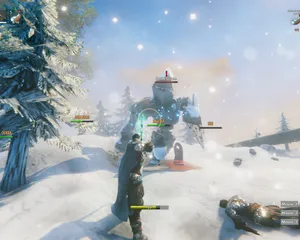
Fixes for the common Valheim dedicated server problems since 1.0: can't connect and version mismatch, lag and long loads, world not saving or reset, mods not loading, crossplay join issues.
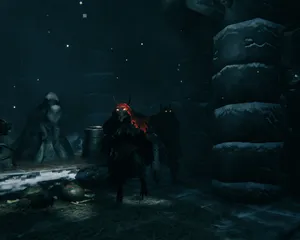
A version bump the size of 1.0 breaks essentially every BepInEx mod until authors catch up. How to tell a broken mod from a broken server, get back online first, and reintroduce mods without guessing.

Valheim 1.0 is out and the 1.0.12 hotfix followed two days later. The order to update in: back up first, update through Steam Update (a restart won't do it), what the new world folders mean, what crossplay changes, and what to check when players can't connect.

Whether a Valheim mod runs on the server, on each player's PC, or on both decides who can join and who gets kicked. How to tell the three apart, why console players changed the maths at 1.0, and how to install each kind on a LOW.MS server.
É possível, mas a distância entre 'o servidor sobe' e 'sua galera consegue entrar' é onde a maioria dos setups caseiros trava. Veja no que você se mete ao hospedar Valheim sozinho, e o que a gente resolve se você preferir pular essa parte.
Algumas horas de configuração e depois manutenção contínua.
Em uma máquina Windows que você controla (um PC antigo serve, até seus amigos descobrirem a construção), instale o SteamCMD e rode steamcmd +force_install_dir C:\valheimds +login anonymous +app_update 896660 validate +quit. Valheim sem mods não precisa de uma máquina monstruosa, mas quer tempo de CPU estável e folga de RAM suficiente para o Windows Update não disputar recursos com o seu barco viking.
$ steamcmd +login anonymous +app_update 896660 validate +quitRedirecione UDP 2456-2457 no roteador para o IP local do servidor e libere as mesmas portas no Firewall do Windows. É aqui que a maioria das instalações caseiras falha, porque CGNAT, Wi-Fi de visitantes e roteadores "prestativos" da operadora adoram fingir que redirecionar portas é opcional.
Copie o start_headless_server.bat antes de mexer nele, porque a etapa validate do SteamCMD restaura o original, e então defina nome do servidor, nome do mundo, senha e porta na cópia. O controle de acesso fica em adminlist.txt, bannedlist.txt e permittedlist.txt na pasta de saves do Valheim, um ID de jogador por linha, e você reinicia o servidor sempre que alterá-los.
Rode seu arquivo batch e acompanhe o console até aparecer Game server connected. Depois entre pelo navegador de servidores do jogo buscando o nome do servidor, ou adicione direto como IP:2456. Acrescente -crossplay à linha de inicialização para amigos no console, e prepare-se para a conversa de "por que o código de entrada mudou?" a cada reinício, além de aceitar que sua velocidade de upload agora é o gargalo do grupo inteiro.
Um servidor dedicado só é dedicado se o PC ficar ligado, a suspensão estiver desativada e as reinicializações acontecerem no seu horário, não no do Windows. Dias de patch como o 1.0 e seus hotfixes significam rodar o SteamCMD de novo, confirmar que o mundo ainda carrega e torcer para nada ter quebrado seu save, porque os backups rotativos do Valheim ficam no mesmo disco e não são uma cópia fora da máquina.
Quando mods BepInEx do Thunderstore começam a dar erro depois de uma atualização do jogo, é você quem lê logs, isola plugins e explica para os amigos no console por que mods do lado do cliente os deixam de fora. E quando alguém não vê o servidor, é você quem depura NAT hairpinning, conflitos de porta e o clássico "ontem funcionava" como se fosse um segundo emprego, porque agora é.
Finalize o pedido no topo desta página e a gente cuida dos seis passos.
Preços na cara desde o começo. Sem cadastro obrigatório.
Se preferir tentar por conta própria primeiro, nossos guias de Valheim acima explicam a configuração via SteamCMD. Estaremos aqui se você quiser migrar depois.
Inicie, pare e gerencie seu servidor de Valheim pelo navegador. Acesse configurações, arquivos, SFTP e backups no painel de controle.
O Nexus já está disponível para jogos compatíveis, com ferramentas integradas de gerenciamento de servidores. Servidores existentes ainda podem usar o TCAdmin; nossa equipe pode ajudar você a encontrar o painel certo.
Mais informaçõesJoin our Discord to chat with our staff and community!
Join Discord