Oxide (uMod)
Install Oxide from the Mods tab in one click, then add uMod plugins from the same tab or upload .cs files to game/oxide/plugins.
Visitar Oxide (uMod)A ruthless multiplayer survival game where people are the real danger. Start with nothing, craft tools and weapons, build a base, and defend it because every raid, alliance, and betrayal is driven by players.
$12.50/mês
$0.25 por slot (50)
Veja alguns motivos que fazem da LOW.MS o lugar ideal para hospedar seu servidor de jogos.
Run a map, blueprint or full wipe from the Settings tab, with a fresh seed if you want one, and your server is back up in minutes.
One-click Oxide from the Mods tab, plugins straight from the uMod catalogue, and Oxide put back for you after every Facepunch update.
10 GB RAM baseline, upgradable to 30 GB, on high-clock Ryzen 7950X/9950X cores, built for late-wipe entity storms.
Rust gets attacked more than almost any game we host, so enterprise DDoS protection is baked in at no extra cost.
Run RCON commands from the Console tab in your browser, or point RustAdmin at the host, port and password we generate for you.
Set World Size and Map Seed on the Manage tab and preview the map before you wipe to it.
Todo servidor de Rust ganha um mapa ao vivo do seu mundo procedural, renderizado pela Facepunch e lido pelo painel. Os monumentos aparecem marcados e separados por tipo, com a grade do jogo por cima.
Todos os monumentos, marcados
Zonas seguras, monumentos grandes e pequenos, pontos de estrada e túneis, cada um com seu próprio botão.
A grade do jogo
Os mesmos quadrados que seus jogadores falam no chat de voz, desenhados sobre o mapa.
Seed, tamanho e próximo wipe
Seu seed e o tamanho do mapa ficam embaixo do mapa, ao lado do próximo wipe agendado.
Seed do mundo
AleatórioManter atualEspecíficoUm seed novo é sorteado quando o wipe roda, então o mundo muda junto.
Rode um wipe de mapa, de blueprints ou completo pelo painel quando quiser, ou agende e deixe acontecer sozinho. Wipes de mapa e completos podem sortear um seed novo, manter o atual ou usar um que você escolher.
Wipe de mapa, de blueprints ou completo
Limpe só o mapa, só os blueprints ou tudo, com uma confirmação.
Wipes agendados
Faça wipe a cada duas sextas, na última sexta do mês ou no ritmo que quiser. Reinícios e atualizações também podem ser agendados.
Escolha o próximo seed
Wipes de mapa e completos podem sortear um seed, manter o mundo atual ou usar um seed específico que você escolher.
Escolha PVE ou PVP, um modo de jogo e um limite de time pelo painel. As configurações que donos de servidor de Rust mais mudam são botões simples lá, aplicados no próximo reinício.
Modos de jogo
Comece com vanilla, softcore ou hardcore, as regras oficiais da Facepunch.
PVE, manutenção, radiação e estabilidade
Ligue ou desligue dano entre jogadores, manutenção de construções, radiação e estabilidade estrutural.
Tamanho de time e decaimento
Limite os times para um servidor solo, duo ou trio, e desacelere ou desligue o decaimento.
Modo de jogo
VanillaSoftcoreHardcoreEscala de decaimento
0.5Tamanho máximo de time
2Install Oxide from the Mods tab in one click, then add uMod plugins from the same tab or upload .cs files to game/oxide/plugins.
Visitar Oxide (uMod)An Oxide-compatible framework that runs the same .cs plugins with lower overhead. Not on the Mods tab yet: open a ticket to switch.
Visitar CarbonInstale mods com um clique pelo navegador integrado do painel ou envie seus próprios arquivos via SFTP. Acesso total dos dois jeitos.
Seus mundos, configurações e mods de Rust são copiados para a nuvem automaticamente. Guarde até 20 backups por servidor e bloqueie os que importam para que nunca sejam apagados para abrir espaço.
Na aba Backups do painel de controle da LOW.MS você restaura qualquer backup com um clique, baixa uma cópia para o seu PC ou cria um backup manual antes de uma mudança grande.
Os backups incluem seus mundos e as configurações dos mods. Os bloqueados nunca são apagados para abrir espaço.
| Criado em | Tamanho | Status | Bloqueado | |
|---|---|---|---|---|
| 17/08/2026, 15:19 | 3.6 MB | Concluído | BaixarRestaurarExcluir | |
| 17/08/2026, 15:14 | 3.6 MB | Concluído | BaixarRestaurarExcluir | |
| 14/08/2026, 00:12 | 3.6 MB | Concluído | BaixarRestaurarExcluir | |
| 11/08/2026, 23:33 | 1.3 MB | Concluído | BaixarRestaurarExcluir |
What people say after they have moved a server to us.
Read our reviews on TrustpilotOut of all hosting providers. This is by far the top choice in my list. Simple UI with a mod manager included making it hassle-free when downloading specific mods.
Jose, Trustpilot review
I opened a ticket for help migrating my server from a different host. The game is Palworld and it isn't a simple process, they did it for me! Very helpful and responsive.
Justin, Trustpilot review
Their prices are pretty cheap and I thought they'd cut back on performance but damn was I wrong. The service has been insanely reliable and the Support Team are on their own level!
Anti, Trustpilot review
Suportamos todas as branches públicas de Rust na Steam de fábrica, incluindo as privadas protegidas por senha. Troque pelo seu painel de controle quando quiser.
GPU skinning test
Baixa latência onde quer que seus jogadores estejam
Escolha o local mais próximo dos seus jogadores de Rust. Se não souber qual escolher, fale com o suporte.
Todos os locais têm proteção DDoS capaz de absorver ataques de até 100 Gbps.
Se quiser que a gente adicione algum local, avise. O local certo também coloca seu servidor na região certa da lista de servidores do jogo.
Nossos datacentersEuropa
América do Norte
Ásia e Oceania
Encontre respostas para as dúvidas mais comuns sobre hospedagem de servidor Rust.
Seu servidor fica pronto em poucos minutos
Proteção de nível empresarial inclusa
Ajuda especializada sempre que você precisar
A partir de
Cancele quando quiser. Sem prazo mínimo. Reembolso integral em 5 dias.
Rust is one of the most unforgiving multiplayer survival games out there. You wake up on a beach with nothing but a rock and a torch, and everything after that (the base, the gear, the alliances) has to be built and defended with your own hands. It's hostile, social and addictive in equal measure, which is exactly why the community keeps growing year after year. Hosting your own Rust server means you decide what the world looks like: vanilla purity, a friendly 2x community box, a hardcore PvP crucible, or a heavily modded PvE sandbox with teleports and kits. LOW.MS Rust servers run on high-clock hardware with plenty of RAM headroom. Rust is famously RAM-hungry, and we've seen too many community servers choke on skimpy host plans to treat that as optional. Every server comes with enterprise DDoS protection, automatic backups, one-click Oxide (uMod) from the Mods tab that we put back for you after every Facepunch update, and round-the-clock support from people who actually play the game. Whether it's you and a handful of friends or a 200-slot community with monthly forced wipes, it's the same control panel and the same support team.


Temos certeza de que você vai gostar do nosso serviço. Se, nas raras vezes em que algo der errado, houver um problema com o seu serviço, faremos o possível para resolver ou você simplesmente pede seu dinheiro de volta.
Temos garantia de reembolso de 5 dias em toda a nossa hospedagem de servidores de jogos. Sem perguntas.
Uma seleção de guias e artigos sobre hospedagem de , escritos à mão pela nossa própria equipe de suporte
How to wipe a Rust server: which files a map, blueprint and full wipe delete, where the saves live, choosing a new seed, clearing Oxide and Carbon plugin data, and why a running server brings the old world back.
Connect FileZilla or WinSCP to your LOW.MS server on port 2022 with the SFTP login from your control panel, find your files, and fix the usual connection and upload problems.
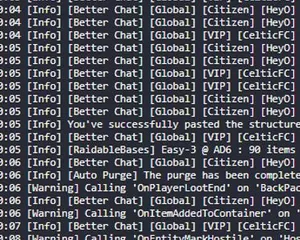
Rust server crashing randomly or on startup? A plugin is the most likely cause

Find your Rust server save files, back them up, and move your map and blueprints between hosts using File Manager or SFTP.
Steps to help you diagnose why your Rust is crashing when you join a server
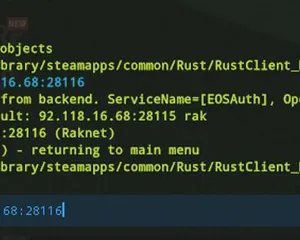
A quick guide on how you can join your Rust server via the IP directly
É possível, mas a distância entre 'o servidor sobe' e 'sua galera consegue entrar' é onde a maioria dos setups caseiros trava. Veja no que você se mete ao hospedar Rust sozinho, e o que a gente resolve se você preferir pular essa parte.
Algumas horas de configuração e depois manutenção contínua.
Run steamcmd +login anonymous +app_update 258550 validate +quit. Around 8 GB on first install, and you re-run the same command after every forced wipe.
$ steamcmd +login anonymous +app_update 258550 validate +quitForward 28015/UDP for the game and 28016/TCP for RCON. If your home connection is on CGNAT you are stuck, because most ISPs will not forward incoming UDP.
Recurring rules live in server/myserver/cfg/server.cfg, with users.cfg for admins and bans.cfg for permabans (the myserver folder name matches whatever you pass as +server.identity). Lines like server.tickrate 30 and decay.scale 1 belong in server.cfg.
Launch RustDedicated.exe with the usual -batchmode +server.port 28015 +rcon.port 28016 +rcon.password "..." +server.identity "myserver" +server.worldsize 3500 +server.maxplayers 100. Players connect through the F1 console with client.connect YOUR_IP:28015.
Wrap the binary in NSSM on Windows or systemd on Linux so it auto-restarts on crash, and back up the server/myserver/ folder nightly. A 100-slot 3500 worldsize map wants around 16 GB of RAM.
You are on call for every cheat report, every crash, and every forced wipe Facepunch ships. That is the DIY trade: lower bill, more of your evenings.
Finalize o pedido no topo desta página e a gente cuida dos seis passos.
Preços na cara desde o começo. Sem cadastro obrigatório.
Se preferir tentar por conta própria primeiro, nossos guias de Rust acima explicam a configuração via SteamCMD. Estaremos aqui se você quiser migrar depois.
Inicie, pare e gerencie seu servidor de Rust pelo navegador. Acesse configurações, arquivos, SFTP e backups no painel de controle.
O Nexus já está disponível para jogos compatíveis, com ferramentas integradas de gerenciamento de servidores. Servidores existentes ainda podem usar o TCAdmin; nossa equipe pode ajudar você a encontrar o painel certo.
Mais informaçõesJoin our Discord to chat with our staff and community!
Join Discord