Preços anunciados no lançamento
Como entrar pelo Steam
Levar seu grupo do Steam para um servidor de FiveM leva poucos minutos.
- 1
Peça seu servidor
Escolha um plano e a localização mais próxima dos seus jogadores. Seu servidor de FiveM é configurado automaticamente após o pagamento.
- 2
Configure do seu jeito
Altere as configurações do servidor, como nome e senha quando o jogo oferece, em qualquer navegador, inclusive no celular.
- 3
Compartilhe os dados de conexão
O painel de controle mostra o endereço e os dados de conexão do servidor. Envie para os amigos com quem você quer jogar.
- 4
Entre pelo Steam
Abra FiveM no Steam e entre pela lista de servidores do jogo ou pela opção de conexão que ele oferece nessa plataforma.
Muitos jogos da Steam também permitem salvar um servidor como favorito no navegador de servidores da própria Steam (Exibir e depois Servidores de jogos), para entrar com um clique na próxima vez.
Jogue FiveM entre plataformas
FiveM também está disponível em PC. Quando o jogo suporta crossplay entre essas versões, os jogadores delas podem entrar no mesmo servidor que seu grupo do Steam.
Por que a LOW.MS?
Veja alguns motivos que fazem da LOW.MS o lugar ideal para hospedar seu servidor de jogos.
Built for heavy resource loads
A busy roleplay city is bound by single thread performance, not core count. High clock speed Ryzen CPUs and NVMe storage keep a hundred active resources responsive.
txAdmin and full console
Player management, bans, live console, scheduled restarts and recipe deployment, alongside the control panel's own console and file tools.
Your resources, your framework
ESX, QBCore or something you wrote yourself. Full file access and complete control over every resource on the server.
Sized to what you can actually run
Forty eight slots is where FiveM's free OneSync ceiling sits, so that is what we sell. No plan that looks bigger on paper than the licence will allow.
DDoS protection as standard
Roleplay servers attract attacks from people who lost an argument in character. Always-on enterprise protection, no add-on fee.
Locations near your players
Datacenters across Europe, North America and Asia-Pacific, so your city runs on low ping wherever your community is based.
Rated 4.8 out of 5 on Trustpilot
What people say after they have moved a server to us.
Read our reviews on TrustpilotTop choice in my list
Out of all hosting providers. This is by far the top choice in my list. Simple UI with a mod manager included making it hassle-free when downloading specific mods.
Jose, Trustpilot review
Very helpful and responsive
I opened a ticket for help migrating my server from a different host. The game is Palworld and it isn't a simple process, they did it for me! Very helpful and responsive.
Justin, Trustpilot review
Insanely reliable service
Their prices are pretty cheap and I thought they'd cut back on performance but damn was I wrong. The service has been insanely reliable and the Support Team are on their own level!
Anti, Trustpilot review
13 Localizações dos servidores
Baixa latência onde quer que seus jogadores estejam
Escolha o local mais próximo dos seus jogadores de FiveM. Se não souber qual escolher, fale com o suporte.
Todos os locais têm proteção DDoS capaz de absorver ataques de até 100 Gbps.
Se quiser que a gente adicione algum local, avise. O local certo também coloca seu servidor na região certa da lista de servidores do jogo.
Nossos datacentersEuropa
- Amsterdã, NL
- Nuremberg, DE
- Helsinque, FI
- Varsóvia, PL
América do Norte
- Ashburn, VA
- Miami, FL
- Dallas, TX
- San José, CA
- Los Angeles, CA
- Bend, OR
Ásia e Oceania
- Singapura, SG
- Sydney, AU
- Melbourne, AU
Perguntas frequentes
Perguntas frequentes sobre hospedagem de FiveM para jogadores de Steam.
Pronto para hospedar seu servidor FiveM?
Ativação instantânea
Seu servidor fica pronto em poucos minutos
Proteção DDoS
Proteção de nível empresarial inclusa
Suporte 24/7
Ajuda especializada sempre que você precisar
Cancele quando quiser. Sem prazo mínimo. Reembolso integral em 5 dias.
Artigos da base de conhecimento
Uma seleção de guias e artigos sobre hospedagem de , escritos à mão pela nossa própria equipe de suporte
FiveM and RedM "Missing server data": Set Your Server Name, Tags and Banner in the Cfx Portal
From 21 October 2026 a FiveM or RedM server's name, description, tags, language, banner and Discord link are managed in the Cfx Portal. How to fix a listing that says "Missing server data (must be configured in Portal)".
Connecting to Your Server with SFTP (Port 2022)
Connect FileZilla or WinSCP to your LOW.MS server on port 2022 with the SFTP login from your control panel, find your files, and fix the usual connection and upload problems.

Fixing "Cannot Connect to Server. App ID Specified by Server Is Invalid" on Steam
Seeing "Cannot connect to server. App ID specified by the server is invalid" when joining your ARK, Palworld or other Steam game server? It's a Steam client bug, not your server. Here's how to get connected.
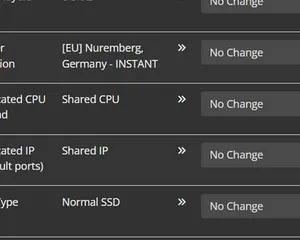
Upgrading your server
A quick guide on getting your server upgraded
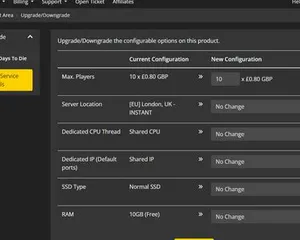
Upgrading / downgrading your LOW.MS server
A quick guide on upgrading your LOW.MS server.
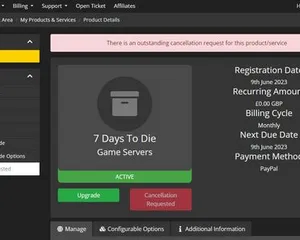
Cancelling your server
A quick guide on how to cancel your server with LOW.MS
Painel de controle de última geração
Inicie, pare e gerencie seu servidor de FiveM pelo navegador. Acesse configurações, arquivos, SFTP e backups no painel de controle.
O Nexus já está disponível para jogos compatíveis, com ferramentas integradas de gerenciamento de servidores. Servidores existentes ainda podem usar o TCAdmin; nossa equipe pode ajudar você a encontrar o painel certo.
Mais informações