Oxide (uMod)
Install Oxide from the Mods tab in one click, then add uMod plugins from the same tab or upload .cs files to game/oxide/plugins.
Visitar Oxide (uMod)A ruthless multiplayer survival game where people are the real danger. Start with nothing, craft tools and weapons, build a base, and defend it because every raid, alliance, and betrayal is driven by players.
$12.50/mes
$0.25 por espacio (50)
A continuación, se presentan algunas razones por las cuales LOW.MS es el lugar ideal para alojar su servidor de juegos.
Lanza un wipe de mapa, de blueprints o completo desde la pestaña Settings, con un seed nuevo si quieres, y tu servidor vuelve a estar listo en minutos.
Oxide en un clic desde la pestaña Mods, plugins directamente del catálogo de uMod, y volvemos a instalar Oxide por ti tras cada actualización de Facepunch.
10 GB de RAM base, ampliable a 30 GB, sobre núcleos Ryzen 7950X/9950X de alta frecuencia, pensado para las tormentas de entidades de final de wipe.
Los servidores de Rust reciben más ataques que casi cualquier juego que alojamos, por eso la protección DDoS empresarial está incluida sin coste extra.
Ejecuta comandos RCON desde la pestaña Console en tu navegador, o conecta RustAdmin con el host, el puerto y la contraseña que generamos por ti.
Elige World Size y Map Seed en la pestaña Manage y previsualiza el mapa antes de hacer wipe.
Cada servidor de Rust tiene un mapa en vivo de su mundo procedural, renderizado por Facepunch y leído por el panel. Los monumentos aparecen marcados y ordenados por tipo, con la cuadrícula del juego encima.
Todos los monumentos, marcados
Zonas seguras, monumentos grandes y pequeños, puntos de carretera y túneles, cada uno con su propio interruptor.
La cuadrícula del juego
Las mismas casillas que tus jugadores cantan por el chat de voz, dibujadas sobre el mapa.
Semilla, tamaño y próximo wipe
La semilla y el tamaño del mapa aparecen bajo el mapa, junto al próximo wipe programado.
Semilla del mundo
AleatoriaMantener la actualConcretaSe genera una semilla nueva al ejecutar el wipe, así que el mundo cambia con ella.
Lanza un wipe de mapa, de planos o completo desde el panel cuando quieras, o prográmalo y deja que se ejecute solo. Los wipes de mapa y completos pueden generar una semilla nueva, mantener la actual o usar la que elijas.
Wipe de mapa, de planos o completo
Borra solo el mapa, solo los planos o todo, con una sola confirmación.
Wipes programados
Haz wipe cada dos viernes, el último viernes del mes o con la frecuencia que quieras. Los reinicios y las actualizaciones también se pueden programar.
Elige la próxima semilla
Los wipes de mapa y completos pueden generar una semilla aleatoria, mantener el mundo actual o usar una semilla concreta que elijas.
Elige PVE o PVP, un modo de juego y un límite de equipo desde el panel. Los ajustes que más cambian los dueños de servidores de Rust son interruptores sencillos allí y se aplican en el siguiente reinicio.
Modos de juego
Parte de vanilla, softcore o hardcore, los reglamentos de Facepunch.
PVE, mantenimiento, radiación y estabilidad
Activa o desactiva el daño entre jugadores, el mantenimiento de edificios, la radiación y la estabilidad estructural.
Tamaño de equipo y deterioro
Limita los equipos para un servidor solo, dúo o trío, y ralentiza el deterioro o desactívalo.
Modo de juego
VanillaSoftcoreHardcoreEscala de deterioro
0.5Tamaño máximo de equipo
2Install Oxide from the Mods tab in one click, then add uMod plugins from the same tab or upload .cs files to game/oxide/plugins.
Visitar Oxide (uMod)An Oxide-compatible framework that runs the same .cs plugins with lower overhead. Not on the Mods tab yet: open a ticket to switch.
Visitar CarbonInstala mods con un clic desde el navegador integrado de tu panel, o sube tus propios archivos por SFTP. Control total en ambos casos.
Tus mundos, ajustes y configuración de mods de Rust se respaldan en la nube automáticamente. Conserva hasta 20 copias de seguridad por servidor y bloquea las que importan para que nunca se borren para hacer espacio.
Desde la pestaña Copias del panel de control de LOW.MS puedes restaurar cualquier copia de seguridad con un clic, descargarla a tu PC o crear una copia manual antes de un cambio importante.
Las copias incluyen tus mundos y ajustes de mods. Las bloqueadas nunca se eliminan para hacer espacio.
| Creada | Tamaño | Estado | Bloqueada | |
|---|---|---|---|---|
| 17/08/2026, 15:19 | 3.6 MB | Completada | DescargarRestaurarEliminar | |
| 17/08/2026, 15:14 | 3.6 MB | Completada | DescargarRestaurarEliminar | |
| 14/08/2026, 00:12 | 3.6 MB | Completada | DescargarRestaurarEliminar | |
| 11/08/2026, 23:33 | 1.3 MB | Completada | DescargarRestaurarEliminar |
What people say after they have moved a server to us.
Read our reviews on TrustpilotOut of all hosting providers. This is by far the top choice in my list. Simple UI with a mod manager included making it hassle-free when downloading specific mods.
Jose, Trustpilot review
I opened a ticket for help migrating my server from a different host. The game is Palworld and it isn't a simple process, they did it for me! Very helpful and responsive.
Justin, Trustpilot review
Their prices are pretty cheap and I thought they'd cut back on performance but damn was I wrong. The service has been insanely reliable and the Support Team are on their own level!
Anti, Trustpilot review
Soportamos de forma nativa todas las ramas públicas de Steam de Rust, incluidas las privadas protegidas con contraseña. Cambia desde tu panel de control en cualquier momento.
GPU skinning test
Baja latencia estén donde estén tus jugadores
Elige la ubicación más cercana a tus jugadores de Rust. Si no sabes cuál elegir, contacta con soporte.
Todas las ubicaciones tienen protección DDoS capaz de absorber ataques de hasta 100 Gbps.
Si hay una ubicación que te gustaría que añadiéramos, dínoslo. La ubicación adecuada también hace que tu servidor aparezca en la región correcta del navegador de servidores del juego.
Nuestros Centros de DatosEuropa
Norteamérica
Asia y Oceanía
Encuentra respuestas a preguntas frecuentes sobre alojamiento de servidores Rust.
Tu servidor estará listo en minutos
Protección empresarial incluida
Ayuda experta cuando la necesites
Desde
Cancela en cualquier momento. Sin plazo mínimo. Reembolso completo en 5 días.
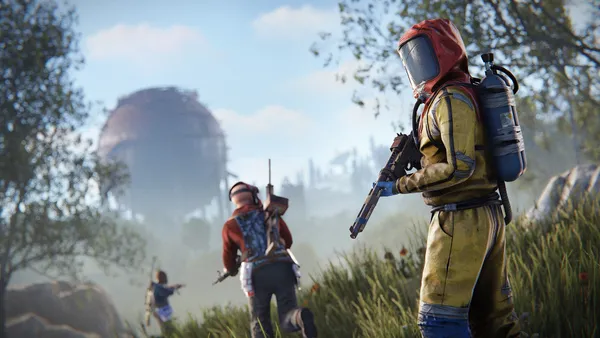
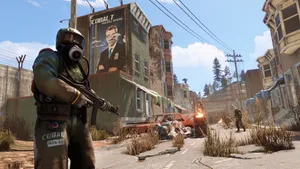
Rust is one of the most unforgiving multiplayer survival games out there. You wake up on a beach with nothing but a rock and a torch, and everything after that (the base, the gear, the alliances) has to be built and defended with your own hands. It's hostile, social and addictive in equal measure, which is exactly why the community keeps growing year after year. Hosting your own Rust server means you decide what the world looks like: vanilla purity, a friendly 2x community box, a hardcore PvP crucible, or a heavily modded PvE sandbox with teleports and kits. LOW.MS Rust servers run on high-clock hardware with plenty of RAM headroom. Rust is famously RAM-hungry, and we've seen too many community servers choke on skimpy host plans to treat that as optional. Every server comes with enterprise DDoS protection, automatic backups, one-click Oxide (uMod) from the Mods tab that we put back for you after every Facepunch update, and round-the-clock support from people who actually play the game. Whether it's you and a handful of friends or a 200-slot community with monthly forced wipes, it's the same control panel and the same support team.

Estamos seguros de que estarás satisfecho con nuestro servicio. Si en raras ocasiones hay un problema con tu servicio, haremos todo lo posible para solucionarlo, o simplemente puedes solicitar la devolución de tu dinero.
Ofrecemos una garantía de devolución de dinero completa de 5 días en todos nuestros alojamientos de servidores de juegos. Sin preguntas.
Una selección de guías y artículos de hosting de , escritos por nuestro equipo de soporte
Connect FileZilla or WinSCP to your LOW.MS server on port 2022 with the SFTP login from your control panel, find your files, and fix the usual connection and upload problems.
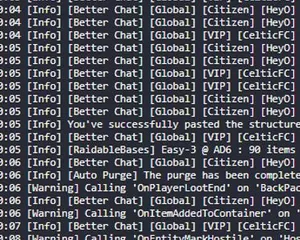
Rust server crashing randomly or on startup? A plugin is the most likely cause
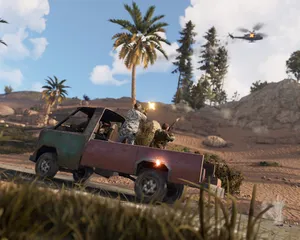
Find your Rust server save files, back them up, and move your map and blueprints between hosts using File Manager or SFTP.
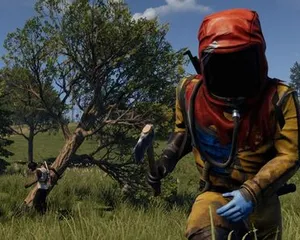
Steps to help you diagnose why your Rust is crashing when you join a server
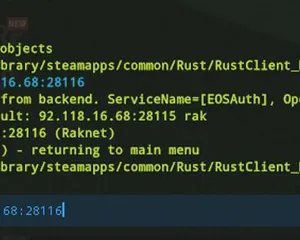
A quick guide on how you can join your Rust server via the IP directly

Seeing "Cannot connect to server. App ID specified by the server is invalid" when joining your ARK, Palworld or other Steam game server? It's a Steam client bug, not your server. Here's how to get connected.
Es viable, pero la diferencia entre 'arranca' y 'tu tripulación puede conectarse de verdad' es donde fallan la mayoría de configuraciones caseras. Esto es a lo que te apuntas si autoalojas Rust, y lo que nosotros gestionamos si prefieres saltártelo.
Unas horas de configuración y después mantenimiento continuo.
Run steamcmd +login anonymous +app_update 258550 validate +quit. Around 8 GB on first install, and you re-run the same command after every forced wipe.
$ steamcmd +login anonymous +app_update 258550 validate +quitForward 28015/UDP for the game and 28016/TCP for RCON. If your home connection is on CGNAT you are stuck, because most ISPs will not forward incoming UDP.
Recurring rules live in server/myserver/cfg/server.cfg, with users.cfg for admins and bans.cfg for permabans (the myserver folder name matches whatever you pass as +server.identity). Lines like server.tickrate 30 and decay.scale 1 belong in server.cfg.
Launch RustDedicated.exe with the usual -batchmode +server.port 28015 +rcon.port 28016 +rcon.password "..." +server.identity "myserver" +server.worldsize 3500 +server.maxplayers 100. Players connect through the F1 console with client.connect YOUR_IP:28015.
Wrap the binary in NSSM on Windows or systemd on Linux so it auto-restarts on crash, and back up the server/myserver/ folder nightly. A 100-slot 3500 worldsize map wants around 16 GB of RAM.
You are on call for every cheat report, every crash, and every forced wipe Facepunch ships. That is the DIY trade: lower bill, more of your evenings.
Paga arriba en esta página y nos encargamos de los seis pasos.
Precios visibles desde el principio. Sin muro de registro.
Si prefieres probarlo tú primero, nuestras guías de Rust de arriba explican la configuración con SteamCMD. Aquí estaremos cuando quieras migrar.
Inicia, detén y administra tu servidor de Rust desde el navegador. Accede a la configuración, los archivos, SFTP y las copias de seguridad desde tu panel de control.
Nexus ya está disponible para los juegos compatibles, con herramientas integradas para administrar tu servidor. Los servidores existentes pueden seguir usando TCAdmin; nuestro equipo te ayudará a encontrar el panel adecuado.
Más informaciónJoin our Discord to chat with our staff and community!
Join Discord