Branch
public
- Status
- Stabil · Standard
Your own Team Fortress 2 server with SourceMod, custom maps and custom game modes. Run 24/7 2Fort, Surf, Jump, MvM or anything else a plugin can do.
Preise werden zum Start bekannt gegeben
Hier sind ein paar Gründe, warum LOW.MS der ideale Ort ist, um Ihren Spielserver zu hosten.
Versus Saxton Hale, Randomizer, x10, Prop Hunt, Zombie Escape, Dodgeball, custom MvM. Add plugins instead of building the stack yourself.
A Valve patch that breaks every plugin on the server is the classic TF2 problem. Take the update when your plugin set is ready for it.
Your map cycle, your admins, your donor perks. That is what turns a queue into a community.
Source dedicated servers are light on resources, which makes this one of the easiest first servers for a group.
Full console access and RCON, so admin work happens from the panel rather than in-game guesswork.
Popular public servers get attacked. Always-on enterprise protection is included, not an add-on.
Ihre Team Fortress 2 Welten, Einstellungen und Mod-Konfiguration werden automatisch in der Cloud gesichert. Behalten Sie bis zu 20 Backups pro Server und sperren Sie die wichtigen, damit sie nie gelöscht werden, um Platz zu schaffen.
Über den Tab Backups im LOW.MS Control Panel stellen Sie jedes Backup mit einem Klick wieder her, laden eine Kopie auf Ihren PC herunter oder erstellen vor einer großen Änderung ein manuelles Backup.
Backups enthalten Ihre Welten und Mod-Einstellungen. Gesperrte Backups werden nie gelöscht, um Platz zu schaffen.
| Erstellt | Größe | Status | Gesperrt | |
|---|---|---|---|---|
| 17/08/2026, 15:19 | 3.6 MB | Abgeschlossen | HerunterladenWiederherstellenLöschen | |
| 17/08/2026, 15:14 | 3.6 MB | Abgeschlossen | HerunterladenWiederherstellenLöschen | |
| 14/08/2026, 00:12 | 3.6 MB | Abgeschlossen | HerunterladenWiederherstellenLöschen | |
| 11/08/2026, 23:33 | 1.3 MB | Abgeschlossen | HerunterladenWiederherstellenLöschen |
What people say after they have moved a server to us.
Read our reviews on TrustpilotOut of all hosting providers. This is by far the top choice in my list. Simple UI with a mod manager included making it hassle-free when downloading specific mods.
Jose, Trustpilot review
I opened a ticket for help migrating my server from a different host. The game is Palworld and it isn't a simple process, they did it for me! Very helpful and responsive.
Justin, Trustpilot review
Their prices are pretty cheap and I thought they'd cut back on performance but damn was I wrong. The service has been insanely reliable and the Support Team are on their own level!
Anti, Trustpilot review
Wir unterstützen jeden öffentlichen Team Fortress 2-Steam-Branch standardmäßig, einschließlich der privaten passwortgeschützten Branches. Wechseln Sie jederzeit über Ihr Control Panel.
Niedrige Latenz, wo auch immer deine Spieler sind
Wähle den Standort, der deinen Team Fortress 2-Spielern am nächsten ist. Wenn du unsicher bist, welcher passt, wende dich an den Support.
Jeder Standort hat einen DDoS-Schutz, der Angriffe bis 100 Gbps abfängt.
Wenn du dir einen weiteren Standort wünschst, sag uns Bescheid. Der richtige Standort sorgt auch dafür, dass dein Server im Serverbrowser unter der richtigen Region erscheint.
Unsere RechenzentrenEuropa
Nordamerika
Asien & Ozeanien
Finden Sie Antworten auf häufige Fragen zum Team Fortress 2-Server-Hosting.
Ihr Server ist innerhalb weniger Minuten bereit
Enterprise-Level-Schutz inklusive
Experten-Hilfe, wann immer Sie sie brauchen
Jederzeit kündbar. Keine Mindestlaufzeit. Volle Rückerstattung innerhalb von 5 Tagen.
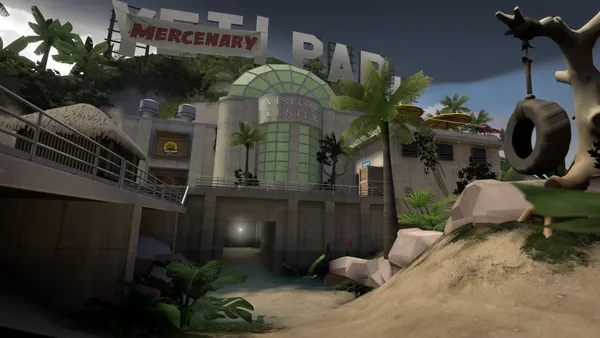
Team Fortress 2 is eighteen years old and still one of the most played shooters on Steam. Nine classes, a deep and unforgiving movement system, and game modes from straightforward Payload to the ridiculous. Valve's Casual matchmaking replaced Quickplay in 2016 and now carries most of the population, but several thousand players are on community servers at any hour, running custom maps, custom modes and their own rules. That is the whole argument for hosting your own. A TF2 server with SourceMod behind it can run anything: 2Fort 24/7, Versus Saxton Hale, Jump maps, Surf, Randomizer, x10, MvM with custom missions, Zombie Escape, Prop Hunt, and dozens of modes that only exist because someone wrote a plugin for them. Add your own admin team, your own map cycle and your own donor perks, and you have a community rather than a queue. Source dedicated servers are lightweight and cheap to run, which makes this an easy first server for a group. We are templating TF2 now with SourceMod and MetaMod installed, RCON console access, and update control so a Valve patch does not take your plugins down without warning. Watch this page for the order button.

Wir sind zuversichtlich, dass Sie mit unserem Service zufrieden sein werden. Wenn es in seltenen Fällen ein Problem mit Ihrem Service gibt, werden wir unser Möglichstes tun, um die Dinge für Sie zum Laufen zu bringen, oder Sie können einfach Ihr Geld zurückverlangen.
Wir haben eine volle 5-tägige Geld-zurück-Garantie auf all unser Game-Server-Hosting. Keine Fragen.
Eine Auswahl an -Hosting-Anleitungen und Artikeln, handgeschrieben von unserem Support-Team
Connect FileZilla or WinSCP to your LOW.MS server on port 2022 with the SFTP login from your control panel, find your files, and fix the usual connection and upload problems.

Seeing "Cannot connect to server. App ID specified by the server is invalid" when joining your ARK, Palworld or other Steam game server? It's a Steam client bug, not your server. Here's how to get connected.
A quick guide on getting your server upgraded
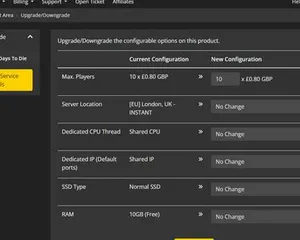
A quick guide on upgrading your LOW.MS server.
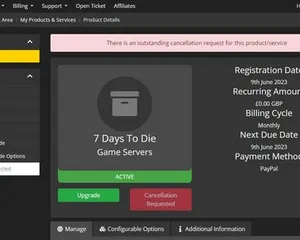
A quick guide on how to cancel your server with LOW.MS
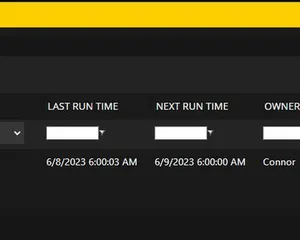
Easily create scheduled tasks to make your server run smoothly.
Starte, stoppe und verwalte deinen Team Fortress 2-Server im Browser. Im Control-Panel findest du Servereinstellungen, Dateien, SFTP und Backups.
Nexus ist jetzt für unterstützte Spiele verfügbar und bietet integrierte Werkzeuge zur Serververwaltung. Bestehende Server nutzen möglicherweise noch TCAdmin. Unser Support hilft dir, das richtige Panel für deinen Server zu finden.
Mehr InfosJoin our Discord to chat with our staff and community!
Join Discord