Nexus Mods
Windrose has no Steam Workshop. Mods come from the unofficial Nexus Mods community as .pak files, and you drop them into R5/Content/Paks/~mods/ via the panel's File Manager.
Nexus Mods besuchen$9.95/Monat
$2.49 pro Slot (4)
Hier sind ein paar Gründe, warum LOW.MS der ideale Ort ist, um Ihren Spielserver zu hosten.
Dein Windrose-Server läuft wenige Minuten nach dem Kauf, und der Einladungscode steht bereit, um ihn mit deiner Crew zu teilen.
Der Server bleibt zwischen den Sitzungen online, damit Schiff, Basis und Fortschritt immer da sind, wenn jemand einloggen möchte.
Wähle den Plan passend zu deiner Crew: die vom Entwickler empfohlenen 4 Spieler für flüssige Soulslite-Kämpfe oder bis zu 10 Spieler im Koop-Maximum.
Passe Schwierigkeit, Gegner-Skalierung und Koop-Modifikatoren in WorldDescription.json direkt über Configuration Files an, ohne Kommandozeile oder Windows-Kenntnisse.
Windrose hat keinen Steam Workshop. Lade .pak-Mods einfach über den File Manager in R5/Content/Paks/~mods/ hoch, und dein Server erkennt sie automatisch.
Enterprise-DDoS-Schutz und automatische Cloud-Backups sind in jedem Plan enthalten, damit ein fehlerhafter Patch oder ein geplünderter Spielstand deine Kampagne nicht zunichtemacht.
Windrose has no Steam Workshop. Mods come from the unofficial Nexus Mods community as .pak files, and you drop them into R5/Content/Paks/~mods/ via the panel's File Manager.
Nexus Mods besuchenMods mit einem Klick aus dem integrierten Browser deines Panels installieren oder eigene Dateien per SFTP hochladen. Volle Kontrolle in beiden Fällen.
Ihre Windrose Welten, Einstellungen und Mod-Konfiguration werden automatisch in der Cloud gesichert. Behalten Sie bis zu 20 Backups pro Server und sperren Sie die wichtigen, damit sie nie gelöscht werden, um Platz zu schaffen.
Über den Tab Backups im LOW.MS Control Panel stellen Sie jedes Backup mit einem Klick wieder her, laden eine Kopie auf Ihren PC herunter oder erstellen vor einer großen Änderung ein manuelles Backup.
Backups enthalten Ihre Welten und Mod-Einstellungen. Gesperrte Backups werden nie gelöscht, um Platz zu schaffen.
| Erstellt | Größe | Status | Gesperrt | |
|---|---|---|---|---|
| 17/08/2026, 15:19 | 3.6 MB | Abgeschlossen | HerunterladenWiederherstellenLöschen | |
| 17/08/2026, 15:14 | 3.6 MB | Abgeschlossen | HerunterladenWiederherstellenLöschen | |
| 14/08/2026, 00:12 | 3.6 MB | Abgeschlossen | HerunterladenWiederherstellenLöschen | |
| 11/08/2026, 23:33 | 1.3 MB | Abgeschlossen | HerunterladenWiederherstellenLöschen |
What people say after they have moved a server to us.
Read our reviews on TrustpilotOut of all hosting providers. This is by far the top choice in my list. Simple UI with a mod manager included making it hassle-free when downloading specific mods.
Jose, Trustpilot review
I opened a ticket for help migrating my server from a different host. The game is Palworld and it isn't a simple process, they did it for me! Very helpful and responsive.
Justin, Trustpilot review
Their prices are pretty cheap and I thought they'd cut back on performance but damn was I wrong. The service has been insanely reliable and the Support Team are on their own level!
Anti, Trustpilot review
Niedrige Latenz, wo auch immer deine Spieler sind
Wähle den Standort, der deinen Windrose-Spielern am nächsten ist. Wenn du unsicher bist, welcher passt, wende dich an den Support.
Jeder Standort hat einen DDoS-Schutz, der Angriffe bis 100 Gbps abfängt.
Wenn du dir einen weiteren Standort wünschst, sag uns Bescheid. Der richtige Standort sorgt auch dafür, dass dein Server im Serverbrowser unter der richtigen Region erscheint.
Unsere RechenzentrenEuropa
Nordamerika
Asien & Ozeanien
Finden Sie Antworten auf häufige Fragen zum Windrose-Server-Hosting.
Ihr Server ist innerhalb weniger Minuten bereit
Enterprise-Level-Schutz inklusive
Experten-Hilfe, wann immer Sie sie brauchen
Ab
Jederzeit kündbar. Keine Mindestlaufzeit. Volle Rückerstattung innerhalb von 5 Tagen.
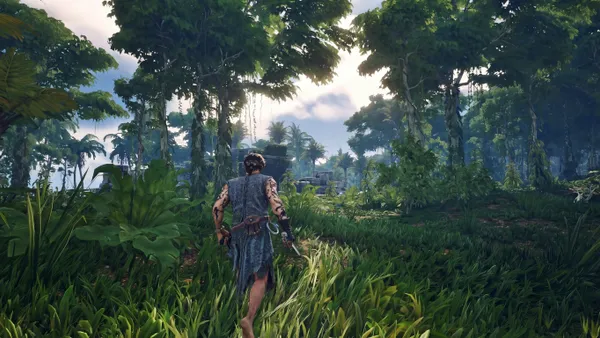
Windrose runs your crew's pirate world around the clock, so the ship, the base, and the campaign progress are always there when anyone logs in. Up to 10 of you can sail, build, and chase soulslite bosses together. Tune the difficulty, scaling, and co-op rules to match how hard your group wants the world to push back, and share an invite code so friends can drop in without messing with IPs.
Wir sind zuversichtlich, dass Sie mit unserem Service zufrieden sein werden. Wenn es in seltenen Fällen ein Problem mit Ihrem Service gibt, werden wir unser Möglichstes tun, um die Dinge für Sie zum Laufen zu bringen, oder Sie können einfach Ihr Geld zurückverlangen.
Wir haben eine volle 5-tägige Geld-zurück-Garantie auf all unser Game-Server-Hosting. Keine Fragen.
Eine Auswahl an -Hosting-Anleitungen und Artikeln, handgeschrieben von unserem Support-Team
Connect FileZilla or WinSCP to your LOW.MS server on port 2022 with the SFTP login from your control panel, find your files, and fix the usual connection and upload problems.
If you renamed your Windrose world folder and now the server loads a blank world, this is why, and how to get your save back.
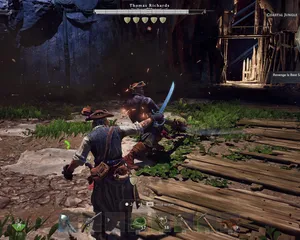
Common Windrose server problems and how to fix them – from the tutorial requirement that catches everyone to config file quirks and performance tips.
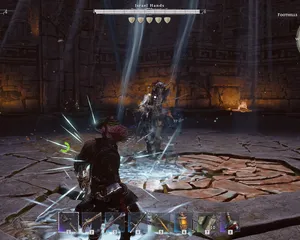
Understanding Windrose server performance, what affects it during Early Access, and practical steps to keep things running smoothly.
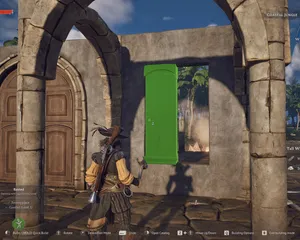
How to install unofficial mods on your Windrose dedicated server using Nexus Mods – including the mod folder path, SML mod loader, popular mods, and what to expect in Early Access.
Getting kicked from your Windrose server after lag spikes? Here's what's causing it and what you can actually do about it right now.
Starte, stoppe und verwalte deinen Windrose-Server im Browser. Im Control-Panel findest du Servereinstellungen, Dateien, SFTP und Backups.
Nexus ist jetzt für unterstützte Spiele verfügbar und bietet integrierte Werkzeuge zur Serververwaltung. Bestehende Server nutzen möglicherweise noch TCAdmin. Unser Support hilft dir, das richtige Panel für deinen Server zu finden.
Mehr InfosJoin our Discord to chat with our staff and community!
Join Discord