BepInEx (Thunderstore)
Search Thunderstore from the Mods tab and install in one click. BepInEx and each mod's dependencies are installed with it.
BepInEx (Thunderstore) besuchenYour world stays online when your PC is off. No port forwarding and no machine left running: friends join whenever they like, Thunderstore mods install in one click and backups run on a schedule. Live in about five minutes, with a full refund in the first 5 days.
$10.99/Monat
$1.10 pro Slot (10)
VALHEIM30Hier sind ein paar Gründe, warum LOW.MS der ideale Ort ist, um Ihren Spielserver zu hosten.
Steam, Xbox, PlayStation and Switch 2 players can share one world. Tick Crossplay in the panel and console players join with the six-digit code shown on your Overview tab.
Valheim left early access on 9 September 2026. Press Update in the panel, or schedule it, to pull each new build and hotfix as soon as Iron Gate ship it, so you are not sat waiting on us to get round to it.
Search Thunderstore from the Mods tab and install with one click, with BepInEx and every dependency handled for you. Anything not in the list goes in by pasting its Thunderstore link.
Upload your world folder through the Files tab, point the server at it, and carry on where you left off. An older .db and .fwl pair works too, and converts itself on first load. Nobody has to start again.
The Backups tab writes a copy off the server in one click, and a scheduled Backup task turns that into a nightly job. Worth setting up on day one rather than the day you need it.
Tickets reach people who actually run Valheim servers, at any hour. You will not spend your evening explaining what BepInEx is.
Jeder Valheim-Server bekommt eine Live-Karte, direkt aus dem Weltspeicherstand gelesen. Sieh, wie weit deine Gruppe erkundet hat, wer was gebaut hat und wohin jedes Portal führt, ohne dass sich jemand einloggen muss.
Basen und Portale, beschriftet
Jede Basis wird von oben mit dem Namen ihres Erbauers gezeichnet, und jedes Portal zeigt seinen Tag.
Wächst mit, während ihr spielt
Die Karte aktualisiert sich aus dem Speicherstand, solange der Server läuft, neue Bauten erscheinen also von selbst.
Teile sie mit deiner Gruppe
Schicke einen schreibgeschützten Link, und Freunde können die Karte in ihrem Browser erkunden, auch ohne Panel-Konto.
14 Basen, 9 Portale
Teilen AktualisierenWelt-Voreinstellung
Standard: klassisches ValheimKampfschwierigkeit
VoreinstellungSehr leichtLeichtSchwerSehr schwerTodesstrafe
VoreinstellungLocker (alles behalten)Sehr leichtLeichtSchwerHardcore (kein Grabstein)Ressourcenausbeute
VoreinstellungViel wenigerWenigerMehrViel mehrMaximalÜberfälle
VoreinstellungKeineViel wenigerWenigerMehrViel mehrPortale
VoreinstellungLocker (alles transportieren)Schwer (keine Metalle)Sehr schwer (keine Portale)Wähle eine Voreinstellung und passe dann Kampf, Todesstrafe, Ressourcen, Überfälle und Portale mit einem Klick an. Das Panel schreibt die Startparameter von Valheim für dich und wendet sie beim nächsten Neustart an.
Voreinstellungen und Modifikatoren
Starte mit einer der Voreinstellungen von Valheim und überschreibe einzelne Modifikatoren nach Belieben.
Weltregeln
Aktiviere kostenloses Bauen, passive Monster, Spielerereignisse, Brandgefahr oder keine Karte für den ganzen Server.
Eigene Modifikatoren
Feinjustiere Gegnerschaden, Fertigkeitsgewinn und -verlust, Ressourcenraten und mehr, über die Voreinstellungen hinaus.
Die Beitrittskarte bündelt Adresse und Passwort an einem Ort. Admins, Sperren und die Whitelist sind je ein Klick, per Steam-Konto.
Eine Adresse zum Teilen
Kopiere Adresse und Passwort aus dem Panel und füge sie in Valheim unter IP beitreten ein.
Admins, Sperren und Whitelist
Mach einen Freund zum Admin, sperre einen Griefer oder beschränke den Server auf eine Whitelist, ohne eine Textdatei zu bearbeiten.
Spieler per SteamID64 hinzufügen
Füge Spieler hinzu, bevor sie je beigetreten sind. Änderungen gelten beim nächsten Serverstart.
Deinem Server beitreten
Serveradresse
demo.join.low.ms:2456
Wähle in Valheim Spiel starten, dann Spiel beitreten, dann IP beitreten, und gib diese Adresse ein.
Passwort
••••••••
Spieler werden beim Verbinden danach gefragt.
Search Thunderstore from the Mods tab and install in one click. BepInEx and each mod's dependencies are installed with it.
BepInEx (Thunderstore) besuchenMods mit einem Klick aus dem integrierten Browser deines Panels installieren oder eigene Dateien per SFTP hochladen. Volle Kontrolle in beiden Fällen.
Ihre Valheim Welten, Einstellungen und Mod-Konfiguration werden automatisch in der Cloud gesichert. Behalten Sie bis zu 20 Backups pro Server und sperren Sie die wichtigen, damit sie nie gelöscht werden, um Platz zu schaffen.
Über den Tab Backups im LOW.MS Control Panel stellen Sie jedes Backup mit einem Klick wieder her, laden eine Kopie auf Ihren PC herunter oder erstellen vor einer großen Änderung ein manuelles Backup.
Backups enthalten Ihre Welten und Mod-Einstellungen. Gesperrte Backups werden nie gelöscht, um Platz zu schaffen.
| Erstellt | Größe | Status | Gesperrt | |
|---|---|---|---|---|
| 17/08/2026, 15:19 | 3.6 MB | Abgeschlossen | HerunterladenWiederherstellenLöschen | |
| 17/08/2026, 15:14 | 3.6 MB | Abgeschlossen | HerunterladenWiederherstellenLöschen | |
| 14/08/2026, 00:12 | 3.6 MB | Abgeschlossen | HerunterladenWiederherstellenLöschen | |
| 11/08/2026, 23:33 | 1.3 MB | Abgeschlossen | HerunterladenWiederherstellenLöschen |
What people say after they have moved a server to us.
Read our reviews on TrustpilotOut of all hosting providers. This is by far the top choice in my list. Simple UI with a mod manager included making it hassle-free when downloading specific mods.
Jose, Trustpilot review
I opened a ticket for help migrating my server from a different host. The game is Palworld and it isn't a simple process, they did it for me! Very helpful and responsive.
Justin, Trustpilot review
Their prices are pretty cheap and I thought they'd cut back on performance but damn was I wrong. The service has been insanely reliable and the Support Team are on their own level!
Anti, Trustpilot review
Wir unterstützen jeden öffentlichen Valheim-Steam-Branch standardmäßig, einschließlich der privaten passwortgeschützten Branches. Wechseln Sie jederzeit über Ihr Control Panel.
Last stable build before 1.0
Niedrige Latenz, wo auch immer deine Spieler sind
Wähle den Standort, der deinen Valheim-Spielern am nächsten ist. Wenn du unsicher bist, welcher passt, wende dich an den Support.
Jeder Standort hat einen DDoS-Schutz, der Angriffe bis 100 Gbps abfängt.
Wenn du dir einen weiteren Standort wünschst, sag uns Bescheid. Der richtige Standort sorgt auch dafür, dass dein Server im Serverbrowser unter der richtigen Region erscheint.
Unsere RechenzentrenEuropa
Nordamerika
Asien & Ozeanien
Finden Sie Antworten auf häufige Fragen zum Valheim-Server-Hosting.
Ihr Server ist innerhalb weniger Minuten bereit
Enterprise-Level-Schutz inklusive
Experten-Hilfe, wann immer Sie sie brauchen
Ab
Jederzeit kündbar. Keine Mindestlaufzeit. Volle Rückerstattung innerhalb von 5 Tagen.
Valheim is a viking survival game which can be played solo, or with a group. Players work together to gather resources, build structures, and defeat enemies and bosses. The game also has a strong focus on exploration and discovery (including by boat), which makes it more enjoyable to play with others as you can share in the excitement of discovering new areas and secrets together. Many of the LOW.MS team are big fans of the game, and often re-visit the game when major updates (such as Mistlands, and now the Deep North in 1.0) are released. We have been providing Valheim hosting since day one. The Backups tab writes a copy of your world off the server, and a scheduled Backup task does it on whatever schedule you set, so a bad update or a corrupted save is an inconvenience rather than the end of a run you have put months into.



Wir sind zuversichtlich, dass Sie mit unserem Service zufrieden sein werden. Wenn es in seltenen Fällen ein Problem mit Ihrem Service gibt, werden wir unser Möglichstes tun, um die Dinge für Sie zum Laufen zu bringen, oder Sie können einfach Ihr Geld zurückverlangen.
Wir haben eine volle 5-tägige Geld-zurück-Garantie auf all unser Game-Server-Hosting. Keine Fragen.
Eine Auswahl an -Hosting-Anleitungen und Artikeln, handgeschrieben von unserem Support-Team
Connect FileZilla or WinSCP to your LOW.MS server on port 2022 with the SFTP login from your control panel, find your files, and fix the usual connection and upload problems.

A comprehensive guide to configuring your Valheim dedicated server, including world modifiers, admin commands, server launch parameters, and permission management.
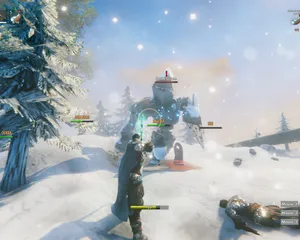
Fixes for the common Valheim dedicated server problems since 1.0: can't connect and version mismatch, lag and long loads, world not saving or reset, mods not loading, crossplay join issues.
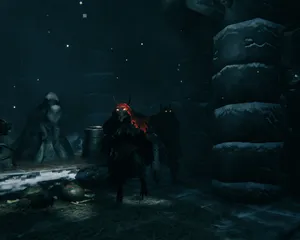
A version bump the size of 1.0 breaks essentially every BepInEx mod until authors catch up. How to tell a broken mod from a broken server, get back online first, and reintroduce mods without guessing.

Valheim 1.0 is out and the 1.0.12 hotfix followed two days later. The order to update in: back up first, update through Steam Update (a restart won't do it), what the new world folders mean, what crossplay changes, and what to check when players can't connect.

Whether a Valheim mod runs on the server, on each player's PC, or on both decides who can join and who gets kicked. How to tell the three apart, why console players changed the maths at 1.0, and how to install each kind on a LOW.MS server.
Machbar, aber die Lücke zwischen 'er bootet' und 'deine Crew kann sich wirklich einloggen' ist der Punkt, an dem die meisten Heim-Setups scheitern. So sieht es aus, wenn du Valheim selbst hostest, und was wir übernehmen, wenn du es lieber überspringst.
Ein paar Stunden Einrichtung, danach laufende Pflege.
Installiere SteamCMD auf einem Windows-Rechner, über den du die Kontrolle hast (ein alter Desktop reicht, bis deine Freunde das Bauen entdecken), und führe steamcmd +force_install_dir C:\valheimds +login anonymous +app_update 896660 validate +quit aus. Vanilla Valheim braucht keine Monstermaschine, aber gleichmäßige CPU-Zeit und genug RAM-Reserve, damit Windows Update nicht mit deinem Langschiff um Ressourcen kämpft.
$ steamcmd +login anonymous +app_update 896660 validate +quitLeite UDP 2456-2457 in deinem Router auf die LAN-IP des Servers weiter und gib dieselben Ports in der Windows-Firewall frei. Hier scheitern die meisten Heim-Setups, denn CGNAT, Gast-WLAN und "hilfsbereite" Provider-Router tun gern so, als wäre Portweiterleitung optional.
Kopiere start_headless_server.bat, bevor du etwas änderst, denn der Validate-Schritt von SteamCMD stellt das Original wieder her. Trage dann Servername, Weltname, Passwort und Port in der Kopie ein. Die Zugriffskontrolle steckt in adminlist.txt, bannedlist.txt und permittedlist.txt im Speicherordner von Valheim, eine Spieler-ID pro Zeile, und nach jeder Änderung startest du den Server neu.
Starte deine Batch-Datei und beobachte die Konsole, bis sie Game server connected meldet. Dann trittst du über den Serverbrowser im Spiel bei, indem du nach deinem Servernamen suchst, oder fügst ihn direkt als IP:2456 hinzu. Für Freunde auf Konsole hängst du -crossplay an die Startzeile an. Rechne mit der Frage "Warum hat sich der Beitrittscode geändert?" nach jedem Neustart und damit, dass deine Upload-Geschwindigkeit jetzt der Flaschenhals der ganzen Gruppe ist.
Ein dedizierter Server ist nur dediziert, wenn der PC eingeschaltet bleibt, der Energiesparmodus aus ist und Neustarts nach deinem Zeitplan passieren statt nach dem von Windows. Patch-Tage wie 1.0 und seine Hotfixes bedeuten: SteamCMD erneut ausführen, prüfen, ob die Welt noch lädt, und hoffen, dass nichts deinen Spielstand zerstört hat. Die rollierenden Backups von Valheim liegen nämlich auf derselben Festplatte und sind keine Kopie außerhalb des Rechners.
Wenn BepInEx-Mods von Thunderstore nach einem Spielupdate Fehler werfen, liest du Logs, grenzt Plugins ein und erklärst Freunden auf Konsole, warum clientseitige Mods sie aussperren. Und wenn jemand den Server nicht sieht, debuggst du NAT-Hairpinning, Portkonflikte und "gestern ging es noch", als wäre es dein Zweitjob. Denn genau das ist es jetzt.
Bezahl oben auf der Seite und wir kümmern uns um alle sechs Schritte.
Preise sichtbar von Anfang an. Keine Anmeldemauer.
Wenn du es lieber zuerst selbst probieren willst, unsere Valheim-Guides oben erklären das SteamCMD-Setup. Wir sind da, wenn du später migrieren möchtest.
Starte, stoppe und verwalte deinen Valheim-Server im Browser. Im Control-Panel findest du Servereinstellungen, Dateien, SFTP und Backups.
Nexus ist jetzt für unterstützte Spiele verfügbar und bietet integrierte Werkzeuge zur Serververwaltung. Bestehende Server nutzen möglicherweise noch TCAdmin. Unser Support hilft dir, das richtige Panel für deinen Server zu finden.
Mehr InfosJoin our Discord to chat with our staff and community!
Join Discord