Branch
public
- Status
- Stabil · Standard
A first-person factory-building powerhouse set on an alien world. Automate production lines, build sprawling industrial systems, explore for resources, and optimize everything as your operation grows from humble beginnings to megafactory scale.
$11.50/Monat
$1.92 pro Slot (6)
Hier sind ein paar Gründe, warum LOW.MS der ideale Ort ist, um Ihren Spielserver zu hosten.
Beginnen Sie innerhalb weniger Minuten nach der Zahlung mit dem Spielen auf Ihrem Satisfactory-Server.
Verlieren Sie Ihre Satisfactory-Speicherung nie wieder mit unserem hochmodernen Cloud-Backup-System.
Ihr Satisfactory-Server wird mit den neuesten Intel- oder AMD-Prozessoren und NVMe-SSDs ausgestattet.
Alle unsere Rechenzentrumsnetzwerke verfügen über einen DDOS-Schutz auf Unternehmensebene, um sicherzustellen, dass Ihr Satisfactory-Server-Hosting nie ausfällt.
Kundenunterstützung rund um die Uhr mit einer Verfügbarkeitsgarantie von 99,9 %, um sicherzustellen, dass Ihr Satisfactory-Server niemals offline geht.
Volle Rückerstattung innerhalb der ersten 5 Tage, wenn Ihr Satisfactory-Server nicht auf dem neuesten Stand ist.
Ihre Satisfactory Welten, Einstellungen und Mod-Konfiguration werden automatisch in der Cloud gesichert. Behalten Sie bis zu 20 Backups pro Server und sperren Sie die wichtigen, damit sie nie gelöscht werden, um Platz zu schaffen.
Über den Tab Backups im LOW.MS Control Panel stellen Sie jedes Backup mit einem Klick wieder her, laden eine Kopie auf Ihren PC herunter oder erstellen vor einer großen Änderung ein manuelles Backup.
Backups enthalten Ihre Welten und Mod-Einstellungen. Gesperrte Backups werden nie gelöscht, um Platz zu schaffen.
| Erstellt | Größe | Status | Gesperrt | |
|---|---|---|---|---|
| 17/08/2026, 15:19 | 3.6 MB | Abgeschlossen | HerunterladenWiederherstellenLöschen | |
| 17/08/2026, 15:14 | 3.6 MB | Abgeschlossen | HerunterladenWiederherstellenLöschen | |
| 14/08/2026, 00:12 | 3.6 MB | Abgeschlossen | HerunterladenWiederherstellenLöschen | |
| 11/08/2026, 23:33 | 1.3 MB | Abgeschlossen | HerunterladenWiederherstellenLöschen |
What people say after they have moved a server to us.
Read our reviews on TrustpilotOut of all hosting providers. This is by far the top choice in my list. Simple UI with a mod manager included making it hassle-free when downloading specific mods.
Jose, Trustpilot review
I opened a ticket for help migrating my server from a different host. The game is Palworld and it isn't a simple process, they did it for me! Very helpful and responsive.
Justin, Trustpilot review
Their prices are pretty cheap and I thought they'd cut back on performance but damn was I wrong. The service has been insanely reliable and the Support Team are on their own level!
Anti, Trustpilot review
Wir unterstützen jeden öffentlichen Satisfactory-Steam-Branch standardmäßig, einschließlich der privaten passwortgeschützten Branches. Wechseln Sie jederzeit über Ihr Control Panel.
Niedrige Latenz, wo auch immer deine Spieler sind
Wähle den Standort, der deinen Satisfactory-Spielern am nächsten ist. Wenn du unsicher bist, welcher passt, wende dich an den Support.
Jeder Standort hat einen DDoS-Schutz, der Angriffe bis 100 Gbps abfängt.
Wenn du dir einen weiteren Standort wünschst, sag uns Bescheid. Der richtige Standort sorgt auch dafür, dass dein Server im Serverbrowser unter der richtigen Region erscheint.
Unsere RechenzentrenEuropa
Nordamerika
Asien & Ozeanien
Finden Sie Antworten auf häufige Fragen zum Satisfactory-Server-Hosting.
Ihr Server ist innerhalb weniger Minuten bereit
Enterprise-Level-Schutz inklusive
Experten-Hilfe, wann immer Sie sie brauchen
Ab
Jederzeit kündbar. Keine Mindestlaufzeit. Volle Rückerstattung innerhalb von 5 Tagen.
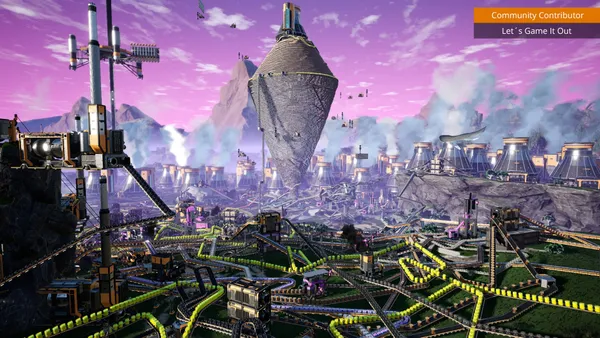
Satisfactory has always been a highly anticipated factory-style game. It's essentially a 3D version of Factorio, but with it's own take on a lot of features. It's been built with multiplayer in mind from the start, which is not often seen with games like this. The factories you can build in Satisfactory can be extremely vast and highly complex. We highly recommend giving the game a try. If you want to learn more about the game, we also recommend watching one of our partners: TotalXclipse The game empowers you to build, explore, and experiment on a massive scale. The vast open-world map filled with different types of flora and fauna, stunning vistas, and several biomes each with unique exploration opportunities and challenges brings a sense of awe and wonder. Resource gathering is pivotal to your progress, and you will craft and manage conveyor belts, production facilities, infrastructure, and vehicles to create intricate systems of resource supply. Satisfactory encourages you to develop your own strategies for optimization and efficiency. Be it setting up sprawling factories, managing power grids, or navigating the technology tree to unlock new machinery and upgrades - the creative possibilities are endless. Throughout your engineering journey, you will face hostile alien life forms. Though combat is not the core of the game, it adds a layer of challenge and excitement as you protect your constructions and ensure your survival.

Wir sind zuversichtlich, dass Sie mit unserem Service zufrieden sein werden. Wenn es in seltenen Fällen ein Problem mit Ihrem Service gibt, werden wir unser Möglichstes tun, um die Dinge für Sie zum Laufen zu bringen, oder Sie können einfach Ihr Geld zurückverlangen.
Wir haben eine volle 5-tägige Geld-zurück-Garantie auf all unser Game-Server-Hosting. Keine Fragen.
Eine Auswahl an -Hosting-Anleitungen und Artikeln, handgeschrieben von unserem Support-Team
Connect FileZilla or WinSCP to your LOW.MS server on port 2022 with the SFTP login from your control panel, find your files, and fix the usual connection and upload problems.
When joining a Satisfactory 1.0 server directly, you may encounter the error "Encryption token missing".
A complete guide to administering your Satisfactory dedicated server — admin commands, console usage, player management, server restarts, and performance monitoring.
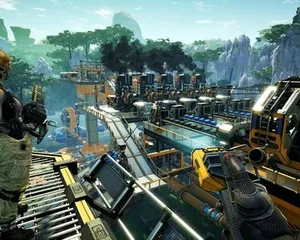
Find your Satisfactory singleplayer save files and upload them to your dedicated server using File Manager or SFTP.
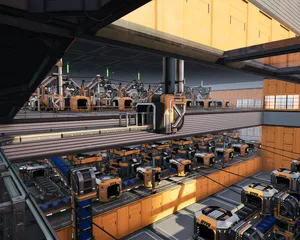
Optimise your Satisfactory dedicated server performance with tick rate tuning, RAM management, Engine.ini tweaks, factory design tips, and scheduled restart strategies.

Everything you need to know about connecting to your Satisfactory dedicated server with friends — session management, network settings, and troubleshooting connection problems.
Starte, stoppe und verwalte deinen Satisfactory-Server im Browser. Im Control-Panel findest du Servereinstellungen, Dateien, SFTP und Backups.
Nexus ist jetzt für unterstützte Spiele verfügbar und bietet integrierte Werkzeuge zur Serververwaltung. Bestehende Server nutzen möglicherweise noch TCAdmin. Unser Support hilft dir, das richtige Panel für deinen Server zu finden.
Mehr InfosJoin our Discord to chat with our staff and community!
Join Discord