Preise werden zum Start bekannt gegeben
Warum LOW.MS?
Hier sind ein paar Gründe, warum LOW.MS der ideale Ort ist, um Ihren Spielserver zu hosten.
Console and mobile players welcome
One world your friends can join from a phone, a Switch, an Xbox, a PlayStation or a PC, without a bridge or a proxy in the middle.
Bring your existing world
Upload a single player or Realms world and carry on where you left off, with your builds and your progress intact.
Automatic backups
Worlds get backed up on a schedule and restored from the panel, so a bad night is an inconvenience rather than a loss.
Behaviour and resource packs
Install and manage packs from the panel to change gameplay, mobs, loot and visuals across the whole server.
Allowlist and operators
Decide who gets in and who gets commands, edited from the panel instead of a text file over FTP.
Update on your terms
Take a Mojang release when your packs and add-ons are ready for it, rather than the moment it lands.
Automatische Cloud-Backups
Ihre Minecraft: Bedrock Edition Welten, Einstellungen und Mod-Konfiguration werden automatisch in der Cloud gesichert. Behalten Sie bis zu 20 Backups pro Server und sperren Sie die wichtigen, damit sie nie gelöscht werden, um Platz zu schaffen.
Über den Tab Backups im LOW.MS Control Panel stellen Sie jedes Backup mit einem Klick wieder her, laden eine Kopie auf Ihren PC herunter oder erstellen vor einer großen Änderung ein manuelles Backup.
- Automatische geplante Backups, außerhalb Ihres Servers gespeichert
- Wichtige Backups sperren, damit sie nie überschrieben werden
- Wiederherstellung mit einem Klick oder Download auf Ihren PC
- Bei jedem Minecraft: Bedrock Edition Server inklusive, ohne Aufpreis
Backups enthalten Ihre Welten und Mod-Einstellungen. Gesperrte Backups werden nie gelöscht, um Platz zu schaffen.
| Erstellt | Größe | Status | Gesperrt | |
|---|---|---|---|---|
| 17/08/2026, 15:19 | 3.6 MB | Abgeschlossen | HerunterladenWiederherstellenLöschen | |
| 17/08/2026, 15:14 | 3.6 MB | Abgeschlossen | HerunterladenWiederherstellenLöschen | |
| 14/08/2026, 00:12 | 3.6 MB | Abgeschlossen | HerunterladenWiederherstellenLöschen | |
| 11/08/2026, 23:33 | 1.3 MB | Abgeschlossen | HerunterladenWiederherstellenLöschen |
Rated 4.8 out of 5 on Trustpilot
What people say after they have moved a server to us.
Read our reviews on TrustpilotTop choice in my list
Out of all hosting providers. This is by far the top choice in my list. Simple UI with a mod manager included making it hassle-free when downloading specific mods.
Jose, Trustpilot review
Very helpful and responsive
I opened a ticket for help migrating my server from a different host. The game is Palworld and it isn't a simple process, they did it for me! Very helpful and responsive.
Justin, Trustpilot review
Insanely reliable service
Their prices are pretty cheap and I thought they'd cut back on performance but damn was I wrong. The service has been insanely reliable and the Support Team are on their own level!
Anti, Trustpilot review
13 Server Standorte
Niedrige Latenz, wo auch immer deine Spieler sind
Wähle den Standort, der deinen Minecraft: Bedrock Edition-Spielern am nächsten ist. Wenn du unsicher bist, welcher passt, wende dich an den Support.
Jeder Standort hat einen DDoS-Schutz, der Angriffe bis 100 Gbps abfängt.
Wenn du dir einen weiteren Standort wünschst, sag uns Bescheid. Der richtige Standort sorgt auch dafür, dass dein Server im Serverbrowser unter der richtigen Region erscheint.
Unsere RechenzentrenEuropa
- Amsterdam, NL
- Nürnberg, DE
- Helsinki, FI
- Warschau, PL
Nordamerika
- Ashburn, VA
- Miami, FL
- Dallas, TX
- San Jose, CA
- Los Angeles, CA
- Bend, OR
Asien & Ozeanien
- Singapur, SG
- Sydney, AU
- Melbourne, AU
Häufig gestellte Fragen
Finden Sie Antworten auf häufige Fragen zum Minecraft: Bedrock Edition-Server-Hosting.
Bereit, Ihren Minecraft: Bedrock Edition Server zu hosten?
Sofortige Einrichtung
Ihr Server ist innerhalb weniger Minuten bereit
DDoS-Schutz
Enterprise-Level-Schutz inklusive
24/7 Support
Experten-Hilfe, wann immer Sie sie brauchen
Jederzeit kündbar. Keine Mindestlaufzeit. Volle Rückerstattung innerhalb von 5 Tagen.
Was ist Minecraft: Bedrock Edition
Minecraft: Bedrock Edition is the version that runs on Windows, iOS, Android, PlayStation, Xbox and Nintendo Switch, and a Bedrock Dedicated Server is the straightforward way to give all of those players one shared world. If your friends play on phones or consoles, this is the server you want. Mojang publishes the Bedrock Dedicated Server for Windows and Linux, and it is a genuinely different piece of software from the Java server: different config file, different addon format, different permissions model. Behaviour packs and resource packs replace Java plugins, and third-party server software such as PowerNukkitX or Endstone opens up plugin support for anyone who wants it. We already host Java Edition. Bedrock is the missing half, and we are building the template now: world uploads, behaviour and resource pack management, allowlist and operator editing, automatic backups, and control over when a Mojang release lands on your world. Watch this page for the order button.
Geld-zurück-Garantie
Wir sind zuversichtlich, dass Sie mit unserem Service zufrieden sein werden. Wenn es in seltenen Fällen ein Problem mit Ihrem Service gibt, werden wir unser Möglichstes tun, um die Dinge für Sie zum Laufen zu bringen, oder Sie können einfach Ihr Geld zurückverlangen.
Wir haben eine volle 5-tägige Geld-zurück-Garantie auf all unser Game-Server-Hosting. Keine Fragen.
Wissensdatenbank Artikel für
Eine Auswahl an -Hosting-Anleitungen und Artikeln, handgeschrieben von unserem Support-Team
Connecting to Your Server with SFTP (Port 2022)
Connect FileZilla or WinSCP to your LOW.MS server on port 2022 with the SFTP login from your control panel, find your files, and fix the usual connection and upload problems.

Fixing "Cannot Connect to Server. App ID Specified by Server Is Invalid" on Steam
Seeing "Cannot connect to server. App ID specified by the server is invalid" when joining your ARK, Palworld or other Steam game server? It's a Steam client bug, not your server. Here's how to get connected.
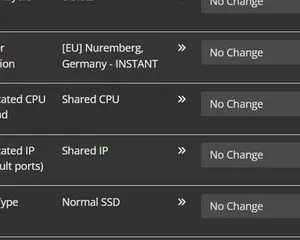
Upgrading your server
A quick guide on getting your server upgraded
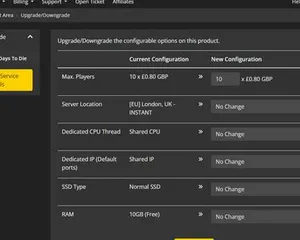
Upgrading / downgrading your LOW.MS server
A quick guide on upgrading your LOW.MS server.
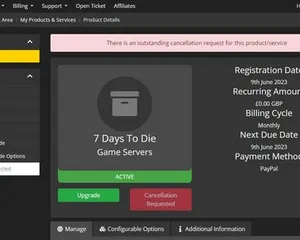
Cancelling your server
A quick guide on how to cancel your server with LOW.MS
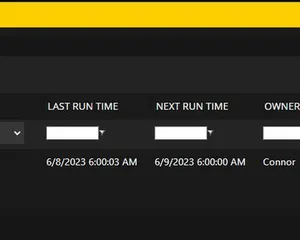
How to use the scheduled tasks via control panel
Easily create scheduled tasks to make your server run smoothly.
Hochmodernes Control Panel
Starte, stoppe und verwalte deinen Minecraft: Bedrock Edition-Server im Browser. Im Control-Panel findest du Servereinstellungen, Dateien, SFTP und Backups.
Nexus ist jetzt für unterstützte Spiele verfügbar und bietet integrierte Werkzeuge zur Serververwaltung. Bestehende Server nutzen möglicherweise noch TCAdmin. Unser Support hilft dir, das richtige Panel für deinen Server zu finden.
Mehr Infos