BepInEx (Thunderstore)
Search Thunderstore from the Mods tab and install in one click. BepInEx and each mod's dependencies are installed with it.
Visiter BepInEx (Thunderstore)Your world stays online when your PC is off. No port forwarding and no machine left running: friends join whenever they like, Thunderstore mods install in one click and backups run on a schedule. Live in about five minutes, with a full refund in the first 5 days.
$10.99/mois
$1.10 par slot (10)
VALHEIM30Voici quelques raisons pour lesquelles LOW.MS est l'endroit idéal pour héberger votre serveur de jeu.
Steam, Xbox, PlayStation and Switch 2 players can share one world. Tick Crossplay in the panel and console players join with the six-digit code shown on your Overview tab.
Valheim left early access on 9 September 2026. Press Update in the panel, or schedule it, to pull each new build and hotfix as soon as Iron Gate ship it, so you are not sat waiting on us to get round to it.
Search Thunderstore from the Mods tab and install with one click, with BepInEx and every dependency handled for you. Anything not in the list goes in by pasting its Thunderstore link.
Upload your world folder through the Files tab, point the server at it, and carry on where you left off. An older .db and .fwl pair works too, and converts itself on first load. Nobody has to start again.
The Backups tab writes a copy off the server in one click, and a scheduled Backup task turns that into a nightly job. Worth setting up on day one rather than the day you need it.
Tickets reach people who actually run Valheim servers, at any hour. You will not spend your evening explaining what BepInEx is.
Chaque serveur Valheim dispose d'une carte en direct lue directement dans sa sauvegarde. Voyez jusqu'où votre groupe a exploré, qui a construit quoi et où mène chaque portail, sans que personne ait à se connecter.
Bases et portails, étiquetés
Chaque base est dessinée vue du dessus avec le nom de son bâtisseur, et chaque portail affiche son nom.
Suit votre partie
La carte se met à jour depuis la sauvegarde tant que le serveur tourne, les nouvelles constructions apparaissent donc d'elles-mêmes.
Partagez-la avec votre groupe
Envoyez un lien en lecture seule, et vos amis pourront explorer la carte dans leur navigateur sans compte sur le panel.
14 bases, 9 portails
Partager ActualiserPréréglage du monde
Standard : Valheim classiqueDifficulté des combats
PréréglageTrès facileFacileDifficileTrès difficilePénalité de mort
PréréglageDétente (tout garder)Très facileFacileDifficileHardcore (pas de tombe)Butin de ressources
PréréglageBeaucoup moinsMoinsPlusBeaucoup plusMaximumRaids
PréréglageAucunBeaucoup moinsMoinsPlusBeaucoup plusPortails
PréréglageDétente (tout transporter)Difficile (pas de métaux)Très difficile (pas de portails)Choisissez un préréglage, puis ajustez le combat, la pénalité de mort, les ressources, les raids et les portails en un clic. Le panel écrit les paramètres de lancement de Valheim pour vous et les applique au prochain redémarrage.
Préréglages et modificateurs
Partez d'un des préréglages de Valheim et remplacez n'importe quel modificateur individuellement.
Règles du monde
Activez la construction gratuite, les monstres passifs, les événements joueurs, les risques d'incendie ou l'absence de carte pour tout le serveur.
Modificateurs personnalisés
Affinez les dégâts ennemis, le gain et la perte de compétences, le taux de ressources et plus encore, au-delà des préréglages.
La carte de connexion réunit l'adresse et le mot de passe au même endroit. Admins, bannissements et liste blanche se gèrent en un clic, par compte Steam.
Une seule adresse à partager
Copiez l'adresse et le mot de passe depuis le panel, puis collez-les dans Rejoindre par IP dans Valheim.
Admins, bannissements et liste blanche
Nommez un ami admin, bannissez un griefer ou limitez le serveur à une liste blanche sans modifier de fichier texte.
Ajout de joueurs par SteamID64
Ajoutez quelqu'un avant même qu'il ne se soit connecté. Les changements s'appliquent au prochain démarrage du serveur.
Rejoindre votre serveur
Adresse du serveur
demo.join.low.ms:2456
Dans Valheim, choisissez Lancer la partie, puis Rejoindre une partie, puis Rejoindre par IP, et saisissez cette adresse.
Mot de passe
••••••••
Il est demandé aux joueurs lors de la connexion.
Search Thunderstore from the Mods tab and install in one click. BepInEx and each mod's dependencies are installed with it.
Visiter BepInEx (Thunderstore)Installez des mods en un clic depuis le navigateur intégré de votre panneau, ou téléversez vos propres fichiers via SFTP. Contrôle total dans tous les cas.
Vos mondes, paramètres et configuration de mods Valheim sont sauvegardés automatiquement dans le cloud. Conservez jusqu'à 20 sauvegardes par serveur et verrouillez celles qui comptent pour qu'elles ne soient jamais supprimées pour faire de la place.
Depuis l'onglet Sauvegardes du panneau de configuration LOW.MS, restaurez n'importe quelle sauvegarde en un clic, téléchargez-en une copie sur votre PC ou créez une sauvegarde manuelle avant un changement important.
Les sauvegardes incluent vos mondes et paramètres de mods. Les sauvegardes verrouillées ne sont jamais supprimées pour faire de la place.
| Créée | Taille | Statut | Verrouillée | |
|---|---|---|---|---|
| 17/08/2026, 15:19 | 3.6 MB | Terminée | TéléchargerRestaurerSupprimer | |
| 17/08/2026, 15:14 | 3.6 MB | Terminée | TéléchargerRestaurerSupprimer | |
| 14/08/2026, 00:12 | 3.6 MB | Terminée | TéléchargerRestaurerSupprimer | |
| 11/08/2026, 23:33 | 1.3 MB | Terminée | TéléchargerRestaurerSupprimer |
What people say after they have moved a server to us.
Read our reviews on TrustpilotOut of all hosting providers. This is by far the top choice in my list. Simple UI with a mod manager included making it hassle-free when downloading specific mods.
Jose, Trustpilot review
I opened a ticket for help migrating my server from a different host. The game is Palworld and it isn't a simple process, they did it for me! Very helpful and responsive.
Justin, Trustpilot review
Their prices are pretty cheap and I thought they'd cut back on performance but damn was I wrong. The service has been insanely reliable and the Support Team are on their own level!
Anti, Trustpilot review
Nous prenons en charge nativement toutes les branches Steam publiques de Valheim, y compris les branches privées protégées par mot de passe. Changez depuis votre panneau de contrôle à tout moment.
Last stable build before 1.0
Une faible latence où que soient vos joueurs
Choisissez l'emplacement le plus proche de vos joueurs Valheim. Si vous hésitez, contactez le support.
Chaque emplacement dispose d'une protection DDoS capable d'absorber des attaques jusqu'à 100 Gbps.
S'il y a un emplacement que vous aimeriez nous voir ajouter, dites-le-nous. Le bon emplacement place aussi votre serveur dans la bonne région du navigateur de serveurs du jeu.
Nos centres de donnéesEurope
Amérique du Nord
Asie & Océanie
Trouvez des réponses aux questions fréquentes sur l'hébergement de serveurs Valheim.
Votre serveur sera prêt en quelques minutes
Protection de niveau entreprise incluse
Aide experte quand vous en avez besoin
À partir de
Annulez à tout moment. Aucune durée minimale. Remboursement complet sous 5 jours.
Valheim is a viking survival game which can be played solo, or with a group. Players work together to gather resources, build structures, and defeat enemies and bosses. The game also has a strong focus on exploration and discovery (including by boat), which makes it more enjoyable to play with others as you can share in the excitement of discovering new areas and secrets together. Many of the LOW.MS team are big fans of the game, and often re-visit the game when major updates (such as Mistlands, and now the Deep North in 1.0) are released. We have been providing Valheim hosting since day one. The Backups tab writes a copy of your world off the server, and a scheduled Backup task does it on whatever schedule you set, so a bad update or a corrupted save is an inconvenience rather than the end of a run you have put months into.



Nous sommes convaincus que vous serez satisfait de notre service. Si, dans de rares cas, il y a un problème avec votre service, nous ferons de notre mieux pour résoudre la situation, ou vous pouvez simplement demander un remboursement.
Nous avons une garantie de remboursement intégrale de 5 jours sur tous nos hébergements de serveurs de jeux. Aucune question posée.
Une sélection de guides et d'articles sur l'hébergement , rédigés par notre équipe de support
Connect FileZilla or WinSCP to your LOW.MS server on port 2022 with the SFTP login from your control panel, find your files, and fix the usual connection and upload problems.

A comprehensive guide to configuring your Valheim dedicated server, including world modifiers, admin commands, server launch parameters, and permission management.
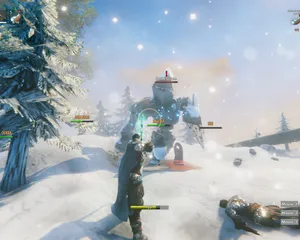
Fixes for the common Valheim dedicated server problems since 1.0: can't connect and version mismatch, lag and long loads, world not saving or reset, mods not loading, crossplay join issues.
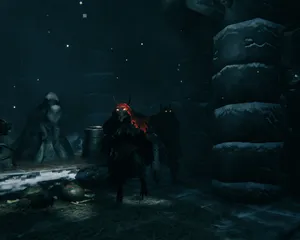
A version bump the size of 1.0 breaks essentially every BepInEx mod until authors catch up. How to tell a broken mod from a broken server, get back online first, and reintroduce mods without guessing.

Valheim 1.0 is out and the 1.0.12 hotfix followed two days later. The order to update in: back up first, update through Steam Update (a restart won't do it), what the new world folders mean, what crossplay changes, and what to check when players can't connect.

Whether a Valheim mod runs on the server, on each player's PC, or on both decides who can join and who gets kicked. How to tell the three apart, why console players changed the maths at 1.0, and how to install each kind on a LOW.MS server.
C'est faisable, mais l'écart entre 'ça démarre' et 'votre équipage peut vraiment se connecter' est l'endroit où la plupart des configurations maison s'effondrent. Voici ce à quoi vous vous engagez en auto-hébergeant Valheim, et ce que nous gérons si vous préférez sauter tout ça.
Quelques heures d'installation, puis un entretien régulier.
Sur une machine Windows que vous contrôlez (un vieux PC fixe suffit, jusqu'à ce que vos amis découvrent la construction), installez SteamCMD et lancez steamcmd +force_install_dir C:\valheimds +login anonymous +app_update 896660 validate +quit. Valheim sans mods ne demande pas une machine de guerre, mais il lui faut du temps CPU régulier et assez de marge de RAM pour que Windows Update ne dispute pas les ressources à votre drakkar.
$ steamcmd +login anonymous +app_update 896660 validate +quitRedirigez UDP 2456-2457 sur votre box vers l'IP locale du serveur, puis autorisez ces mêmes ports dans le pare-feu Windows. C'est là que la plupart des installations maison échouent, car le CGNAT, le wifi invité et les box "serviables" des fournisseurs adorent faire comme si la redirection de ports était facultative.
Copiez start_headless_server.bat avant d'y toucher, car l'étape validate de SteamCMD remet l'original en place, puis réglez le nom du serveur, le nom du monde, le mot de passe et le port dans la copie. Le contrôle d'accès se trouve dans adminlist.txt, bannedlist.txt et permittedlist.txt dans le dossier de sauvegarde de Valheim, un identifiant de joueur par ligne, et vous redémarrez le serveur à chaque modification.
Lancez votre fichier batch et surveillez la console jusqu'à ce qu'elle affiche Game server connected, puis rejoignez-le depuis le navigateur de serveurs du jeu en cherchant son nom, ou ajoutez-le directement avec IP:2456. Ajoutez -crossplay à la ligne de lancement pour vos amis sur console, et préparez-vous à la question "pourquoi le code a changé ?" après chaque redémarrage, sans oublier que votre débit montant devient le goulot d'étranglement de tout le groupe.
Un serveur dédié n'est dédié que si le PC reste allumé, la mise en veille est désactivée et les redémarrages se font selon votre planning plutôt que celui de Windows. Les jours de patch comme la 1.0 et ses correctifs signifient relancer SteamCMD, vérifier que le monde se charge encore et espérer que rien n'a cassé votre sauvegarde, car les sauvegardes tournantes de Valheim sont sur le même disque et ne sont pas une copie hors de la machine.
Quand les mods BepInEx de Thunderstore se mettent à planter après une mise à jour du jeu, c'est vous qui lisez les logs, isolez les plugins et expliquez à vos amis sur console pourquoi les mods côté client les excluent. Et quand quelqu'un ne voit pas le serveur, c'est vous qui déboguez le NAT hairpinning, les conflits de ports et le fameux "ça marchait hier" comme un second emploi, parce que c'en est un maintenant.
Passez commande en haut de cette page et nous gérons les six étapes.
Tarifs visibles d'emblée. Pas de mur d'inscription.
Si vous préférez essayer vous-même d'abord, nos guides Valheim ci-dessus détaillent la configuration SteamCMD. Nous serons là si vous décidez de migrer plus tard.
Démarrez, arrêtez et gérez votre serveur Valheim depuis votre navigateur. Retrouvez les paramètres, les fichiers, l'accès SFTP et les sauvegardes dans votre panneau de contrôle.
Nexus est désormais disponible pour les jeux compatibles, avec des outils intégrés de gestion de serveur. Les serveurs existants peuvent encore utiliser TCAdmin ; notre équipe peut vous aider à trouver le bon panneau.
Plus d’infosJoin our Discord to chat with our staff and community!
Join Discord