Steam Workshop
Le modding de PZ vit sur le Steam Workshop. Cherchez et installez les mods en un clic depuis la page Steam Workshop du panneau, ou modifiez WorkshopItems= dans servertest.ini.
Visiter Steam WorkshopThe ultimate isometric zombie survival sandbox. Build your base, scavenge for supplies, and survive the apocalypse with friends on your own dedicated server.
$9.95/mois
$0.99 par slot (10)
Voici quelques raisons pour lesquelles LOW.MS est l'endroit idéal pour héberger votre serveur de jeu.
Commencez à jouer sur votre serveur Project Zomboid quelques minutes après le paiement.
Ne perdez plus jamais votre sauvegarde Project Zomboid grâce à notre système de sauvegarde cloud de pointe.
Votre serveur Project Zomboid sera équipé des derniers processeurs Intel ou AMD et SSD NVMe.
Tous nos réseaux de centres de données disposent d'une protection DDOS de niveau entreprise pour garantir que l'hébergement de votre serveur Project Zomboid ne tombe jamais en panne.
Assistance client 24 heures sur 24 avec une garantie de disponibilité de 99,9 % pour garantir que votre serveur Project Zomboid ne se déconnecte jamais.
Remboursement intégral dans les 5 premiers jours si votre serveur Project Zomboid n'est pas à jour.
Le modding de PZ vit sur le Steam Workshop. Cherchez et installez les mods en un clic depuis la page Steam Workshop du panneau, ou modifiez WorkshopItems= dans servertest.ini.
Visiter Steam WorkshopInstallez des mods en un clic depuis le navigateur intégré de votre panneau, ou téléversez vos propres fichiers via SFTP. Contrôle total dans tous les cas.
Vos mondes, paramètres et configuration de mods Project Zomboid sont sauvegardés automatiquement dans le cloud. Conservez jusqu'à 20 sauvegardes par serveur et verrouillez celles qui comptent pour qu'elles ne soient jamais supprimées pour faire de la place.
Depuis l'onglet Sauvegardes du panneau de configuration LOW.MS, restaurez n'importe quelle sauvegarde en un clic, téléchargez-en une copie sur votre PC ou créez une sauvegarde manuelle avant un changement important.
Les sauvegardes incluent vos mondes et paramètres de mods. Les sauvegardes verrouillées ne sont jamais supprimées pour faire de la place.
| Créée | Taille | Statut | Verrouillée | |
|---|---|---|---|---|
| 17/08/2026, 15:19 | 3.6 MB | Terminée | TéléchargerRestaurerSupprimer | |
| 17/08/2026, 15:14 | 3.6 MB | Terminée | TéléchargerRestaurerSupprimer | |
| 14/08/2026, 00:12 | 3.6 MB | Terminée | TéléchargerRestaurerSupprimer | |
| 11/08/2026, 23:33 | 1.3 MB | Terminée | TéléchargerRestaurerSupprimer |
What people say after they have moved a server to us.
Read our reviews on TrustpilotOut of all hosting providers. This is by far the top choice in my list. Simple UI with a mod manager included making it hassle-free when downloading specific mods.
Jose, Trustpilot review
I opened a ticket for help migrating my server from a different host. The game is Palworld and it isn't a simple process, they did it for me! Very helpful and responsive.
Justin, Trustpilot review
Their prices are pretty cheap and I thought they'd cut back on performance but damn was I wrong. The service has been insanely reliable and the Support Team are on their own level!
Anti, Trustpilot review
Nous prenons en charge nativement toutes les branches Steam publiques de Project Zomboid, y compris les branches privées protégées par mot de passe. Changez depuis votre panneau de contrôle à tout moment.
Build 41.78.21
Une faible latence où que soient vos joueurs
Choisissez l'emplacement le plus proche de vos joueurs Project Zomboid. Si vous hésitez, contactez le support.
Chaque emplacement dispose d'une protection DDoS capable d'absorber des attaques jusqu'à 100 Gbps.
S'il y a un emplacement que vous aimeriez nous voir ajouter, dites-le-nous. Le bon emplacement place aussi votre serveur dans la bonne région du navigateur de serveurs du jeu.
Nos centres de donnéesEurope
Amérique du Nord
Asie & Océanie
Trouvez des réponses aux questions fréquentes sur l'hébergement de serveurs Project Zomboid.
Votre serveur sera prêt en quelques minutes
Protection de niveau entreprise incluse
Aide experte quand vous en avez besoin
À partir de
Annulez à tout moment. Aucune durée minimale. Remboursement complet sous 5 jours.
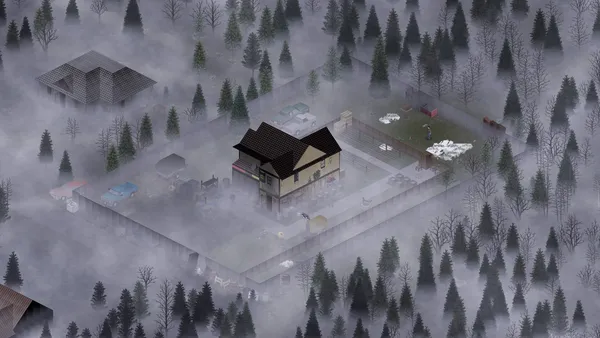
Project Zomboid is the isometric zombie survival game that does not let you win. You build a base, scrounge for cans of beans, try to keep your characters alive, and eventually die in a way you will remember. On a private server with a few friends, that loop gets a lot more interesting, because now you get to argue about where to loot next, whose turn it is to cook, and who left the generator off. Hosting your own Project Zomboid server on LOW.MS gives you a persistent Knox County apocalypse for your group, with full control over sandbox settings, mods from the Steam Workshop, and who is allowed in. We run PZ on dedicated bare-metal nodes with automatic cloud backups, DDoS protection, and 24/7 support. Build 42 is now the stable release, bringing a far larger map, basements, new crafting disciplines and animal husbandry. If your group would rather finish an existing Build 41 world first, we can pin your server to the legacy41 branch instead.
Nous sommes convaincus que vous serez satisfait de notre service. Si, dans de rares cas, il y a un problème avec votre service, nous ferons de notre mieux pour résoudre la situation, ou vous pouvez simplement demander un remboursement.
Nous avons une garantie de remboursement intégrale de 5 jours sur tous nos hébergements de serveurs de jeux. Aucune question posée.
Une sélection de guides et d'articles sur l'hébergement , rédigés par notre équipe de support
Connect FileZilla or WinSCP to your LOW.MS server on port 2022 with the SFTP login from your control panel, find your files, and fix the usual connection and upload problems.
A comprehensive guide to configuring your Project Zomboid server, covering servertest.ini network settings, sandbox gameplay options, zombie behaviour, loot tables, and Build 42 features.
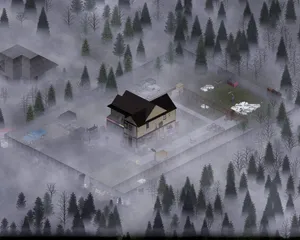
Everything you need to know to get your Project Zomboid dedicated server up and running, from first login to inviting friends and configuring basic settings.

Find your Project Zomboid singleplayer save files and upload them to your dedicated server using File Manager or SFTP.
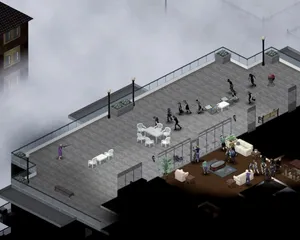
Solutions to the most common Project Zomboid dedicated server issues, including connection problems, crashes, mod conflicts, performance degradation, and Build 42 specific bugs.
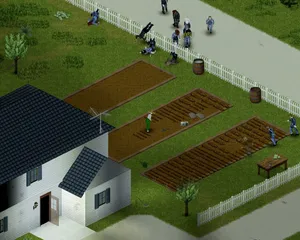
How to use the panel's Steam Workshop browser on a Project Zomboid Build 42 server, why the Mods= line it writes needs correcting by hand, and why a Build 41 mod list downloads perfectly on Build 42 and then kicks every player who tries to join.
Démarrez, arrêtez et gérez votre serveur Project Zomboid depuis votre navigateur. Retrouvez les paramètres, les fichiers, l'accès SFTP et les sauvegardes dans votre panneau de contrôle.
Nexus est désormais disponible pour les jeux compatibles, avec des outils intégrés de gestion de serveur. Les serveurs existants peuvent encore utiliser TCAdmin ; notre équipe peut vous aider à trouver le bon panneau.
Plus d’infosJoin our Discord to chat with our staff and community!
Join Discord