Steam Workshop
El modding de PZ vive en Steam Workshop. Busca e instala mods con un clic desde la página Steam Workshop del panel, o edita WorkshopItems= en servertest.ini.
Visitar Steam WorkshopThe ultimate isometric zombie survival sandbox. Build your base, scavenge for supplies, and survive the apocalypse with friends on your own dedicated server.
$9.95/mes
$0.99 por espacio (10)
A continuación, se presentan algunas razones por las cuales LOW.MS es el lugar ideal para alojar su servidor de juegos.
Comience a jugar en su servidor Project Zomboid minutos después del pago.
No vuelva a perder su Project Zomboid guardado con nuestro sistema de copia de seguridad en la nube de última generación.
Su servidor Project Zomboid estará equipado con los últimos procesadores Intel o AMD y SSD NVMe.
Todas nuestras redes de centros de datos tienen protección DDOS de nivel empresarial para garantizar que el alojamiento de su servidor Project Zomboid nunca deje de funcionar.
Asistencia al cliente las 24 horas con una garantía de tiempo de actividad del 99,9 % para garantizar que su servidor Project Zomboid nunca se desconecte.
Reembolso completo dentro de los primeros 5 días si su servidor Project Zomboid no está a la altura.
El modding de PZ vive en Steam Workshop. Busca e instala mods con un clic desde la página Steam Workshop del panel, o edita WorkshopItems= en servertest.ini.
Visitar Steam WorkshopInstala mods con un clic desde el navegador integrado de tu panel, o sube tus propios archivos por SFTP. Control total en ambos casos.
Tus mundos, ajustes y configuración de mods de Project Zomboid se respaldan en la nube automáticamente. Conserva hasta 20 copias de seguridad por servidor y bloquea las que importan para que nunca se borren para hacer espacio.
Desde la pestaña Copias del panel de control de LOW.MS puedes restaurar cualquier copia de seguridad con un clic, descargarla a tu PC o crear una copia manual antes de un cambio importante.
Las copias incluyen tus mundos y ajustes de mods. Las bloqueadas nunca se eliminan para hacer espacio.
| Creada | Tamaño | Estado | Bloqueada | |
|---|---|---|---|---|
| 17/08/2026, 15:19 | 3.6 MB | Completada | DescargarRestaurarEliminar | |
| 17/08/2026, 15:14 | 3.6 MB | Completada | DescargarRestaurarEliminar | |
| 14/08/2026, 00:12 | 3.6 MB | Completada | DescargarRestaurarEliminar | |
| 11/08/2026, 23:33 | 1.3 MB | Completada | DescargarRestaurarEliminar |
What people say after they have moved a server to us.
Read our reviews on TrustpilotOut of all hosting providers. This is by far the top choice in my list. Simple UI with a mod manager included making it hassle-free when downloading specific mods.
Jose, Trustpilot review
I opened a ticket for help migrating my server from a different host. The game is Palworld and it isn't a simple process, they did it for me! Very helpful and responsive.
Justin, Trustpilot review
Their prices are pretty cheap and I thought they'd cut back on performance but damn was I wrong. The service has been insanely reliable and the Support Team are on their own level!
Anti, Trustpilot review
Soportamos de forma nativa todas las ramas públicas de Steam de Project Zomboid, incluidas las privadas protegidas con contraseña. Cambia desde tu panel de control en cualquier momento.
Build 41.78.21
Baja latencia estén donde estén tus jugadores
Elige la ubicación más cercana a tus jugadores de Project Zomboid. Si no sabes cuál elegir, contacta con soporte.
Todas las ubicaciones tienen protección DDoS capaz de absorber ataques de hasta 100 Gbps.
Si hay una ubicación que te gustaría que añadiéramos, dínoslo. La ubicación adecuada también hace que tu servidor aparezca en la región correcta del navegador de servidores del juego.
Nuestros Centros de DatosEuropa
Norteamérica
Asia y Oceanía
Encuentra respuestas a preguntas frecuentes sobre alojamiento de servidores Project Zomboid.
Tu servidor estará listo en minutos
Protección empresarial incluida
Ayuda experta cuando la necesites
Desde
Cancela en cualquier momento. Sin plazo mínimo. Reembolso completo en 5 días.
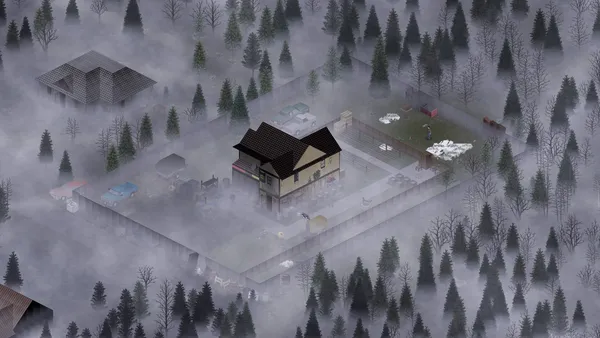
Project Zomboid is the isometric zombie survival game that does not let you win. You build a base, scrounge for cans of beans, try to keep your characters alive, and eventually die in a way you will remember. On a private server with a few friends, that loop gets a lot more interesting, because now you get to argue about where to loot next, whose turn it is to cook, and who left the generator off. Hosting your own Project Zomboid server on LOW.MS gives you a persistent Knox County apocalypse for your group, with full control over sandbox settings, mods from the Steam Workshop, and who is allowed in. We run PZ on dedicated bare-metal nodes with automatic cloud backups, DDoS protection, and 24/7 support. Build 42 is now the stable release, bringing a far larger map, basements, new crafting disciplines and animal husbandry. If your group would rather finish an existing Build 41 world first, we can pin your server to the legacy41 branch instead.
Estamos seguros de que estarás satisfecho con nuestro servicio. Si en raras ocasiones hay un problema con tu servicio, haremos todo lo posible para solucionarlo, o simplemente puedes solicitar la devolución de tu dinero.
Ofrecemos una garantía de devolución de dinero completa de 5 días en todos nuestros alojamientos de servidores de juegos. Sin preguntas.
Una selección de guías y artículos de hosting de , escritos por nuestro equipo de soporte
Connect FileZilla or WinSCP to your LOW.MS server on port 2022 with the SFTP login from your control panel, find your files, and fix the usual connection and upload problems.
A comprehensive guide to configuring your Project Zomboid server, covering servertest.ini network settings, sandbox gameplay options, zombie behaviour, loot tables, and Build 42 features.
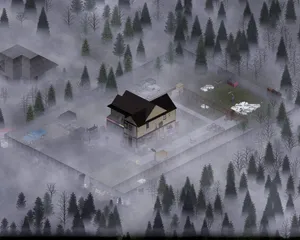
Everything you need to know to get your Project Zomboid dedicated server up and running, from first login to inviting friends and configuring basic settings.
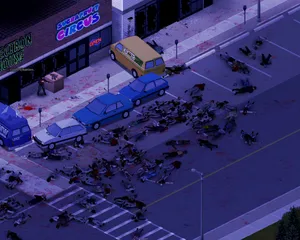
Find your Project Zomboid singleplayer save files and upload them to your dedicated server using File Manager or SFTP.
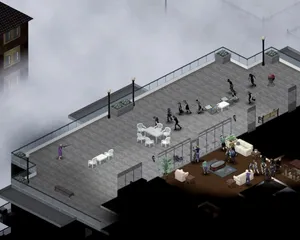
Solutions to the most common Project Zomboid dedicated server issues, including connection problems, crashes, mod conflicts, performance degradation, and Build 42 specific bugs.
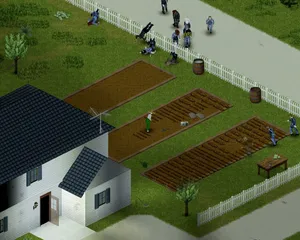
How to use the panel's Steam Workshop browser on a Project Zomboid Build 42 server, why the Mods= line it writes needs correcting by hand, and why a Build 41 mod list downloads perfectly on Build 42 and then kicks every player who tries to join.
Inicia, detén y administra tu servidor de Project Zomboid desde el navegador. Accede a la configuración, los archivos, SFTP y las copias de seguridad desde tu panel de control.
Nexus ya está disponible para los juegos compatibles, con herramientas integradas para administrar tu servidor. Los servidores existentes pueden seguir usando TCAdmin; nuestro equipo te ayudará a encontrar el panel adecuado.
Más informaciónJoin our Discord to chat with our staff and community!
Join Discord