Steam Workshop
PZ modding lives on the Steam Workshop. Search and one-click install from the panel's Steam Workshop page, or hand-edit WorkshopItems= in servertest.ini.
Visitar Steam WorkshopThe ultimate isometric zombie survival sandbox. Build your base, scavenge for supplies, and survive the apocalypse with friends on your own dedicated server.
$9.95/mês
$0.99 por slot (10)
Veja alguns motivos que fazem da LOW.MS o lugar ideal para hospedar seu servidor de jogos.
Comece a jogar no seu servidor Project Zomboid poucos minutos após o pagamento.
Nunca mais perca seu save de Project Zomboid com nosso sistema de backup em nuvem de última geração.
Seu servidor Project Zomboid roda com os processadores Intel ou AMD mais recentes e SSDs NVMe.
Todas as redes dos nossos datacenters têm proteção DDoS de nível empresarial para garantir que a hospedagem do seu servidor Project Zomboid nunca saia do ar.
Atendimento 24 horas por dia com garantia de 99,9% de disponibilidade para que seu servidor Project Zomboid nunca fique offline.
Reembolso integral nos primeiros 5 dias se o seu servidor Project Zomboid não estiver à altura.
PZ modding lives on the Steam Workshop. Search and one-click install from the panel's Steam Workshop page, or hand-edit WorkshopItems= in servertest.ini.
Visitar Steam WorkshopInstale mods com um clique pelo navegador integrado do painel ou envie seus próprios arquivos via SFTP. Acesso total dos dois jeitos.
Seus mundos, configurações e mods de Project Zomboid são copiados para a nuvem automaticamente. Guarde até 20 backups por servidor e bloqueie os que importam para que nunca sejam apagados para abrir espaço.
Na aba Backups do painel de controle da LOW.MS você restaura qualquer backup com um clique, baixa uma cópia para o seu PC ou cria um backup manual antes de uma mudança grande.
Os backups incluem seus mundos e as configurações dos mods. Os bloqueados nunca são apagados para abrir espaço.
| Criado em | Tamanho | Status | Bloqueado | |
|---|---|---|---|---|
| 17/08/2026, 15:19 | 3.6 MB | Concluído | BaixarRestaurarExcluir | |
| 17/08/2026, 15:14 | 3.6 MB | Concluído | BaixarRestaurarExcluir | |
| 14/08/2026, 00:12 | 3.6 MB | Concluído | BaixarRestaurarExcluir | |
| 11/08/2026, 23:33 | 1.3 MB | Concluído | BaixarRestaurarExcluir |
What people say after they have moved a server to us.
Read our reviews on TrustpilotOut of all hosting providers. This is by far the top choice in my list. Simple UI with a mod manager included making it hassle-free when downloading specific mods.
Jose, Trustpilot review
I opened a ticket for help migrating my server from a different host. The game is Palworld and it isn't a simple process, they did it for me! Very helpful and responsive.
Justin, Trustpilot review
Their prices are pretty cheap and I thought they'd cut back on performance but damn was I wrong. The service has been insanely reliable and the Support Team are on their own level!
Anti, Trustpilot review
Suportamos todas as branches públicas de Project Zomboid na Steam de fábrica, incluindo as privadas protegidas por senha. Troque pelo seu painel de controle quando quiser.
Pre-release testing
Baixa latência onde quer que seus jogadores estejam
Escolha o local mais próximo dos seus jogadores de Project Zomboid. Se não souber qual escolher, fale com o suporte.
Todos os locais têm proteção DDoS capaz de absorver ataques de até 100 Gbps.
Se quiser que a gente adicione algum local, avise. O local certo também coloca seu servidor na região certa da lista de servidores do jogo.
Nossos datacentersEuropa
América do Norte
Ásia e Oceania
Encontre respostas para as dúvidas mais comuns sobre hospedagem de servidor Project Zomboid.
Seu servidor fica pronto em poucos minutos
Proteção de nível empresarial inclusa
Ajuda especializada sempre que você precisar
A partir de
Cancele quando quiser. Sem prazo mínimo. Reembolso integral em 5 dias.
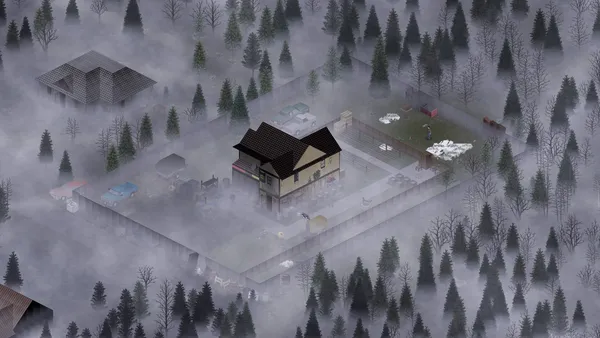
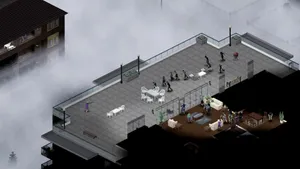
Project Zomboid is the isometric zombie survival game that does not let you win. You build a base, scrounge for cans of beans, try to keep your characters alive, and eventually die in a way you will remember. On a private server with a few friends, that loop gets a lot more interesting, because now you get to argue about where to loot next, whose turn it is to cook, and who left the generator off. Hosting your own Project Zomboid server on LOW.MS gives you a persistent Knox County apocalypse for your group, with full control over sandbox settings, mods from the Steam Workshop, and who is allowed in. We run PZ on dedicated bare-metal nodes with automatic cloud backups, DDoS protection, and 24/7 support. Build 42 is now the stable release, bringing a far larger map, basements, new crafting disciplines and animal husbandry. If your group would rather finish an existing Build 41 world first, we can pin your server to the legacy41 branch instead.
Temos certeza de que você vai gostar do nosso serviço. Se, nas raras vezes em que algo der errado, houver um problema com o seu serviço, faremos o possível para resolver ou você simplesmente pede seu dinheiro de volta.
Temos garantia de reembolso de 5 dias em toda a nossa hospedagem de servidores de jogos. Sem perguntas.
Uma seleção de guias e artigos sobre hospedagem de , escritos à mão pela nossa própria equipe de suporte
Connect FileZilla or WinSCP to your LOW.MS server on port 2022 with the SFTP login from your control panel, find your files, and fix the usual connection and upload problems.
A comprehensive guide to configuring your Project Zomboid server, covering servertest.ini network settings, sandbox gameplay options, zombie behaviour, loot tables, and Build 42 features.
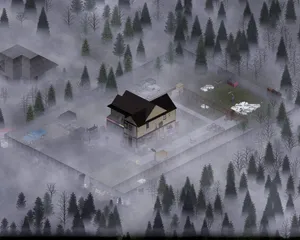
Everything you need to know to get your Project Zomboid dedicated server up and running, from first login to inviting friends and configuring basic settings.

Find your Project Zomboid singleplayer save files and upload them to your dedicated server using File Manager or SFTP.
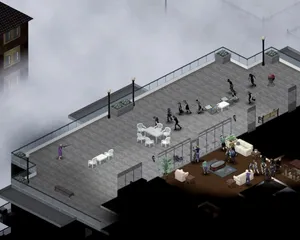
Solutions to the most common Project Zomboid dedicated server issues, including connection problems, crashes, mod conflicts, performance degradation, and Build 42 specific bugs.
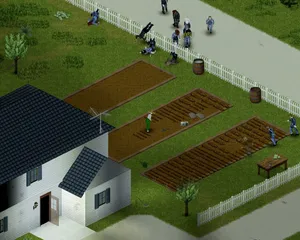
How to use the panel's Steam Workshop browser on a Project Zomboid Build 42 server, why the Mods= line it writes needs correcting by hand, and why a Build 41 mod list downloads perfectly on Build 42 and then kicks every player who tries to join.
Inicie, pare e gerencie seu servidor de Project Zomboid pelo navegador. Acesse configurações, arquivos, SFTP e backups no painel de controle.
O Nexus já está disponível para jogos compatíveis, com ferramentas integradas de gerenciamento de servidores. Servidores existentes ainda podem usar o TCAdmin; nossa equipe pode ajudar você a encontrar o painel certo.
Mais informaçõesJoin our Discord to chat with our staff and community!
Join Discord