$2.37/mies.
$2.37 za GB (1GB)
- Natychmiastowa konfiguracja, online w kilka sekund
- Ochrona DDoS w cenie
Dlaczego LOW.MS?
Oto kilka powodów, dla których LOW.MS to idealne miejsce na Twój serwer gry.
Natychmiastowa konfiguracja
Zacznij grać na swoim serwerze Minecraft w kilka minut po płatności.
System kopii zapasowych w chmurze
Nigdy więcej nie strać zapisu Minecraft dzięki naszemu nowoczesnemu systemowi kopii zapasowych w chmurze.
Wydajny sprzęt
Twój serwer Minecraft dostanie najnowsze procesory Intel lub AMD oraz dyski NVMe SSD.
Ochrona DDoS
Wszystkie nasze sieci w centrach danych mają ochronę DDoS klasy enterprise, dzięki czemu hosting Twojego serwera Minecraft nigdy nie pada.
Wsparcie 24/7
Całodobowa pomoc dla klientów i gwarancja 99,9% dostępności sprawiają, że Twój serwer Minecraft nigdy nie znika z sieci.
Gwarancja jakości
Pełny zwrot pieniędzy w ciągu pierwszych 5 dni, jeśli Twój serwer Minecraft nie spełni oczekiwań.
Vanilla, Paper, Fabric, Forge lub NeoForge
Wybierz oprogramowanie serwera w zakładce Ustawienia i zmieniaj je, kiedy chcesz. Panel instaluje serwer od nowa, zachowuje świat i najpierw robi kopię zapasową.
Pięć typów serwera
Vanilla do czystej gry, Paper do pluginów, a Fabric, Forge lub NeoForge do modów.
Dowolna wersja Minecrafta
Korzystaj z najnowszej wersji albo ustaw tę, której potrzebują twoje mody lub gracze.
Mody pasujące do serwera
Przeglądarka modów ukrywa mody zrobione pod inny loader, więc instalujesz tylko to, co się załaduje.
Typ serwera
Zainstaluj cały modpack jednym kliknięciem
Wybierz paczkę z Modrinth lub CurseForge, a panel ustawi potrzebny typ serwera i wersję Minecrafta, zainstaluje mody i zrestartuje serwer. Najpierw robi kopię zapasową.
Modrinth i CurseForge
Przeglądaj paczki z obu platform w zakładce Modpacki i instaluj każdą wersję, która ma plik serwera.
Zmiana wersji paczki
Przejdź na nowsze lub starsze wydanie swojej paczki z tej samej zakładki.
Także pojedyncze mody i pluginy
Dodawaj mody i pluginy pojedynczo z Modrinth. Usunięcie paczki przywraca zwykły serwer, a świat zostaje.
Zmieniaj server.properties bez otwierania pliku
Poziom trudności, tryb gry, PvP, biała lista, zasięg widzenia i reszta server.properties są w panelu, każde z krótkim opisem. Zmiany działają od następnego restartu.
Pogrupowane i opisane
Ustawienia są podzielone na Ogólne, Dostęp, Świat i Wydajność, więc łatwo znaleźć to, czego szukasz.
Op, biała lista, wyrzucanie i bany
Zarządzaj graczami w zakładce Gracze, a panel wyśle serwerowi odpowiednie polecenie.
Właściwa Java
Java automatycznie dopasowuje się do wersji Minecrafta. Wybierz ją sam, jeśli modpack wymaga starszego wydania.
Poziom trudności
PokojowyŁatwyNormalnyTrudnyTryb gry
PrzetrwanieKreatywnyPrzygodaObserwatorMaks. graczy
20Zasięg widzenia
12Automatyczne kopie zapasowe w chmurze
Twoje światy Minecraft, ustawienia i konfiguracja modów są automatycznie kopiowane do chmury. Trzymaj do 20 kopii na serwer i zablokuj te najważniejsze, żeby nigdy nie zostały usunięte dla zwolnienia miejsca.
W zakładce Kopie zapasowe w panelu LOW.MS przywrócisz dowolną kopię jednym kliknięciem, pobierzesz ją na swój komputer albo zrobisz kopię ręcznie przed większą zmianą.
- Automatyczne kopie według harmonogramu, trzymane poza Twoim serwerem
- Blokuj ważne kopie, żeby nigdy nie zostały nadpisane
- Przywracanie jednym kliknięciem albo pobranie dowolnej kopii na komputer
- W cenie każdego serwera Minecraft, bez dopłat
Kopie obejmują Twoje światy i ustawienia modów. Zablokowane nigdy nie są usuwane dla zwolnienia miejsca.
| Utworzono | Rozmiar | Status | Zablokowana | |
|---|---|---|---|---|
| 17/08/2026, 15:19 | 3.6 MB | Ukończona | PobierzPrzywróćUsuń | |
| 17/08/2026, 15:14 | 3.6 MB | Ukończona | PobierzPrzywróćUsuń | |
| 14/08/2026, 00:12 | 3.6 MB | Ukończona | PobierzPrzywróćUsuń | |
| 11/08/2026, 23:33 | 1.3 MB | Ukończona | PobierzPrzywróćUsuń |
Rated 4.8 out of 5 on Trustpilot
What people say after they have moved a server to us.
Read our reviews on TrustpilotTop choice in my list
Out of all hosting providers. This is by far the top choice in my list. Simple UI with a mod manager included making it hassle-free when downloading specific mods.
Jose, Trustpilot review
Very helpful and responsive
I opened a ticket for help migrating my server from a different host. The game is Palworld and it isn't a simple process, they did it for me! Very helpful and responsive.
Justin, Trustpilot review
Insanely reliable service
Their prices are pretty cheap and I thought they'd cut back on performance but damn was I wrong. The service has been insanely reliable and the Support Team are on their own level!
Anti, Trustpilot review
13 Lokalizacje serwerów
Niskie opóźnienia, gdziekolwiek są Twoi gracze
Wybierz lokalizację najbliżej swoich graczy Minecraft. Jeśli nie wiesz, którą wybrać, skontaktuj się ze wsparciem.
Każda lokalizacja ma ochronę DDoS, która wytrzymuje ataki do 100 Gbps.
Jeśli chcesz, żebyśmy dodali jakąś lokalizację, daj nam znać. Właściwa lokalizacja sprawia też, że serwer pojawia się we właściwym regionie w przeglądarce serwerów w grze.
Nasze centra danychEuropa
- Amsterdam, NL
- Norymberga, DE
- Helsinki, FI
- Warszawa, PL
Ameryka Północna
- Ashburn, VA
- Miami, FL
- Dallas, TX
- San Jose, CA
- Los Angeles, CA
- Bend, OR
Azja i Oceania
- Singapur, SG
- Sydney, AU
- Melbourne, AU
Najczęściej zadawane pytania
Znajdź odpowiedzi na częste pytania o hosting serwera Minecraft.
Gotowy na własny serwer Minecraft?
Natychmiastowa konfiguracja
Twój serwer będzie gotowy w kilka minut
Ochrona DDoS
Ochrona klasy enterprise w cenie
Wsparcie 24/7
Pomoc ekspertów, kiedy tylko jej potrzebujesz
Już od
Anuluj kiedy chcesz. Bez okresu minimalnego. Pełny zwrot w ciągu 5 dni.
Czym jest Minecraft
Minecraft is the game that kicked off the whole server hosting industry, and it's still the one we get more orders for than anything else. Whether you're running a small vanilla survival world for a few friends or a heavily modded community server with dozens of plugins, the hosting requirements vary a lot, which is why we offer plans from 2 GB all the way up to 24 GB of RAM. We support every major server type: Paper (our recommendation for most people), Vanilla, Fabric, Forge and NeoForge, and you can switch between them from the panel at any time. Paper gives you the best performance out of the box and runs the full Bukkit/Spigot plugin ecosystem. If you're into modpacks, Forge handles the legacy packs while NeoForge is where most new modpack development has moved, and you can install packs from Modrinth or CurseForge straight from the panel. Every Minecraft server comes with DDoS protection, automatic cloud backups you can restore with one click, full file access through our control panel at panel.low.ms, and 24/7 support if you get stuck. We also offer a Latest CPU upgrade if you want guaranteed Ryzen 7950X or 9950X hardware, which makes a real difference for chunk generation and TPS on busy servers.


Gwarancja zwrotu pieniędzy
Jesteśmy przekonani, że będziesz zadowolony z naszej usługi. Jeśli w rzadkim przypadku pojawi się problem, zrobimy wszystko, żeby go rozwiązać, albo po prostu poprosisz o zwrot pieniędzy.
Na cały hosting serwerów gier dajemy pełną, 5-dniową gwarancję zwrotu pieniędzy. Bez zbędnych pytań.
Artykuły z bazy wiedzy
Wybór poradników i artykułów o hostingu , napisanych ręcznie przez nasz zespół wsparcia
Connecting to Your Server with SFTP (Port 2022)
Connect FileZilla or WinSCP to your LOW.MS server on port 2022 with the SFTP login from your control panel, find your files, and fix the usual connection and upload problems.

Minecraft Server Troubleshooting Guide
Solutions to the most common Minecraft server issues, including TPS lag, chunk loading problems, mod conflicts, Java errors, and connection troubleshooting.

Minecraft Server Configuration Guide
A comprehensive guide to configuring your Minecraft server, including server.properties settings, JVM flags, and performance optimisation techniques.

Minecraft Save Location & How to Upload Your World
Find your Minecraft singleplayer world save and upload it to your dedicated server using File Manager or SFTP.

Getting Started with Your Minecraft Server
Everything you need to know to set up and start playing on your new Minecraft server, including choosing a server type, connecting, and inviting friends.
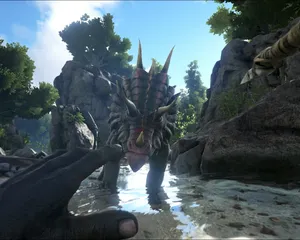
Fixing "Cannot Connect to Server. App ID Specified by Server Is Invalid" on Steam
Seeing "Cannot connect to server. App ID specified by the server is invalid" when joining your ARK, Palworld or other Steam game server? It's a Steam client bug, not your server. Here's how to get connected.
Nowoczesny panel sterowania
Uruchamiaj, zatrzymuj i zarządzaj serwerem Minecraft w przeglądarce. Ustawienia serwera, pliki, SFTP i kopie zapasowe znajdziesz w panelu sterowania.
Nexus jest już dostępny dla obsługiwanych gier i oferuje wbudowane narzędzia do zarządzania serwerem. Istniejące serwery mogą nadal korzystać z TCAdmin. Nasz zespół pomoże Ci znaleźć odpowiedni panel.
Więcej informacji