Rama
public
- Estado
- Estable · Predeterminada
A brutal Norse-inspired survival adventure for 1 to 10 players in a procedurally generated world. Craft weapons, build longhouses, explore wild biomes, and slay mighty foes as you prove yourself worthy in a harsh mythic realm.
A continuación, se presentan algunas razones por las cuales LOW.MS es el lugar ideal para alojar su servidor de juegos.
Steam, Xbox and Game Pass players share one world. Pick the crossplay command line in the panel and people join with a six-digit code instead of an IP address.
Valheim leaves early access on 9 September. Steam Update in the panel pulls the new build the moment Iron Gate ships it, so you are not sat waiting on us to get round to it.
Mod Manager puts popular BepInEx mods on your server without any manual setup. For anything outside the catalogue, open a ticket and we will install it for you.
Upload your existing .db and .fwl pair through File Manager, point the server at it, and carry on where you left off. Nobody has to start again.
Cloud Backup writes a copy off the server whenever you ask it to, and Scheduled Tasks turns that into a nightly job. Worth setting up on day one rather than the day you need it.
Tickets reach people who actually run Valheim servers, at any hour. You will not spend your evening explaining what BepInEx is.
Tus mundos, ajustes y configuración de mods de Valheim se respaldan en la nube automáticamente. Conserva hasta 20 copias de seguridad por servidor y bloquea las que importan para que nunca se borren para hacer espacio.
Desde la pestaña Copias del panel de control de LOW.MS puedes restaurar cualquier copia de seguridad con un clic, descargarla a tu PC o crear una copia manual antes de un cambio importante.
Las copias incluyen tus mundos y ajustes de mods. Las bloqueadas nunca se eliminan para hacer espacio.
| Creada | Tamaño | Estado | Bloqueada | |
|---|---|---|---|---|
| 17/08/2026, 15:19 | 3.6 MB | Completada | DescargarRestaurarEliminar | |
| 17/08/2026, 15:14 | 3.6 MB | Completada | DescargarRestaurarEliminar | |
| 14/08/2026, 00:12 | 3.6 MB | Completada | DescargarRestaurarEliminar | |
| 11/08/2026, 23:33 | 1.3 MB | Completada | DescargarRestaurarEliminar |
Out of all hosting providers. This is by far the top choice in my list. Simple UI with a mod manager included making it hassle-free when downloading specific mods.
— Jose
I opened a ticket for help migrating my server from a different host. The game is Palworld and it isn't a simple process, they did it for me! Very helpful and responsive.
— Justin
Their prices are pretty cheap and I thought they'd cut back on performance but damn was I wrong. The service has been insanely reliable and the Support Team are on their own level!
— Anti
Soportamos de forma nativa todas las ramas públicas de Steam de Valheim, incluidas las privadas protegidas con contraseña. Cambia desde tu panel de control en cualquier momento.
Previous stable

Estados Unidos
Bend, OR
Los Ángeles, CA
Phoenix, AZ
Dallas, TX
Miami, FL
Ashburn, VA
Europa
Londres, Reino Unido
Nuremberg, Alemania
Helsinki, Finlandia
Varsovia, Polonia
Asia y Oceanía
Singapur, SG
Sídney, Australia
Melbourne, Australia
¡Te tenemos cubierto!
Tenemos una amplia variedad de ubicaciones disponibles para su servidor Valheim. Si necesita ayuda para elegir una ubicación, comuníquese con el soporte.
Todas las ubicaciones cuentan con protección DDoS que puede soportar ataques de hasta 100 Gbps. Manteniendo su servidor de juegos seguro, sin importar dónde esté en el mundo.
¿Hay alguna ubicación que le gustaría ver? ¡Háganoslo saber!
Encuentra respuestas a preguntas frecuentes sobre alojamiento de servidores Valheim.
Valheim officially supports up to 10 players on a dedicated server. LOW.MS offers plans from 8 to 64 slots, with the larger slot counts intended for communities running mods that lift Valheim's vanilla 10-player cap. The vanilla game is best experienced with 2-10 players.
Yes. From the 1.0 launch on September 9, 2026 it covers every platform: PC, Mac, Linux, Xbox One and Xbox Series X|S, plus PlayStation 5 and Nintendo Switch 2. Crossplay has to be enabled at both ends, on the server and by the joining player. On our servers crossplay isn't a toggle in Service Settings. It's set by which predefined line your server starts with in Commandline Manager, so you pick the crossplay line there. Once it's running, console and Game Pass players join with a six-digit join code rather than an IP and port. You can read that code from the pause menu in game, or from the server log. One myth worth correcting, because we used to repeat it here ourselves: enabling crossplay does not stop BepInEx mods loading. The flag only moves the server onto a different matchmaking backend and leaves the mod loader alone. The real limit is that console players can't install client-side mods at all, so anything client-side shuts them out whatever the server is running. Server-side mods are fine either way. There's a full walkthrough in our crossplay and join codes guide.
Absolutely. Valheim has a thriving mod scene built on BepInEx and Thunderstore, with thousands of mods available, from quality-of-life tweaks and building tools to performance optimisers and full gameplay overhauls. The easiest route is our panel's built-in Mod Manager, which installs popular BepInEx mods with one click and no manual setup. For anything outside the curated catalogue, open a support ticket and we'll get it installed for you, since for security the panel blocks customers from uploading .dll files directly. Worth correcting something this answer used to say: mods and crossplay are not mutually exclusive. Turning crossplay on doesn't stop BepInEx loading, and server-side mods keep working normally. What does bite is the console side, because Xbox, PlayStation and Switch players can't install client-side mods at all. So if you want console friends in the world, stay vanilla or stick to server-side-only mods. Our mod installation guide walks through the whole process.
You can connect three ways: via the Steam server browser (add your IP and port to favourites), via the in-game Join Game menu (search by name or click Add Server), or, if you have crossplay enabled, using a six-digit join code for cross-platform play. Your server IP and port are displayed in the LOW.MS control panel. The join code works differently, because it comes from the crossplay backend rather than from us. Read it from the pause menu once you're in the world, or from the server log. It's tied to the session, so it can change when the server restarts. Worth checking it again after an update.
Yes. Copy your world's .db and .fwl files from your local saves folder ("worlds_local" inside %appdata%\..\LocalLow\IronGate\Valheim) and upload them via the LOW.MS file manager. Set the world name in your server settings to match the uploaded world, restart the server, and your existing world will load with all your progress intact. If you play through Game Pass rather than Steam, your world sits in cloud storage first. From the Valheim main menu choose Manage Saves, then Move to Local, and it drops into worlds_local as the usual pair of files. Worlds created on an Xbox console can't be exported at all. For what does and doesn't carry across, including the fact that characters stay on each player's own machine, see How to Move a Valheim World to a Dedicated Server.
There are two separate systems here, and it's worth knowing which is which, because they protect you from different things. Valheim runs its own backups with no setup from you. The world auto-saves every 30 minutes by default, and the server keeps a rolling chain of four backups, one recent plus three older ones. That happens on every Valheim server we run, and it covers you for a crash or an unclean shutdown. Cloud Backup in the panel is the second layer, and it's the one that saves you from what Valheim's own chain won't: a bad mod update, a world you've overwritten, a rollback you only noticed three days later. It's a button rather than a background job, so add it to Scheduled Tasks and you get a copy written off the server on whatever schedule you pick. Restoring is Cloud Restore, in the same panel. I'd set that schedule up on day one rather than the day you need it. Most people don't, and then 1.0 update day arrives.
A vanilla Valheim server runs comfortably on 4-6 GB of RAM, but modded servers and worlds with large builds benefit from more. All LOW.MS Valheim plans include 10 GB of RAM as standard, significantly more than most competitors who include only 2-4 GB at their base tier. If you need more, you can upgrade to 15, 20, 25 or 30 GB at checkout or later from the panel.
Add your Platform User ID to the adminlist.txt file and restart the server. Iron Gate's format is [Platform]_[User ID] and it's case sensitive, so a Steam player looks like Steam_76561197960287930 and an Xbox or Game Pass player like Xbox_2535416401464117. You can read a player's ID from the F2 panel in game, or from the server log when they connect. Edit that file through Configuration Files in the panel rather than File Manager. The panel keeps its own copy of the admin list and regenerates the file from it, so a hand edit made in File Manager can get overwritten later. Once that's done, the vanilla admin commands that actually work on a dedicated server are kick, ban, unban, banned and save, plus help, ping and info. Two commands you'll see listed elsewhere are worth knowing about: noportals is real but doesn't work remotely on a dedicated server, and lodbias only changes rendering on your own client, so neither does what most guides claim. Valheim's full devcommands set (god mode, fly, spawn and so on) is restricted to single-player by Iron Gate and doesn't work on a vanilla dedicated server either. If you want that on a dedicated server, install the Server devcommands mod by Jere Kuusela from Thunderstore.
Su Valheim se configura instantáneamente después del pago, lo que le permite comenzar a alojar sin demoras.
¡Sí! Nuestro panel de control fácil de usar le brinda control total sobre los modos de juego, mapas y configuraciones del servidor en su servidor Valheim.
Brindamos soporte las 24 horas del día, los 7 días de la semana para su servidor Valheim a través de chat en vivo y correo electrónico para ayudarlo con cualquier pregunta o problema técnico.
Absolutamente. Si no está satisfecho con su servidor Valheim. Proporcionamos un reembolso completo dentro de los primeros 5 días.
¡Nuestros servidores Valheim utilizan hardware Intel o AMD de primer nivel para garantizar que su servidor funcione sin problemas!
Tu servidor estará listo en minutos
Protección empresarial incluida
Ayuda experta cuando la necesites
Desde
Cancela en cualquier momento. Sin plazo mínimo. Reembolso completo en 5 días.
Valheim is a viking survival game which can be played solo, or with a group. Players work together to gather resources, build structures, and defeat enemies and bosses. The game also has a strong focus on exploration and discovery (including by boat), which makes it more enjoyable to play with others as you can share in the excitement of discovering new areas and secrets together. Many of the LOW.MS team are big fans of the game, and often re-visit the game when major updates (such as Mistlands) are released. We have been providing Valheim hosting since day one. Cloud Backup writes a copy of your world off the server on whatever schedule you set it, so a bad update or a corrupted save is an inconvenience rather than the end of a run you have put months into.



Estamos seguros de que estarás satisfecho con nuestro servicio. Si en raras ocasiones hay un problema con tu servicio, haremos todo lo posible para solucionarlo, o simplemente puedes solicitar la devolución de tu dinero.
Ofrecemos una garantía de devolución de dinero completa de 5 días en todos nuestros alojamientos de servidores de juegos. Sin preguntas.
Una selección de guías y artículos de hosting de , escritos por nuestro equipo de soporte

Valheim 1.0 arrives on 9 September 2026. Here's the order to do things in: back up before you touch anything, update through Steam Update, what crossplay actually changes for a dedicated server, and the five things to check when players can't connect afterwards.

A comprehensive guide to configuring your Valheim dedicated server, including world modifiers, admin commands, server launch parameters, and permission management.
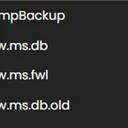
Find your Valheim world save files and upload them to your dedicated server using File Manager or SFTP.

A version bump the size of 1.0 breaks essentially every BepInEx mod until authors catch up. How to tell a broken mod from a broken server, get back online first, and reintroduce mods without guessing.

Step-by-step guide to installing BepInEx and mods on your Valheim dedicated server, including Thunderstore usage, client-side setup, and troubleshooting mod issues.

A complete guide to setting up and connecting to your Valheim dedicated server on LOW.MS, including first-time configuration, connecting with friends, and enabling crossplay.
Nuestro nuevo panel de control estará disponible próximamente para el alojamiento de servidores Valheim. Ofrece todo lo que tiene nuestro panel de control actual, pero con una interfaz nueva, intuitiva y elegante.
Nuestro equipo de desarrollo interno ha estado trabajando en esto desde 2021, y revolucionará la industria. Haz clic en el botón de abajo para obtener más información al respecto. Hasta que se lance el nuevo panel de control, seguirás teniendo acceso a nuestro completo panel de control TCAdmin.