Branch
public
- Status
- Stabil · Standard
A survival open-world crafting sandbox where you are a resistance fighter sent back in time to stop the rise of a tyrannical empire. Collect resources, craft tech, build shelters, and fight monsters as you push your mission forward.
$11.31/Monat
$1.13 pro Slot (10)
Hier sind ein paar Gründe, warum LOW.MS der ideale Ort ist, um Ihren Spielserver zu hosten.
Beginnen Sie innerhalb weniger Minuten nach der Zahlung mit dem Spielen auf Ihrem The Front-Server.
Verlieren Sie Ihre The Front-Speicherung nie wieder mit unserem hochmodernen Cloud-Backup-System.
Ihr The Front-Server wird mit den neuesten Intel- oder AMD-Prozessoren und NVMe-SSDs ausgestattet.
Alle unsere Rechenzentrumsnetzwerke verfügen über einen DDOS-Schutz auf Unternehmensebene, um sicherzustellen, dass Ihr The Front-Server-Hosting nie ausfällt.
Kundenunterstützung rund um die Uhr mit einer Verfügbarkeitsgarantie von 99,9 %, um sicherzustellen, dass Ihr The Front-Server niemals offline geht.
Volle Rückerstattung innerhalb der ersten 5 Tage, wenn Ihr The Front-Server nicht auf dem neuesten Stand ist.
Ihre The Front Welten, Einstellungen und Mod-Konfiguration werden automatisch in der Cloud gesichert. Behalten Sie bis zu 20 Backups pro Server und sperren Sie die wichtigen, damit sie nie gelöscht werden, um Platz zu schaffen.
Über den Tab Backups im LOW.MS Control Panel stellen Sie jedes Backup mit einem Klick wieder her, laden eine Kopie auf Ihren PC herunter oder erstellen vor einer großen Änderung ein manuelles Backup.
Backups enthalten Ihre Welten und Mod-Einstellungen. Gesperrte Backups werden nie gelöscht, um Platz zu schaffen.
| Erstellt | Größe | Status | Gesperrt | |
|---|---|---|---|---|
| 17/08/2026, 15:19 | 3.6 MB | Abgeschlossen | HerunterladenWiederherstellenLöschen | |
| 17/08/2026, 15:14 | 3.6 MB | Abgeschlossen | HerunterladenWiederherstellenLöschen | |
| 14/08/2026, 00:12 | 3.6 MB | Abgeschlossen | HerunterladenWiederherstellenLöschen | |
| 11/08/2026, 23:33 | 1.3 MB | Abgeschlossen | HerunterladenWiederherstellenLöschen |
What people say after they have moved a server to us.
Read our reviews on TrustpilotOut of all hosting providers. This is by far the top choice in my list. Simple UI with a mod manager included making it hassle-free when downloading specific mods.
Jose, Trustpilot review
I opened a ticket for help migrating my server from a different host. The game is Palworld and it isn't a simple process, they did it for me! Very helpful and responsive.
Justin, Trustpilot review
Their prices are pretty cheap and I thought they'd cut back on performance but damn was I wrong. The service has been insanely reliable and the Support Team are on their own level!
Anti, Trustpilot review
Wir unterstützen jeden öffentlichen The Front-Steam-Branch standardmäßig, einschließlich der privaten passwortgeschützten Branches. Wechseln Sie jederzeit über Ihr Control Panel.
Alphatest
Niedrige Latenz, wo auch immer deine Spieler sind
Wähle den Standort, der deinen The Front-Spielern am nächsten ist. Wenn du unsicher bist, welcher passt, wende dich an den Support.
Jeder Standort hat einen DDoS-Schutz, der Angriffe bis 100 Gbps abfängt.
Wenn du dir einen weiteren Standort wünschst, sag uns Bescheid. Der richtige Standort sorgt auch dafür, dass dein Server im Serverbrowser unter der richtigen Region erscheint.
Unsere RechenzentrenEuropa
Nordamerika
Asien & Ozeanien
Finden Sie Antworten auf häufige Fragen zum The Front-Server-Hosting.
Ihr Server ist innerhalb weniger Minuten bereit
Enterprise-Level-Schutz inklusive
Experten-Hilfe, wann immer Sie sie brauchen
Ab
Jederzeit kündbar. Keine Mindestlaufzeit. Volle Rückerstattung innerhalb von 5 Tagen.
The Front is the kind of survival game that sounds straightforward on the box. Drop into a hostile timeline, gather resources, craft tech, build a base, push back against an empire. In practice you spend most of your time arguing with friends about whether the watchtower needs another floor and watching somebody's home-made vehicle disassemble itself on the first hill. The world is shared, persistent, and a lot more interesting once you stop hosting it from your own machine. That's why most groups end up wanting a dedicated server. The official server binary works, but Samar Studio's SteamCMD distribution ships without a few pieces from the game client, and the missing files surface as NPCs that animate but never move. We've documented the fix in our [self-host walkthrough](https://low.ms/knowledgebase/how-to-host-the-front-dedicated-server), but if you'd rather not chase DLLs across two Steam installs at midnight, our LOW.MS plans for The Front have the file fix baked in, MariaDB wired up, and the four UDP ports the game wants open at provision time. You pick a region at checkout, the server spins up in minutes, and the [LOW.MS Control Panel](https://control.low.ms) does the rest. Where we put our weight is in the things that go wrong at 2am. Cloud Backup captures the install plus the MariaDB world state in a single snapshot, so a backup is actually a rollback point rather than half of one. DDoS protection sits in front of every server. Support is 24/7 because the game patches are 24/7 and we've learned the hard way that "small Asia-region patch on a Sunday" can wipe a public server's player list before anyone European wakes up. If you want the technical detail on what we run, the [hosting guide](https://low.ms/knowledgebase/how-to-host-the-front-dedicated-server) covers it; if you just want to pick a plan and play this weekend, the order form below is shorter than reading this paragraph.
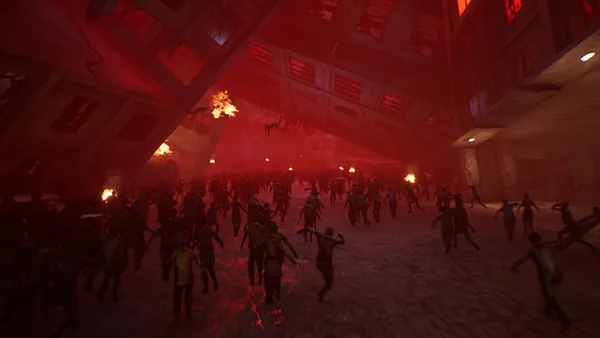

Wir sind zuversichtlich, dass Sie mit unserem Service zufrieden sein werden. Wenn es in seltenen Fällen ein Problem mit Ihrem Service gibt, werden wir unser Möglichstes tun, um die Dinge für Sie zum Laufen zu bringen, oder Sie können einfach Ihr Geld zurückverlangen.
Wir haben eine volle 5-tägige Geld-zurück-Garantie auf all unser Game-Server-Hosting. Keine Fragen.
Eine Auswahl an -Hosting-Anleitungen und Artikeln, handgeschrieben von unserem Support-Team
Connect FileZilla or WinSCP to your LOW.MS server on port 2022 with the SFTP login from your control panel, find your files, and fix the usual connection and upload problems.
A grouped reference for every key in The Front's ServerConfig_.ini, with the defaults that ship, what they actually do, and the handful that are worth touching versus the ones that are safer left alone.
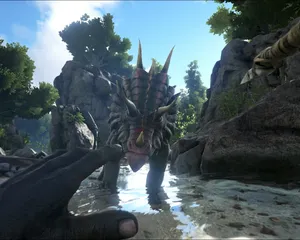
Seeing "Cannot connect to server. App ID specified by the server is invalid" when joining your ARK, Palworld or other Steam game server? It's a Steam client bug, not your server. Here's how to get connected.
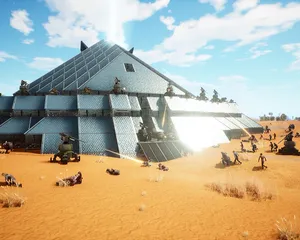
Setting up a dedicated server for The Front, the easy way and the SteamCMD way. Covers the four UDP ports, the missing-launcher-files trap that makes NPCs stand still, ServerConfig_.ini, admin and PvP setup, and what changes when you put it on LOW.MS.
A quick guide on getting your server upgraded
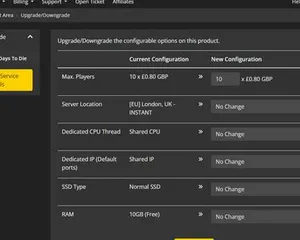
A quick guide on upgrading your LOW.MS server.
Machbar, aber die Lücke zwischen 'er bootet' und 'deine Crew kann sich wirklich einloggen' ist der Punkt, an dem die meisten Heim-Setups scheitern. So sieht es aus, wenn du The Front selbst hostest, und was wir übernehmen, wenn du es lieber überspringst.
Ein paar Stunden Einrichtung, danach laufende Pflege.
Get SteamCMD onto a Windows box and run the command below. The Front's game and dedicated server share App ID 2285150, anonymous login is fine, and no Linux build exists.
$ steamcmd +login anonymous +app_update 2285150 validate +quitFour UDP ports inbound: 7900 game, 7901 beacon (the easy one to miss), 7902 Steam query, 7903 manager shutdown. All four need firewall plus router port-forwarding.
SteamCMD ships incomplete. Copy WindowsServer\ and TheFrontManager\ from a client install into your server folder (this is what fixes the NPCs-not-moving bug), and drop the Steam DLLs into ProjectWar\Binaries\Win64\ so the server browser sees you. Then run TheFrontManager.exe to generate ServerConfig_.ini and edit name, password, cap, mode, admins.
Launch via the manager's Start button so the ?DedicatedServer token is set (the ?OfficialServer alternative silently breaks NPCs). Hand out IP:7900 and test the join from a second machine before telling anyone the server is live.
The box can't sleep, can't auto-reboot, can't lose power unnoticed. Back up both the bundled MariaDB AND the world files: either alone is useless. Re-run SteamCMD when Samar patches, then update every client to match before reconnects.
You're the support team. NPC bugs, version mismatches, ACE flags, midnight crashes, all yours. If that's not the hobby you signed up for, our LOW.MS plans for The Front ship with the file fix baked in, Cloud Backup that captures MariaDB plus world state in one snapshot, and 24/7 support.
Bezahl oben auf der Seite und wir kümmern uns um alle sechs Schritte.
Preise sichtbar von Anfang an. Keine Anmeldemauer.
Wenn du es lieber zuerst selbst probieren willst, unsere The Front-Guides oben erklären das SteamCMD-Setup. Wir sind da, wenn du später migrieren möchtest.
Starte, stoppe und verwalte deinen The Front-Server im Browser. Im Control-Panel findest du Servereinstellungen, Dateien, SFTP und Backups.
Nexus ist jetzt für unterstützte Spiele verfügbar und bietet integrierte Werkzeuge zur Serververwaltung. Bestehende Server nutzen möglicherweise noch TCAdmin. Unser Support hilft dir, das richtige Panel für deinen Server zu finden.
Mehr InfosJoin our Discord to chat with our staff and community!
Join Discord