Steam Workshop
PZ-Modding lebt im Steam Workshop. Mods im Panel unter Steam Workshop suchen und mit einem Klick installieren, oder WorkshopItems= in der servertest.ini von Hand pflegen.
Steam Workshop besuchenThe ultimate isometric zombie survival sandbox. Build your base, scavenge for supplies, and survive the apocalypse with friends on your own dedicated server.
$9.95/Monat
$0.99 pro Slot (10)
Hier sind ein paar Gründe, warum LOW.MS der ideale Ort ist, um Ihren Spielserver zu hosten.
Beginnen Sie innerhalb weniger Minuten nach der Zahlung mit dem Spielen auf Ihrem Project Zomboid-Server.
Verlieren Sie Ihre Project Zomboid-Speicherung nie wieder mit unserem hochmodernen Cloud-Backup-System.
Ihr Project Zomboid-Server wird mit den neuesten Intel- oder AMD-Prozessoren und NVMe-SSDs ausgestattet.
Alle unsere Rechenzentrumsnetzwerke verfügen über einen DDOS-Schutz auf Unternehmensebene, um sicherzustellen, dass Ihr Project Zomboid-Server-Hosting nie ausfällt.
Kundenunterstützung rund um die Uhr mit einer Verfügbarkeitsgarantie von 99,9 %, um sicherzustellen, dass Ihr Project Zomboid-Server niemals offline geht.
Volle Rückerstattung innerhalb der ersten 5 Tage, wenn Ihr Project Zomboid-Server nicht auf dem neuesten Stand ist.
PZ-Modding lebt im Steam Workshop. Mods im Panel unter Steam Workshop suchen und mit einem Klick installieren, oder WorkshopItems= in der servertest.ini von Hand pflegen.
Steam Workshop besuchenMods mit einem Klick aus dem integrierten Browser deines Panels installieren oder eigene Dateien per SFTP hochladen. Volle Kontrolle in beiden Fällen.
Ihre Project Zomboid Welten, Einstellungen und Mod-Konfiguration werden automatisch in der Cloud gesichert. Behalten Sie bis zu 20 Backups pro Server und sperren Sie die wichtigen, damit sie nie gelöscht werden, um Platz zu schaffen.
Über den Tab Backups im LOW.MS Control Panel stellen Sie jedes Backup mit einem Klick wieder her, laden eine Kopie auf Ihren PC herunter oder erstellen vor einer großen Änderung ein manuelles Backup.
Backups enthalten Ihre Welten und Mod-Einstellungen. Gesperrte Backups werden nie gelöscht, um Platz zu schaffen.
| Erstellt | Größe | Status | Gesperrt | |
|---|---|---|---|---|
| 17/08/2026, 15:19 | 3.6 MB | Abgeschlossen | HerunterladenWiederherstellenLöschen | |
| 17/08/2026, 15:14 | 3.6 MB | Abgeschlossen | HerunterladenWiederherstellenLöschen | |
| 14/08/2026, 00:12 | 3.6 MB | Abgeschlossen | HerunterladenWiederherstellenLöschen | |
| 11/08/2026, 23:33 | 1.3 MB | Abgeschlossen | HerunterladenWiederherstellenLöschen |
What people say after they have moved a server to us.
Read our reviews on TrustpilotOut of all hosting providers. This is by far the top choice in my list. Simple UI with a mod manager included making it hassle-free when downloading specific mods.
Jose, Trustpilot review
I opened a ticket for help migrating my server from a different host. The game is Palworld and it isn't a simple process, they did it for me! Very helpful and responsive.
Justin, Trustpilot review
Their prices are pretty cheap and I thought they'd cut back on performance but damn was I wrong. The service has been insanely reliable and the Support Team are on their own level!
Anti, Trustpilot review
Wir unterstützen jeden öffentlichen Project Zomboid-Steam-Branch standardmäßig, einschließlich der privaten passwortgeschützten Branches. Wechseln Sie jederzeit über Ihr Control Panel.
Build 41.78.21
Niedrige Latenz, wo auch immer deine Spieler sind
Wähle den Standort, der deinen Project Zomboid-Spielern am nächsten ist. Wenn du unsicher bist, welcher passt, wende dich an den Support.
Jeder Standort hat einen DDoS-Schutz, der Angriffe bis 100 Gbps abfängt.
Wenn du dir einen weiteren Standort wünschst, sag uns Bescheid. Der richtige Standort sorgt auch dafür, dass dein Server im Serverbrowser unter der richtigen Region erscheint.
Unsere RechenzentrenEuropa
Nordamerika
Asien & Ozeanien
Finden Sie Antworten auf häufige Fragen zum Project Zomboid-Server-Hosting.
Ihr Server ist innerhalb weniger Minuten bereit
Enterprise-Level-Schutz inklusive
Experten-Hilfe, wann immer Sie sie brauchen
Ab
Jederzeit kündbar. Keine Mindestlaufzeit. Volle Rückerstattung innerhalb von 5 Tagen.
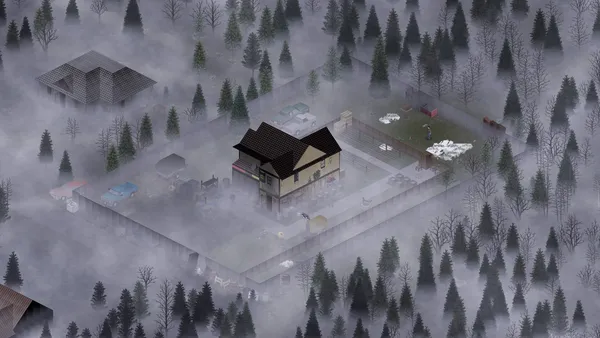
Project Zomboid is the isometric zombie survival game that does not let you win. You build a base, scrounge for cans of beans, try to keep your characters alive, and eventually die in a way you will remember. On a private server with a few friends, that loop gets a lot more interesting, because now you get to argue about where to loot next, whose turn it is to cook, and who left the generator off. Hosting your own Project Zomboid server on LOW.MS gives you a persistent Knox County apocalypse for your group, with full control over sandbox settings, mods from the Steam Workshop, and who is allowed in. We run PZ on dedicated bare-metal nodes with automatic cloud backups, DDoS protection, and 24/7 support. Build 42 is now the stable release, bringing a far larger map, basements, new crafting disciplines and animal husbandry. If your group would rather finish an existing Build 41 world first, we can pin your server to the legacy41 branch instead.
Wir sind zuversichtlich, dass Sie mit unserem Service zufrieden sein werden. Wenn es in seltenen Fällen ein Problem mit Ihrem Service gibt, werden wir unser Möglichstes tun, um die Dinge für Sie zum Laufen zu bringen, oder Sie können einfach Ihr Geld zurückverlangen.
Wir haben eine volle 5-tägige Geld-zurück-Garantie auf all unser Game-Server-Hosting. Keine Fragen.
Eine Auswahl an -Hosting-Anleitungen und Artikeln, handgeschrieben von unserem Support-Team
Connect FileZilla or WinSCP to your LOW.MS server on port 2022 with the SFTP login from your control panel, find your files, and fix the usual connection and upload problems.
A comprehensive guide to configuring your Project Zomboid server, covering servertest.ini network settings, sandbox gameplay options, zombie behaviour, loot tables, and Build 42 features.
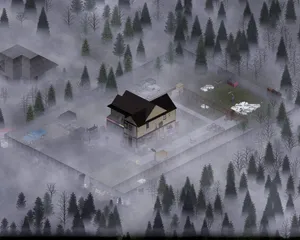
Everything you need to know to get your Project Zomboid dedicated server up and running, from first login to inviting friends and configuring basic settings.
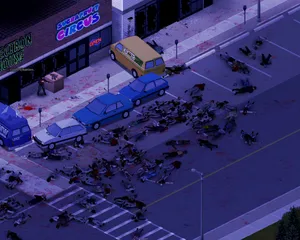
Find your Project Zomboid singleplayer save files and upload them to your dedicated server using File Manager or SFTP.
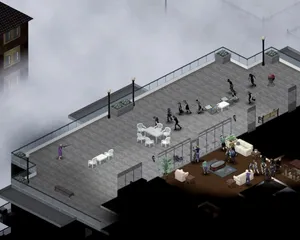
Solutions to the most common Project Zomboid dedicated server issues, including connection problems, crashes, mod conflicts, performance degradation, and Build 42 specific bugs.
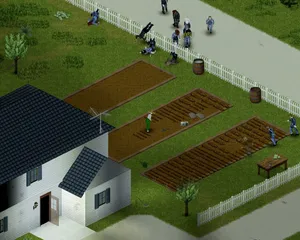
How to use the panel's Steam Workshop browser on a Project Zomboid Build 42 server, why the Mods= line it writes needs correcting by hand, and why a Build 41 mod list downloads perfectly on Build 42 and then kicks every player who tries to join.
Starte, stoppe und verwalte deinen Project Zomboid-Server im Browser. Im Control-Panel findest du Servereinstellungen, Dateien, SFTP und Backups.
Nexus ist jetzt für unterstützte Spiele verfügbar und bietet integrierte Werkzeuge zur Serververwaltung. Bestehende Server nutzen möglicherweise noch TCAdmin. Unser Support hilft dir, das richtige Panel für deinen Server zu finden.
Mehr InfosJoin our Discord to chat with our staff and community!
Join Discord