Rama
public
- Estado
- Estable · Predeterminada
A massive military sandbox built for authentic, combined-arms combat at any scale. Run co-op operations or PvP scenarios with deep modding and mission creation to shape war your way.
A continuación, se presentan algunas razones por las cuales LOW.MS es el lugar ideal para alojar su servidor de juegos.
Comience a jugar en su servidor ArmA 3 minutos después del pago.
No vuelva a perder su ArmA 3 guardado con nuestro sistema de copia de seguridad en la nube de última generación.
Su servidor ArmA 3 estará equipado con los últimos procesadores Intel o AMD y SSD NVMe.
Todas nuestras redes de centros de datos tienen protección DDOS de nivel empresarial para garantizar que el alojamiento de su servidor ArmA 3 nunca deje de funcionar.
Asistencia al cliente las 24 horas con una garantía de tiempo de actividad del 99,9 % para garantizar que su servidor ArmA 3 nunca se desconecte.
Reembolso completo dentro de los primeros 5 días si su servidor ArmA 3 no está a la altura.
Tus mundos, ajustes y configuración de mods de ArmA 3 se respaldan en la nube automáticamente. Conserva hasta 20 copias de seguridad por servidor y bloquea las que importan para que nunca se borren para hacer espacio.
Desde la pestaña Copias del panel de control de LOW.MS puedes restaurar cualquier copia de seguridad con un clic, descargarla a tu PC o crear una copia manual antes de un cambio importante.
Las copias incluyen tus mundos y ajustes de mods. Las bloqueadas nunca se eliminan para hacer espacio.
| Creada | Tamaño | Estado | Bloqueada | |
|---|---|---|---|---|
| 17/08/2026, 15:19 | 3.6 MB | Completada | DescargarRestaurarEliminar | |
| 17/08/2026, 15:14 | 3.6 MB | Completada | DescargarRestaurarEliminar | |
| 14/08/2026, 00:12 | 3.6 MB | Completada | DescargarRestaurarEliminar | |
| 11/08/2026, 23:33 | 1.3 MB | Completada | DescargarRestaurarEliminar |
Out of all hosting providers. This is by far the top choice in my list. Simple UI with a mod manager included making it hassle-free when downloading specific mods.
— Jose
I opened a ticket for help migrating my server from a different host. The game is Palworld and it isn't a simple process, they did it for me! Very helpful and responsive.
— Justin
Their prices are pretty cheap and I thought they'd cut back on performance but damn was I wrong. The service has been insanely reliable and the Support Team are on their own level!
— Anti
Soportamos de forma nativa todas las ramas públicas de Steam de ArmA 3, incluidas las privadas protegidas con contraseña. Cambia desde tu panel de control en cualquier momento.
Performance Profiling Build

Estados Unidos
Bend, OR
Los Ángeles, CA
Phoenix, AZ
Dallas, TX
Miami, FL
Ashburn, VA
Europa
Londres, Reino Unido
Nuremberg, Alemania
Helsinki, Finlandia
Varsovia, Polonia
Asia y Oceanía
Singapur, SG
Sídney, Australia
Melbourne, Australia
¡Te tenemos cubierto!
Tenemos una amplia variedad de ubicaciones disponibles para su servidor ArmA 3. Si necesita ayuda para elegir una ubicación, comuníquese con el soporte.
Todas las ubicaciones cuentan con protección DDoS que puede soportar ataques de hasta 100 Gbps. Manteniendo su servidor de juegos seguro, sin importar dónde esté en el mundo.
¿Hay alguna ubicación que le gustaría ver? ¡Háganoslo saber!
Encuentra respuestas a preguntas frecuentes sobre alojamiento de servidores ArmA 3.
ArmA 3 has no hard engine cap I'd ever hit in practice – maxPlayers in server.cfg will happily accept 100+, and public servers have run 80 or 90. What actually matters is the mission itself: maxPlayers in description.ext and the number of playable units the mission creator placed both act as caps, so if the mission was built for 32 players, ordering a 64-slot server won't give you more bodies. Size against the mission you plan to run first, then scale up. You can pick anything from 10 to 120 slots on the ArmA 3 pricing page.
Yes – ACE, RHS (AFRF/USAF/GREF/SAF), CUP, CBA, Antistasi, and every other Workshop mod work on LOW.MS. The Mod Manager in your control panel at control.low.ms handles Workshop IDs directly: paste the ID, hit install, and the mod is loaded into your server's -mod= line for you. For mods that aren't on Workshop (private community packs, pre-release builds), upload the PBOs through File Manager or SFTP. One caveat worth flagging: .dll uploads are blocked on our platform, which is a rare issue for Arma 3 but occasionally trips up people trying to use server-side extensions like Intercept Core – open a ticket and we'll place those server-side.
Yes – Arma 3 mods are loaded client-side, so every player has to have each mod installed and enabled in their launcher before they can join a modded server. That's how the engine works, not a LOW.MS restriction. The best way to handle this is to publish your modset as a preset: the official Arma 3 Launcher has a Share button that generates a .html file. Send that to your group and they import it once, and the launcher downloads everything from Workshop automatically.
No – Arma 3 is PC-only, with no console version and no crossplay. Every Arma 3 server (ours and every other host's) serves PC clients over Steam exclusively. If you're specifically looking for console support, you're thinking of Arma Reforger, the precursor to Arma 4, which does support PC/Xbox/PS5 crossplay.
BattlEye ships with the Arma 3 dedicated server files and is enabled by default – you don't have to install anything. On LOW.MS you can toggle it from the Commandline Manager in your control panel if you ever need to disable it for a closed testing session, but for any public or modded server you should leave it on. BattlEye runs transparently; your players won't see anything unless they try to cheat.
The base LOW.MS plan includes 10 GB of RAM, which is plenty for a vanilla 32-slot server and comfortable for medium mod packs like ACE + CBA + a single faction pack. Once you start stacking RHS + CUP + ACE + mission mods (Antistasi-style setups), or pushing past 40 players, add more – I'd jump to 15 GB at 40 slots with a full mod pack, and 20 GB if you're running Antistasi or a heavy milsim. You can add RAM at checkout or upgrade later from the panel.
By default the game port is 2302/UDP (which also carries VON voice), Steam query runs on 2303/UDP, Steam master on 2304/UDP, and BattlEye client traffic on 2306/UDP. BattlEye RCON sits above that – on LOW.MS we put it on game port + 10 (so 2312/TCP for a default server). Your exact ports show up in the control panel under Service Settings, and each additional server on the same box shifts the block by +20.
All seven Creator DLCs work on LOW.MS: Global Mobilization, S.O.G. Prairie Fire, CSLA Iron Curtain, Western Sahara, Spearhead 1944, Reaction Forces, and Expeditionary Forces. Creator DLC works on a 'one player on the server owns it' basis, meaning any connected client who owns the DLC unlocks its content for the session. Realistically, if you're running a Prairie Fire or Spearhead 1944 mission the whole server should own it, or half your players will be stuck with unarmed placeholder characters. Drop the DLC's mod ID into the server's mod line like any other mod.
Yes – headless client is supported. You run a second Arma 3 instance (the HC) that offloads AI computation from the main server, which is the standard setup for anything AI-heavy like Antistasi, Liberation, or a big Zeus op. In your server.cfg you'll want headlessClients[] = {"127.0.0.1"}; and localClient[] = {"127.0.0.1"}; so the HC can connect with unlimited bandwidth. If you need a hand setting one up on LOW.MS, open a ticket and we'll walk you through the panel side of it.
Set passwordAdmin in your server.cfg (it's separate from the normal password key for joining), then in-game open chat and type #login yourpassword. You'll get a confirmation message and then you have access to the admin menu: kick, ban, mission selection, restart, and Zeus slot on compatible missions. There's no 'first player gets admin' fallback – if you don't set passwordAdmin, no one can be admin that session.
Once every 6 to 12 hours is the sweet spot for most missions. Arma 3's scripting engine leaks memory on long sessions – AI spawns, vehicle wrecks, and JIP data all accumulate – and frames start to stutter after a few hours on heavy modpacks. We expose Scheduled Tasks in the control panel so you can set a daily or per-mission restart cycle without logging in. For Antistasi and similar persistent campaigns, consider saving the mission state before the restart.
Su ArmA 3 se configura instantáneamente después del pago, lo que le permite comenzar a alojar sin demoras.
¡Sí! Nuestro panel de control fácil de usar le brinda control total sobre los modos de juego, mapas y configuraciones del servidor en su servidor ArmA 3.
Brindamos soporte las 24 horas del día, los 7 días de la semana para su servidor ArmA 3 a través de chat en vivo y correo electrónico para ayudarlo con cualquier pregunta o problema técnico.
Absolutamente. Si no está satisfecho con su servidor ArmA 3. Proporcionamos un reembolso completo dentro de los primeros 5 días.
¡Nuestros servidores ArmA 3 utilizan hardware Intel o AMD de primer nivel para garantizar que su servidor funcione sin problemas!
Tu servidor estará listo en minutos
Protección empresarial incluida
Ayuda experta cuando la necesites
Desde
Cancela en cualquier momento. Sin plazo mínimo. Reembolso completo en 5 días.
ArmA 3 is still, over a decade after launch, the deepest military sandbox on PC. Real tactics, real ballistics, real distances – and a modding scene that has kept the game alive through ACE, RHS, Antistasi, Exile, King of the Hill, and thousands of community-built missions. Hosting a dedicated server is how communities run serious unit ops, public Altis Life roleplay, or persistent PvE campaigns without bumping into the 32-player peer-to-peer ceiling. Every LOW.MS ArmA 3 server ships with 10 GB RAM, the TCAdmin panel at control.low.ms, full Mod Manager access to the Steam Workshop, SFTP for dropping in custom .pbo mods or Creator DLC content, and BattlEye enabled by default. You get the Log Viewer, Commandline Manager, Configuration Files editor, Web Console, and Scheduled Tasks – the usual TCAdmin toolkit – plus automated cloud backups and DDoS protection. Slot counts go from 10 up to 120; pick the tier that matches your expected player count and upgrade later if your community grows. If you are planning heavy modded missions like ACE + RHS + Antistasi with a headless client offloading the AI, lean toward one of the higher RAM tiers – mod-stacked ArmA 3 is one of the few games where 15 to 25 GB genuinely earns its keep. For a vanilla Warlords or Game Master server, 10 GB is plenty.


Estamos seguros de que estarás satisfecho con nuestro servicio. Si en raras ocasiones hay un problema con tu servicio, haremos todo lo posible para solucionarlo, o simplemente puedes solicitar la devolución de tu dinero.
Ofrecemos una garantía de devolución de dinero completa de 5 días en todos nuestros alojamientos de servidores de juegos. Sin preguntas.
Una selección de guías y artículos de hosting de , escritos por nuestro equipo de soporte
Move your Arma 3 server missions, configs, and persistence data to your LOW.MS dedicated server using File Manager or SFTP.
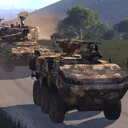
A reference guide to configuring an Arma 3 dedicated server on LOW.MS – server.cfg, basic.cfg, commandline switches, mods, missions, BattlEye and RCON.
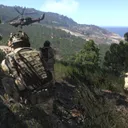
A symptom-first guide to fixing the Arma 3 dedicated server problems we see most often – boot crashes, missing browser listings, BattlEye kicks, signature mismatches, desync, and RCON.
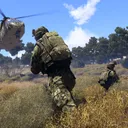
A first-time walkthrough for your LOW.MS-hosted ArmA 3 dedicated server – picking a tier, first boot, editing server.cfg, setting an admin password, and sorting mods.
Nuestro nuevo panel de control estará disponible próximamente para el alojamiento de servidores ArmA 3. Ofrece todo lo que tiene nuestro panel de control actual, pero con una interfaz nueva, intuitiva y elegante.
Nuestro equipo de desarrollo interno ha estado trabajando en esto desde 2021, y revolucionará la industria. Haz clic en el botón de abajo para obtener más información al respecto. Hasta que se lance el nuevo panel de control, seguirás teniendo acceso a nuestro completo panel de control TCAdmin.